

What Does 'FSR' Mean On An AMD Graphics Card?
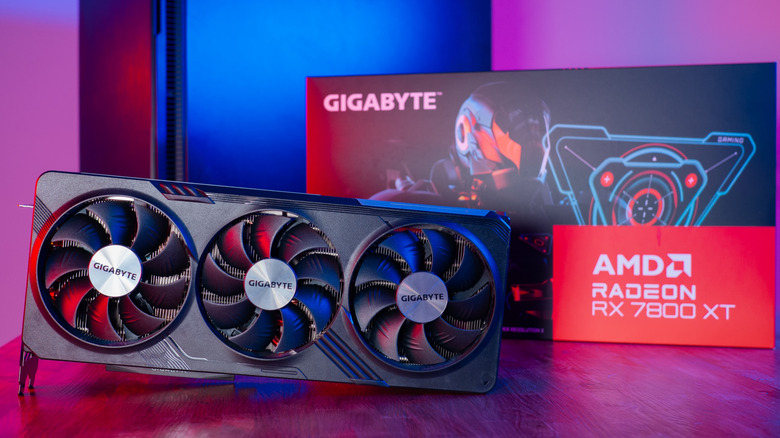
If you've recently built your first gaming PC or switched from Nvidia to AMD, you may have noticed the FSR option in the AMD Software app. This is short for FidelityFX Super Resolution, which initially launched in 2021 as an upscaling feature designed to simulate high-resolution output on devices that may not have the power to actually produce it. Unlike Nvidia's DLSS, which only works on RTX series cards, FSR is open-source, so it can theoretically run on any GPU. In fact, this feature is even coming to PlayStation 5 at some point!
Since its release, FSR has been updated and enhanced with various machine learning-powered tools. Its latest iteration, nicknamed Redstone, offers frame generation (to artificially inflate your framerate), ray regeneration (to reduce noise when ray-tracing is active), and radiance caching (to reduce the computational cost of real-time illumination).
So do these features really make a difference? AMD's benchmarks show that Frame Generation can increase 4K framerates on popular games like "God of War: Ragnarok" by at least 200%, with "Cyberpunk 2077" showing an astounding 470% improvement. The results aren't always perfect (more on this shortly), but if you're trying to get more out of your graphics card without overclocking, FSR is worth a try.
Everything you should know about using FSR
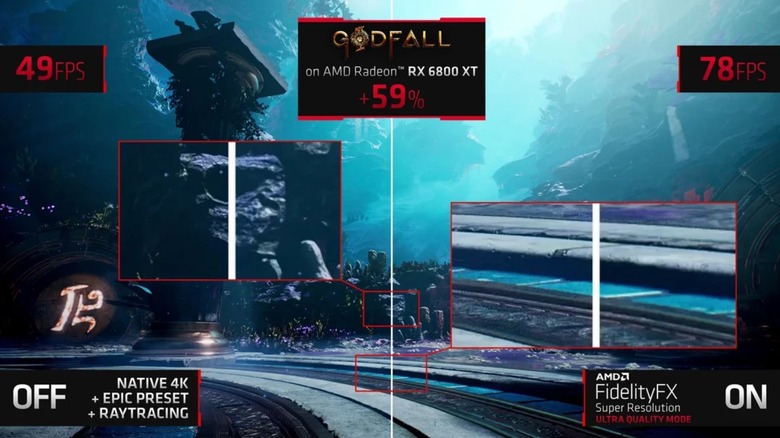
First off, if your PC can already run games at ultra settings with a stable framerate, you don't need FSR. This technology is meant to help people whose computers need a bit of a hand, such as if you're struggling to get a smooth 60fps or want to play at a higher resolution than your system was built for.
Additionally, you can't expect FSR to provide the exact level of performance you'd get from a super-powerful PC. Its frame generation feature can create ghosting and visual artifacts, though these are less noticeable at higher framerates since your eyes have less time to register anything weird. Some users have reported screen tearing and input lag, and while FSR reduces the work your GPU has to do, it won't improve performance if your CPU is the limiting factor. Finally, AMD cards often struggle with multi-monitor setups, especially at high refresh rates, so adding fake frames may worsen stability or synchronization issues.
Enabling FSR is quick and easy, so there's no harm in trying it. Reduce your game's resolution, open the graphics settings menu, and select FSR if it's available. You can also enable FSR 4 within the AMD Software app, which will override a game's FSR 3.1 support, allowing you to use the new features even if the game doesn't officially support FSR 4 yet.