

This Free App Unlocks A Useful Tap Feature On Your MacBook's Palm Rest
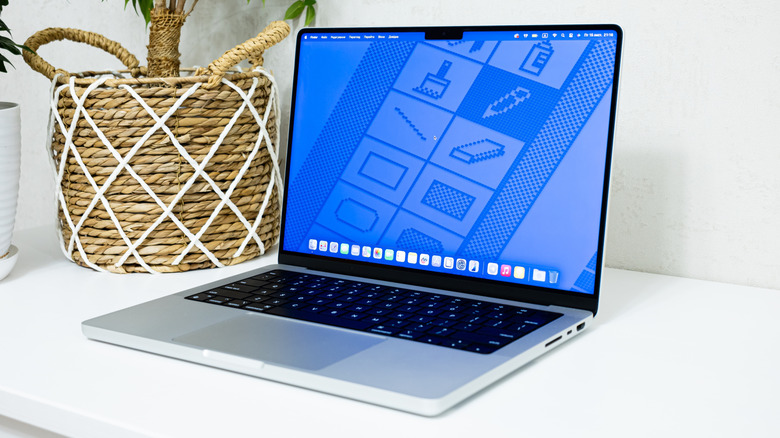
Apple turned the iPhone's rear panel into a massive button in 2020 when iOS 14 introduced the Back Tap accessibility feature. Users who own an iPhone 8 (or later) have been able to customize the feature for several years, as Back Tap continues to be available in the new iOS 27 release, supporting double-tap and triple-tap gestures. In all those years, Apple has not adapted the feature for other devices, but developers came up with Back Tap alternatives for the MacBook, which bring iPhone-like gestures to the laptop's palm rest. MacTap is one of the free apps that you can download immediately on supported MacBooks to accomplish this. Also, interested users can choose from a variety of apps that offer identical functionality.
Before we look at what MacTap has to offer, it's important to understand how Back Tap works on the iPhone. Apple envisioned the feature as an accessibility tool that makes quick actions possible on the handset without additional touches. The iPhone's back panel becomes a button because the software allows the phone's motion sensors to recognize double and triple taps against the chassis and turns these gestures into actions.
MacBooks don't have a native equivalent to Back Tap, and that's understandable. Interacting with a laptop may be even easier than interacting with a smartphone, as you have access to the trackpad, a full keyboard, and powerful keyboard shortcuts to help you control apps and multitask with speed. Also, the Back Tap name would not make sense, as tapping the back of the lid or the bottom side of the case would be cumbersome. That's why apps like MacTap, released in early September 2026, use the palm rest for taps.
How MacTap works
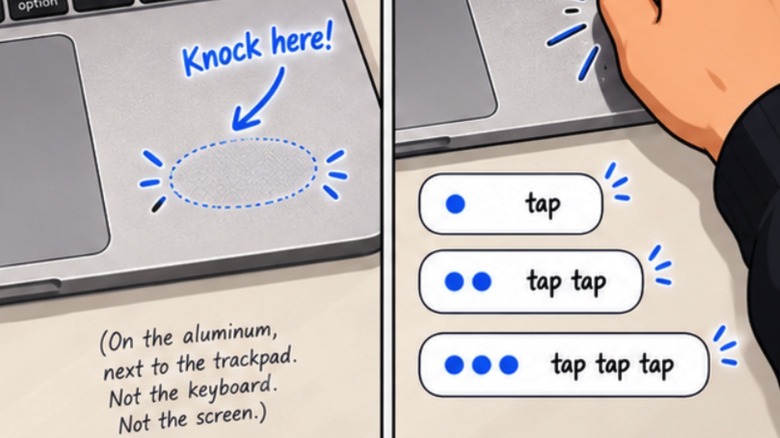
Available for download from the developer's website or from GitHub, MacTap supports two types of gestures. If you're holding the laptop on your lap, you may want to tap on the palm rest to perform a specific shortcut. If the laptop sits still on a desk, tapping on the desk may be even more convenient, as the knock would reverberate through the chassis. The GitHub documentation says that MacTap will work on MacBook Air (M2 and later) and MacBook Pro (M1 Pro, M1 Max, and later) models, as motion sensor data has to be available to apps. That way, the software can listen for and interpret motions like taps and knocks and pair them with actions.
made a dumb little mac app called MacTap.
you knock on the aluminum next to your trackpad and it does stuff. pic.twitter.com/jOvkvFGrJV
— Jaskirat Singh (@jaskirat) September 8, 2026
Back Tap can help you turn on the flashlight, invoke Control Center, take a screenshot, enable and disable Rotation Lock, open apps, and run complex shortcuts on the iPhone. Users can assign one action to each of the two gestures. MacTap is even more versatile, as it can support a variety of customizable gestures, including per-app actions. According to the developer, the app can register single, double, and triple taps. Each one can be turned into a specific command on the screen. For example, you may knock once to copy content and twice to paste. A triple-knock may be paired with an action like locking the screen quickly when you leave your desk. The examples above can be assigned just to one of the two palm rests, which means you can customize up to six gestures, three for each side.
MacTap also comes with built-in presets that adapt the actions to a specific app (like an AI coding tool), to media playback, or the macOS operating system as a whole. These commands can be customized.
Other alternatives exist
Since MacTap is distributed as a free download, users may be wondering how private and secure the app is. Jaskirat Singh, the MacTap developer, explains on the website and on GitHub that the taps are classified on-device, and that no data leaves the laptop. That's especially important considering that accessibility features may require sensitive permissions that may involve the keyboard and local data. Since MacTap is available for direct download from the developer, the app hasn't passed Apple's Mac App Store review process. However, the GitHub page explains that MacTap is "Developer ID signed and notarized."
Users interested in enabling Back Tap gestures on their MacBooks, but who may be worried about downloading software from developers (or from GitHub) have a few alternatives, including apps that can be installed from the Mac App Store. InputConfig is one such example. It was launched in early July 2026, with tap support having been added in mid-September.
Separately, premium MacTap-like apps exist, in case you want to avoid free software. Tapcut is priced at $6.99 after a free trial period. It supports double, triple, and quadruple taps. Finally, Shortap, seen in the video above, is priced at $5 for one MacBook, and supports single, double, and triple taps for each side of the palm rest.