

Android Phone Users Have A New Malware Threat To Worry About
A frightening new form of Android malware was recently discovered and unveiled by security researchers from Zimperium. Posting on Zimperium's blog, the team has shared key findings about the aptly-named RatHat, an AI-powered program that disguises itself as legitimate applications like Google Chrome. Once installed and opened, the malware will then request administrative permissions, and if given, it gains access to ADB shell permissions through a series of developer tool unlocks. From there, it installs an AI agent to run in the background and snoop on your activities and sensitive information, which it sends to remote hackers, likely based out of China, via a proxy client.
That's a lot to digest, and there's a lot more complex stuff going on under the hood, but what's particularly alarming is that the malware itself, once active, doesn't do anything that would give it away to most users. It simply runs in the background stealing account names, passwords, two-factor authentication codes and other highly-sensitive information, including messages, photos, and much more.
There are two big defenses against RatHat, provided your device hasn't already been compromised. It's largely deployed via smishing (phishing messages over text or other apps), and web campaigns called malvertising that are designed to mimic and look like legitimate third-party download sites. For example, you might see a web site trying to mimic the Google Play Store. Avoiding installs from unknown sources, avoiding links to app downloads in messages, and using only the official Google Play Store app can reduce risks. Moreover, services like Google Play Protect or virus tools like Malwarebytes Mobile Security should help you catch potentially compromised sources before you ever install anything.
What about phones already infected with RatHat?
If a compromised app or deployment is already installed on your device, the bad news is that RatHat is difficult to identify and quarantine. Worse, there's really only one way to discover if it's running on your phone, and that's with a malware or virus tool, again such as Malwarebytes Mobile Security. Some alternatives include Bitdefender Total Security, ESET Home Security Essential, and Avira Prime, among others.
But there's something to note here. While reputable malware and virus tools can recognize RatHat, it can't be easily removed. Due to the way the malware disguises itself and changes behavior to remain undetected, gaining administrative access, the only solution to oust it completely, and use your phone safely afterwards, is to do a factory reset. That said, a factory reset is almost always recommended for any device that's been infected in such a way, even after they've been cleaned with malware or virus software. However, it's not a catch-all solution that cures every type of virus or infection. Some compromised apps and code can persist across resets.
If you're following all the major CISA Android security rules that everyone should know, you can remain relatively safe and protected. That's because guidelines encourage leaving Google Play Protect active to vet apps, using safe browsing mode in Google Chrome, regularly reviewing and restricting app permissions — most importantly before giving them to new apps — and other smart techniques.
How to completely avoid RatHat
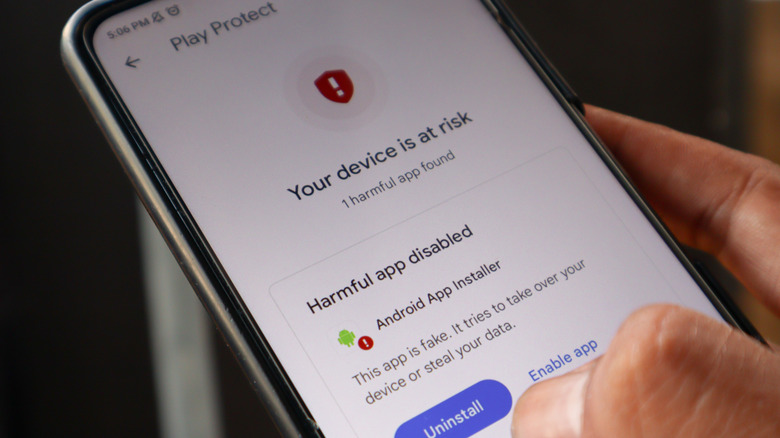
Because RatHat's initial deployment mimics legitimate installation sources, like third-party app stores, your first line of defense is avoid installing apps outside of Google Play. Don't click on links shared in text messages or in direct messages within other apps. Moreover, don't click on unknown links you see on social media or other sites, and if you do, certainly don't install anything your device prompts you to.
To avoid using a disguised website, pay attention to the URL. If it's not an official slug or URL, and you can't verify it, don't download anything and leave immediately. To avoid infected apps, install only from the official Google Play Store, keep Google Play Protect active, and avoid sideloading, via unknown sources. If you see a prompt to download an app you already have installed, like another copy of Google Chrome, it's best to avoid it. At the risk of scaring some, it's still possible to download compromised or malicious apps from Google Play. That's why Google Play Protect and other backups like virus tools are essential.
Finally, even if you accidentally install a compromised app, the snooping process won't start until after you've opened it or granted permissions. Never blindly accept permissions requests from new apps, and certainly avoid giving them to apps you don't recognize or that appear questionable. There are app permissions that you should just never allow. Android has a built-in feature to review and adjust privacy permissions you've granted in the past, as well. Revoking permissions won't help if RatHat already has administrative access, but it's still a good practice to keep in mind for the future.