

What Does The Circle With A Line Through It Mean On A Samsung Phone?
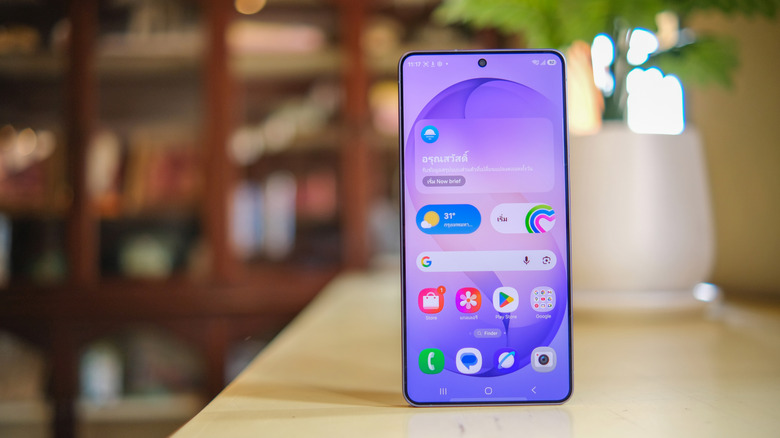
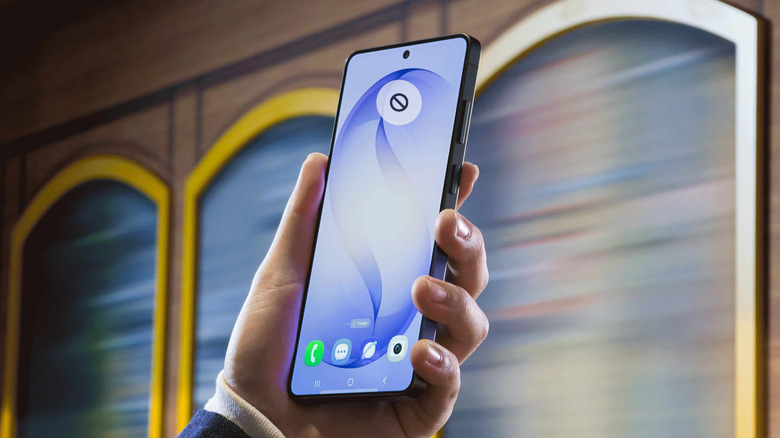
If you're a Samsung phone owner, you come across a ton of icons as part of the user interface in everyday use. Many of these icons, such as the Wi-Fi icon or the network signal strength indicator, are widely recognized. However, many others, such as a triangle symbol highlighting the data saver mode or a shield in the battery icon indicating the enabled battery protection feature, aren't instantly recognized by everyone. Another such icon is a circle with a line through it. It's not a common Samsung Galaxy problem, and you typically come across the icon in your phone's status bar.
The circle with a line through it tells you that your phone is not getting any cellular network. There are several reasons for this. The most obvious reason is that you're in an area with no cellular coverage from your carrier or that your carrier is experiencing a network outage. If that's not the case, and you are getting a cellular signal from the same carrier on another device, you might be dealing with a bad physical SIM card, improper SIM installation, or a hardware issue.
How to fix the lack of cellular signal on your Samsung phone
If you aren't getting a cell signal because you are out of the coverage area or your carrier is experiencing an outage, there is little you can do. You can either go to a location with network coverage or wait for the outage to get over. However, if other phones with the same carrier are getting a cell signal, you can start by rebooting your Samsung phone, which will resolve any temporary glitches. To reboot, press and hold the power button along with the volume down button for around 10 seconds and choose 'Restart' from the power menu.
If the issue persists, you can try resetting the phone's network settings by navigating to Settings > General Management > Reset and choosing the 'Reset Network Settings' option. This will potentially solve your problem; however, if that doesn't happen, the next thing you can try is to check your physical SIM card if you use one. Switch off your Samsung phone and remove the SIM card. Then, clean it if it seems dirty and reseat it properly, aligning the slanted edge with the cutout on the tray.
You can also check for any new software updates if the no-signal problem started occurring after an update. Install any available updates and restart your phone. If the problem continues and there are no updates, insert the SIM card in another phone to identify whether the card itself has gone bad. If your SIM card doesn't work in another phone, you'll have to contact your carrier and get a new SIM card. However, if the SIM card works, it's time to contact Samsung and get your phone checked at an authorized service center for any potential hardware or software problems.