

What Does The Green Light On Your Alexa Speaker Mean?
We may receive a commission on purchases made from links.
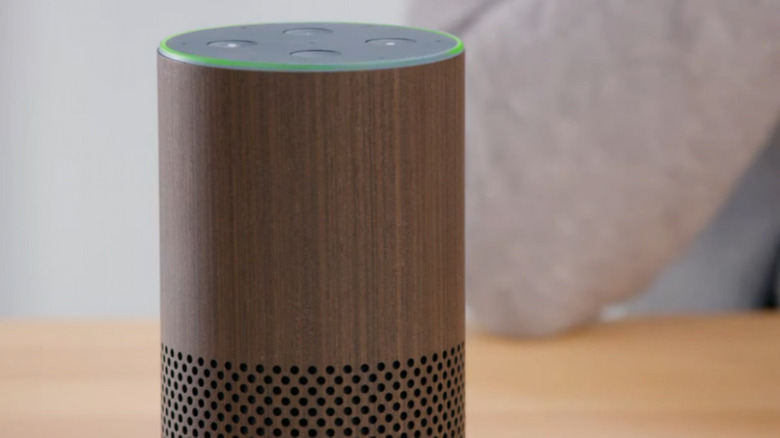
Alexa-enabled and Alexa+ compatible Amazon Echo speakers can display nine LED light colors to communicate the device's status to users. A flashing yellow light, for example, indicates that you have a notification or message, while Alexa's blue lights [link to blue light piece when live] can tell you a few things, including if the speaker is booting up or responding to a voice command. But what does the green light on your Alexa speaker mean?
The green Echo speaker light is related to calls and has two variations: a spinning green light or a pulsing one. Each reflects a different device call status, so it's important to know how to identify each and what they actually mean. So, below, we've broken down what the two green light variations on your Alexa-enabled speaker look like, what each means, and what to do if your device displays a green light that won't go away.
What the Alexa green light means
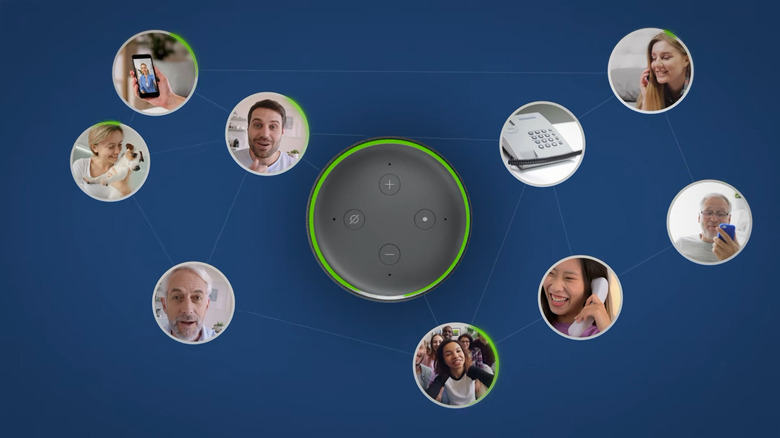
When an Alexa-enabled Echo speaker displays a green light, it appears in one of two forms–each with a different meaning. If the green light is pulsing, it means you're receiving an incoming call on your Alexa device. To answer the call, say "Alexa, answer," and you should then be able to speak to and hear the caller through your speaker. If you don't want to answer the call, you can say 'Alexa, ignore," instead.
This is when the other variation comes in. When you're on an active call or Drop In, your speaker will display a spinning (or sweeping) green light instead of the pulsing one. To end a call, say "Alexa, hang up," or let the other party end the call, and the green light should disappear. This light can also appear when you're making an outbound call and the device is ringing. To make a voice call through your Alexa speaker, say "Alexa, call [contact name]" or "Alexa, call [contact's name] Echo Dot."
To use Alexa calling and messaging, you need a stable internet connection and Alexa Communication enabled. To do this, open the Alexa app, select 'More,' then open 'Communicate'. Under this menu, you can manage your calling and messaging permissions and/or information. With Alexa Communication set up, you can make calls through your speaker to Alexa contacts, cell and landline numbers, and to groups of Alexa contacts.
How to fix a stuck Alexa green light

If the green light on your Alexa device keeps pulsing or spinning for a long time, your device may have a glitch. The first step may seem obvious, but try answering, ignoring, or hanging up the call or Drop-In using voice commands or the Alexa app. Even if you do nothing, after about 10 rings, the incoming call green light should stop pulsing unless someone keeps calling you repeatedly. Also, review your Alexa voice history to confirm you haven't accidentally made a call.
If the green light keeps pulsing or spinning and no call appears active or incoming, you can try a few fixes. Try saying "Alexa, play my messages" and "Alexa, check my notifications." Some users say this fixed the issue because they had messages or notifications they weren't aware of. However, this advice seems to primarily apply to older Alexa speaker devices, as notifications are now indicated by a yellow light.
If this doesn't work, make sure your Echo speaker is updated to the latest software version, then restart it by unplugging it for about 30 seconds and plugging it back in. If the issue persists, turn off Drop In and Communications for your Alexa device. If all else fails, factory resetting your Echo speaker may fix the issue.