

Google Maps Glitch Wreaks Havoc In Scotland - Here's What Happened
We all make mistakes, but when one of the most popular driving and navigation apps does, the results can be far more severe than someone leaving their kettle on overnight. Those traveling through Perthshire villages in Scotland may know all too well the effects of Google Maps making small mistakes. Drivers trying to navigate a long stretch of road in the region found themselves in major chaos because of a mistaken Google Maps suggestion.
As a navigation app, Google Maps can be great for finding a fast route to a location (especially if you change a specific setting), but how well it works depends entirely on the app itself. Scotland residents certainly know this feeling, as Google Maps falsely reported that Scotland's A9 road was closed (per the BBC). Google Maps then kept recommending to users an "inconvenient alternate route," despite the A9 not being closed in the first place. At times, the congestion became so severe that several found themselves driving in reverse just to escape the situation.
Google says the problem has been fixed, though users reported the traffic issues were still happening days later. Of course, this isn't the first time Google Maps has made such a mistake, as we here at BGR certainly know a thing or two about fixing common Google Maps issues. Nonetheless, you can report issues with Google Maps, though you will need access to a computer.
Google Maps error causes chaos in Scotland
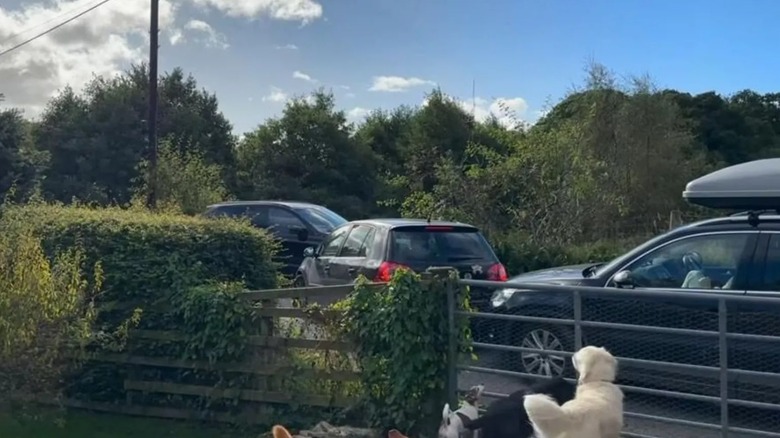
Issues began in Scottish villages like Guay, Tulliemet, and Ballinluig after Google Maps erroneously told users the A9 road was closed. For those unfamiliar, this 273-mile stretch is the fifth-largest in the UK and runs from Perth to Thurso. With the road "closed," Google recommended a single-lane route, which quickly became overwhelmed by two-way traffic.
The situation also put residents along the narrow road in danger, as drivers often sped through. Regarding Google Maps, this isn't the first time an error has caused problems, as German motorists also faced a similar situation in June 2025 after the app incorrectly reported that several highways were closed during a busy holiday season. Though not entirely Google's fault, a German artist also tricked the app into thinking there was a traffic jam after reporting their location on 99 different phones in February 2020.
Folks should remember that if they need to report an issue with incorrect directions, they can always open Google Maps on their computer, click Directions, enter a destination, then click the route in the left panel and select Details. Select Send Product Feedback from the bottom right, and then click Flag next to the incorrect step. Users can also navigate to Menu > Edit the Map > Add or fix a road to ensure the information is correct or add a specific road. Drivers may also want to review these Google Maps settings you need to enable.