

4 Disadvantages Of Using Spotify's Web App
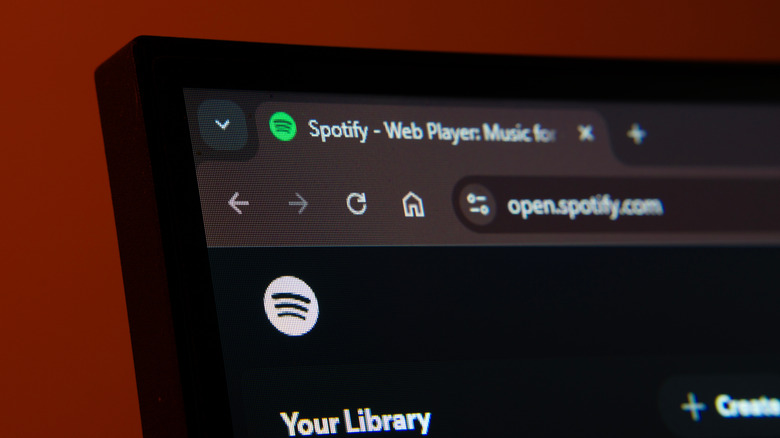
You know the phrase, "There's an app for that?" Well, it couldn't be more true these days. It seems like almost every company wants you using its app, from social sites like X and Reddit to music streaming services like Spotify. Sure, Spotify is kind enough to offer a web player that works in your browser, but like the social sites that limit browser use in order to push users toward their apps, so too does Spotify by limiting the features of its web player, even for paying subscribers — one of a handful of uncomfortable truths about using Spotify.
In fact, Spotify's web app has several disadvantages, including a lack of access to Premium's 24-bit FLAC streaming, no offline use, no local file integration, and the absence of advanced playback features. Conversely, the desktop and mobile apps offer all of these, but they also take up storage on your device and can access data you may not want to share. So it's understandable that some subscribers may want to avoid using the Spotify app, but that sadly comes at the cost of features, considering how limiting Spotify's web app can be, regardless of which browser you're using.
While these omissions won't matter to everyone, especially when maximum audio quality requires high-end headphones and dedicated DACs to truly shine, the limitations are clear. On the other hand, the sheer portability of listening in a browser tab may be worth the trade-off. Still, these web app limitations are certainly worth considering so you can decide whether giving up the native apps is worth the compromise.
Audio quality is hard-capped
This is likely the most egregious example of locking features behind the official Spotify app, as it even locks out paying Premium subscribers. Audio in the web app is limited to 128 kbps for free users, and Premium is locked to 256 kbps, potentially ruining your sound quality on Spotify. You don't even get 320 kbps, which is basically an industry standard at this point — unless you use an official Spotify app, which goes even higher with studio-quality FLAC support.
The web app is missing the Audio Quality setting you'll find in the primary apps, and Spotify doesn't even tell you in the web app what quality you are getting — perhaps this information is hidden in the UI because it tops out at a lowly 256 kbps, even for paying subscribers. The web app is worse off because of this limitation, not only because of the lower quality of streams, but because most users may not even realize it unless they have the ability to pinpoint low-bitrate streams with high-end equipment.
Seeing that one of the major benefits of paying for Spotify's Premium subscription is that you can stream high-quality FLAC files rather than compressed AAC files, it's a bit ironic that the most accessible way to listen — the web app — can't play them. This isn't a limitation of browsers, either — all of the major players support FLAC playback in their own right — so it's a problem of Spotify's own design.
Can't be used offline
If you've ever used the desktop or mobile apps for Spotify, you may have noticed that you can save songs and albums for offline use, which is helpful for those times when you won't have a consistent internet connection for streaming but still want your music. Sadly, if you use the web version, this feature is completely missing — there is no way to use Spotify's web app offline.
While it's more likely that you would want offline music for the mobile app, there is the rare case where offline use in a browser could be helpful, like when commuting on a train with a spotty internet connection. Seeing that the official desktop app is simply the site in a Chromium wrapper (using the Chromium Embedded Framework, similar to apps like Steam), the only real reason why offline support can't work in a browser likely has to do with DRM limitations.
Ultimately, forcing users to always use their data when streaming with the web app isn't very convenient, especially if they have limited data over a mobile hotspot that the web app will chew through. Making matters worse, Chromium and its derivatives support PWAs (and support is in testing for Firefox), which means all Blink-based browsers (as in the vast majority) are very much capable of caching a large amount of data specifically for offline use. So it's not the browsers that are the problem here — it's Spotify and DRM enforcing an artificial limitation that is ultimately inconvenient to users.
No local files integration
Spotify's library may be incredibly large, but thanks to licensing deals, there are gaps in the collection. This is where local file integration comes in clutch: You can add your own MP3, M4A, and WAV files to the desktop and mobile apps. However, this feature is missing from the web app entirely, which means you can't fix any gaps in the library like you can with the main apps. Once again, this is the case for both free and paid customers who use the web app — and it's another feature that is arbitrarily missing, as web browsers easily support uploads, caching, and local media playback.
It doesn't matter if you're a paying subscriber who has gone out of your way to upload missing tracks and add them to your favorite albums and playlists. These tracks will essentially be broken when trying to listen through the web app, as all your manual uploads will be grayed out and skipped over. While you can retrieve these tracks on a separate device running the desktop or mobile app, the entire system is pretty clunky and forces the files to always remain local. This means if you added tracks on your desktop, your phone needs its own copies of those files to play them. Still, the web app coming up short is a limitation of Spotify's own implementation, perhaps meant to push users out of their browsers and into the mobile and desktop apps. After all, most browsers offer an API for file access, so browsers likely aren't to blame for the issue.
Missing advanced playback features
If you're the sort of music listener who loves to dial in your experience with features like software equalizers (EQs), track crossfading, and gapless playback, you may want to avoid the web player that's missing all of this advanced functionality. Options easily found in the mobile and desktop app settings are missing from the web app, which can negatively affect your tunes. Say you listen to a lot of live albums where tracks flow into one another with no audible gaps — the web app will still leave gaps between these tracks, since the setting to remove them is missing. This is doubly true if you rely on an EQ to ensure the best sound, as there isn't one in the web app despite the feature being one of the cool things you didn't know Spotify can do. With the web app, users are stuck with a flat EQ unless they take matters into their own hands to track down a software equalizer, complicating the experience.
All of the social media integration you'll find in the mobile and desktop apps is also missing in the web app, which may be a positive or negative, depending on how social you like your music listening to be. On the one hand, thanks to such missing features, the web app's UI is less bloated — but on the other, especially if you are a paying customer, the minimum viable experience of the web app can not only feel limiting, but exploitative, as you are pushed toward apps that do contain all of Spotify's advertised features. Either way, missing advanced playback features is certainly a disadvantage of using Spotify's web player.