

What Xbox Developer Mode Actually Lets You Do
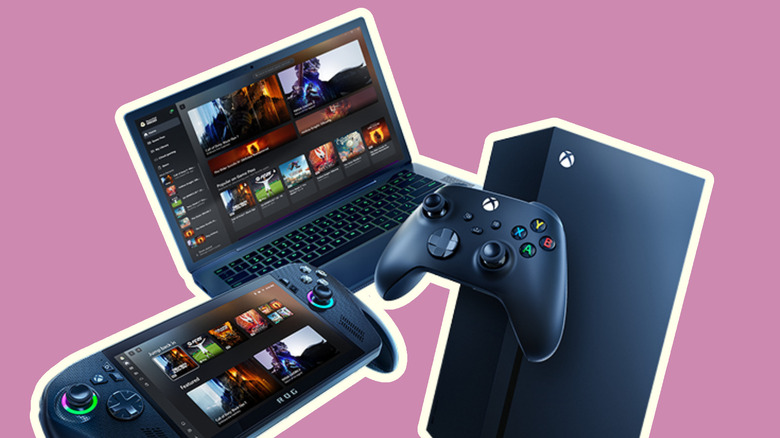
Xbox Developer Mode is a special piece of functionality that unlocks the console, specifically for testing games in development. In 2016, the Xbox division within Microsoft moved to launch Developer Mode, hoping to increase the number of developers adopting Universal Windows Platform (UWP), which is the same program format used by the Microsoft Store and the Xbox app on PC. However, a highly popular way to take advantage of Microsoft opening the developer mode floodgates is that the console is incredible for homebrew apps and emulation gaming.
Currently, it supports Dolphin for GameCube and Wii, Flycast for Dreamcast, and even RetroArch, the emulation platform that houses a variety of different emulators under one roof. There's even an Xbox 360 emulator, allowing games long since left behind on that console generation to still be played.
Getting it set up is relatively easy to do, and there are dozens of guides available online, either written or video, for you to follow. Taking full advantage of developer mode's freedoms will let you turn the Xbox One or either Series console into a retro jukebox or even use the Xbox as an endpoint for Moonlight streaming from a PC.
Xbox Developer Mode requirements and that $99 fee

There are a few requirements before jumping in, including an account activation fee. See, even if your company only ever published free apps, Microsoft still wants their piece of the pie. However, registering as an individual will let you sign on for free. You'll also need a non-expired ID to complete registration.
Outside of that, as we said, it's essentially a testing ground for actual game or app developers looking to expand into the Xbox ecosystem. Developers will use something similar to this mode if they're at a large studio; often, a development kit will be made available. These are specialized consoles strictly for development, but the Dev Mode on consumer-grade hardware should be on par with some of the deeper functionality allowed by Devkits. Part of that is sandboxes, isolated containers for testing Xbox services. However, data won't carry between two sandboxes, like achievements or connecting users together.
It's difficult to gauge on the surface which developers or teams have used Dev Mode in their workflow, especially as the homebrew scene has essentially taken over the Dev Mode discussion. A few years ago, there was concern that Microsoft might pull the plug on Dev Mode for users without anything in the Microsoft Store. This was chalked up to an error, and the mode has remained available since.
PS5 comes to Xbox via Dev Mode
The retro scene has begun to shift to decompilations and recompilations, which — to boil it down — are fan-made ports to PC, which can then be ported to other systems, games like "Zelda: Twilight Princess," "Majora's Mask," and "Pokemon Red," "Blue," and "Yellow" are now supported within Dev Mode. These skip emulators and run natively on the console. As decomps and recomps become more prevalent, mostly thanks to users opting to vibe code projects with no prior knowledge, it doesn't mean the emulation scene is fading away.
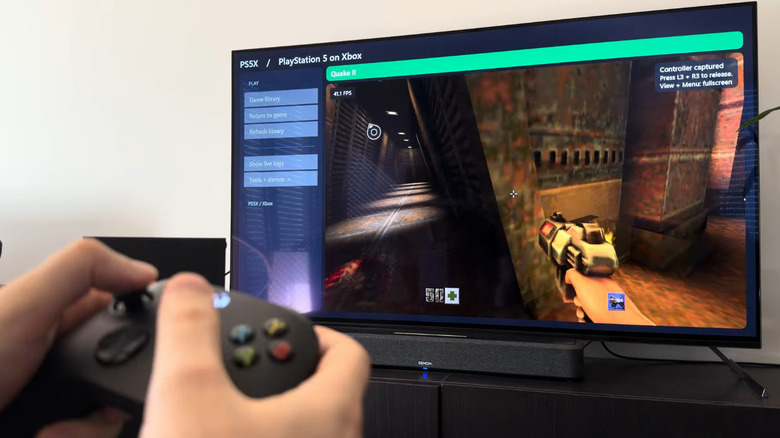
In recent weeks, the Xbox Dev Mode has had early versions of a PlayStation 5 emulator ported to it. So far, it appears to be able to run Quake 2, and it was developed using generative AI. It's based on the PS5 emulator, KytyPS5, but doesn't appear to be available to the public yet. That's fine, since there's currently no sound and performance is rocky, as it has to translate the graphics architecture of the PS5, using Vulkan, to DirectX.
Dev Mode was a great idea from Xbox, but giving the keys to users willing to put in the elbow grease of porting emulators and testing functionality has led to the system becoming a rather great emulation box. Before prices rose on Xbox systems, the Series consoles were a great recommendation, especially to those elbow-grease individuals, as it was a fascinating experiment.