

How Long Does It Take To Install A New GPU?
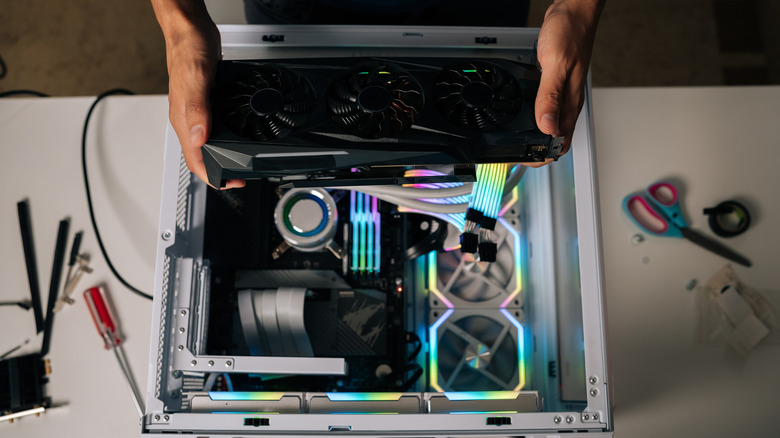
Undoubtedly, one of the best things about PCs is the ability to upgrade parts piecemeal. Whenever you're ready, you can install more RAM, swap in a better processor, or upgrade your graphics card — you usually want to start with your GPU for gaming. For the inexperienced, it might seem complicated. The reality is it doesn't take long to install parts like a new GPU; it really depends on your experience level. Overall, it can take anywhere between 10 minutes and a half hour, at most.
That doesn't mean it's a task for everyone. While anyone can do it, the technical aspects may frighten some away. However, there are a couple of things you should know. Always power down and unplug the PC before you start working inside. Although not required, you'll also want a static mitigation tool, like a static bracelet or comparable gloves. The process of physically installing the GPU goes like this:
Initially, you remove your old GPU by unplugging the power cable, unscrewing the frame from the case, unlocking the PCIe slot tab or retention clip attaching it to the motherboard, and gently pulling the card. Then, do it in reverse with your new card, plugging it into the open PCIe slot, securing it to the rear case panel, and plugging the power supply cable back in. The difficult and time-consuming part comes later while you're dealing with GPU drivers. It is best practice to uninstall the old drivers before powering down.
You're not done just yet, now comes the software installation
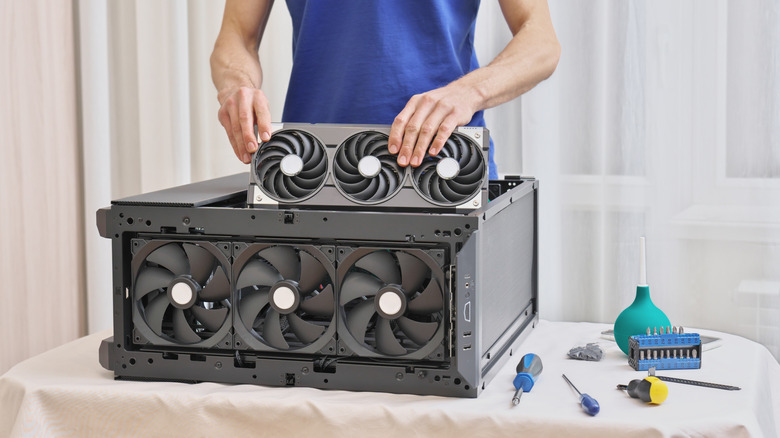
Physically installing the GPU takes 10 to 20 minutes, maybe longer if you take your time, but that's not the only part of adding new PC parts. Every time you install something new, especially if your main operating system is Windows, you also have to install software drivers. In basic terms, a driver is a software package that allows the OS to communicate with the hardware in the computer. That includes everything from USB peripherals like mice and keyboards to physical components, such as SSDs, RAM, and graphics cards. Yes, that includes drivers for a new GPU.
But before installing new drivers, you have to uninstall the old ones, leftover from your previous card. You can do this before removing the old GPU, or after, but it must be done before installing new drivers. The two main GPU manufacturers, AMD and NVIDIA, are known for buggy, frustrating drivers that can be hit or miss. Things will likely go off without a hitch, but it's still good to know issues can arise and you may end up fussing with drivers for longer than you expect.
If that turns out to be the case, it will take you a lot longer to officially install your GPU. Don't let the driver warnings scare you off. If you've encountered any of the signs it's time to replace your GPU, doing so can give you a big performance boost in current-gen games, and it's not an overly complicated task. Plus, you probably want to avoid waiting for computer parts you need, given the price hikes and shortages.