

5 Reasons Your Amazon Alexa Is Turning Off By Itself
We may receive a commission on purchases made from links.
Alexa has an estimated 78 million users in the United States alone, according to SQ Magazine. If you're one of them, you probably use it to help with some of your favorite (or most mundane) tasks. Perhaps you're connecting cool gadgets to Alexa to help you manage their operation more efficiently.
However, apart from occasionally refusing to understand your voice commands or the song you want to play, Alexa could also run into some frustrating problems, such as unresponsiveness or frequent shutdowns. If you're experiencing these problems, some of the potential causes include issues with the software, a loss of network connectivity, an influx of notifications that you don't know about (and are making the system appear unresponsive), a faulty power adapter or electrical outlet, or the hardware device receiving exposure to temperatures outside its operational range. Fortunately, most problems with Alexa are relatively easy to fix, either through support resources from Amazon or basic troubleshooting.
Corrupted or old software can cause Alexa units to shut down
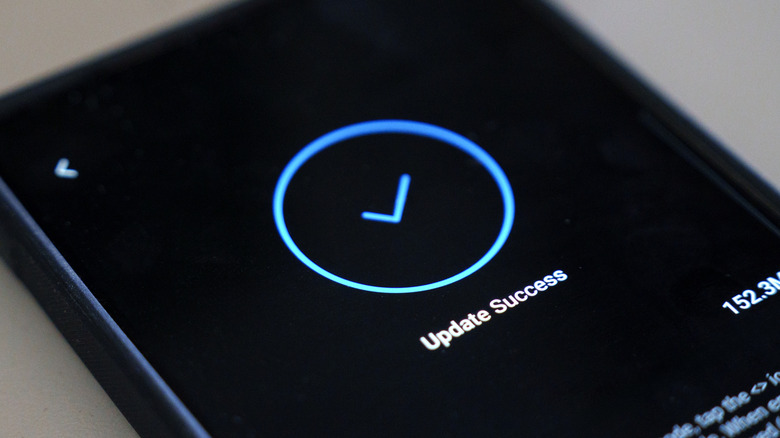
Like most pieces of consumer technology that connect to the internet, Amazon Alexa devices occasionally need to be updated to the latest software and firmware versions. Such updates are necessary to fix operational bugs and security issues with the devices, add access to new features, and improve performance. Failing to update the device's firmware or software can cause issues that may leave the unit unresponsive.
One Reddit user owned a Dot that seemed to be shutting down randomly. It simply needed a software update. Many people notice that their music cuts out when this problem occurs. This can make it appear as though the device is shutting down unexpectedly.
Normally, software and firmware updates occur automatically through the internet connection. However, if you suspect that automatic updates aren't happening, you have some options. Try managing updates through your connected smartphone or computer. On Alexa devices with a screen, you can check for a software update in the Settings menu and About This Device submenu. If your Alexa device is working intermittently instead of completely shutting down, you can use voice commands to ask it to seek out and install any firmware or software updates that are available. Alexa speakers may emit a slowly rotating blue light while downloading and performing an update.
A shaky internet connection can make Alexa seem unresponsive

Because most Amazon Alexa devices don't have much on-board storage space or processing capabilities, they rely heavily on the internet and an active Wi-Fi connection in your home to perform their functions. Amazon's cloud storage manages most of the functionality of the Alexa device. If you lose your connection to the internet, it may appear as though your unit has powered down unexpectedly. You may also notice these problems if the Wi-Fi router is too far from the Alexa device or something is interfering with the signal.
If you suspect local connectivity issues, you can take a few steps. Start by ensuring the router is working with other devices in your home. If they aren't working, try resetting the router. If they are working, try moving the Alexa device to within 30 feet of the router, limiting traffic on your Wi-Fi network, or rebooting the Alexa device.
Another internet-related reason a device may seem to shut down is when Amazon is experiencing an outage. This happened in October 2025 when the AWS web hosting service crashed. Alexa was left unresponsive for many users. However, such server outages don't last for long and should get fixed without you needing to intervene.
Constant notification popups could leave Alexa unresponsive
If you have push notifications enabled for several apps on your smartphone, you know that receiving these messages can feel overwhelming at times. Amazon Alexa devices have been able to receive notifications for almost a decade. You might receive them for sports score updates, severe weather alerts, package delivery, Amazon purchase updates, and other situations.
Most Alexa devices provide an audible clue when a notification comes in. You might also see information about the notification on your smartphone's screen through the Alexa app. Notifications may also appear on the Alexa device's screen (if it has one).
However, many users on Reddit and the Amazon user forum complain about notifications causing the Alexa device to lock up, operate slowly, or appear to shut down. Some users report that receiving multiple notifications through Alexa causes the device to lose its internet connection. Having the volume turned down for notifications can cause you to miss clearing them, allowing them to pile up and greatly slow the unit's performance, making it appear unresponsive. You might need to turn off notifications to fix the issue.
A faulty power source may cause an Alexa device shutdown
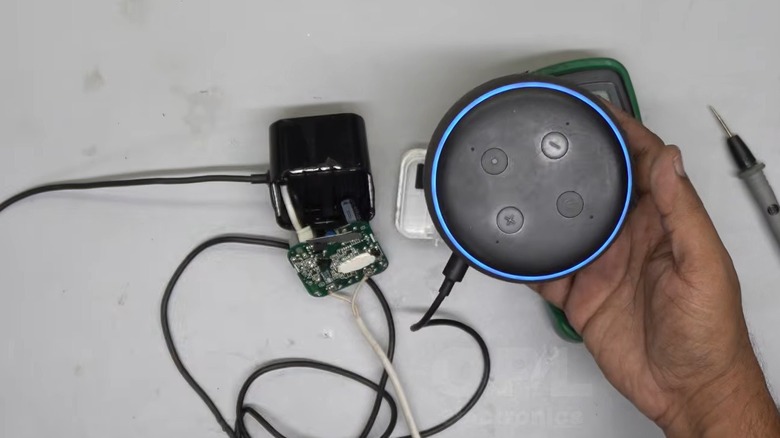
As an Amazon Alexa device owner, you know that the unit needs steady electrical power to operate. However, when you're having trouble with the device that's causing it to appear to shut down, you might try a lot of troubleshooting techniques before realizing the power adapter is malfunctioning. Alexa devices, such as the Echo, need to meet certain power requirements to operate properly.
If you use a different adapter or cable than the one that shipped with the device, it might not be capable of delivering the amount of power the unit needs, causing poor performance or unexpected shutdowns. Using a third-party adapter cord that's too long could give the Alexa device intermittent power. It's also possible that you experienced an electrical surge at your home that caused problems with the original adapter.
Other potential power issues you may experience with your Alexa device include a loose or broken power port inside the unit, which may be the case if the power cord only works when you wiggle it around. You could have a faulty electrical wall outlet, too. Such problems may cause the Alexa device to shut down randomly and unexpectedly.
Amazon Alexa devices may fail when exposed to excessive heat

One reason an Amazon Alexa device potentially stops working is because of overheating. The overheated unit could shut down or start lagging, which may make you question whether it's working at all. When you're using the Amazon Echo Dot for controlling Alexa, for example, it's rated to operate in a temperature range of 32 to 95 degrees Fahrenheit. You should only place and operate it in an area where it can remain within this range. Understand that the device will likely warm up during operation. To mitigate the possibility of excessive heat buildup from operation, it should sit on a heat-resistant surface.
If you've been using your Alexa device in areas near a space heater, kitchen stove, radiator, or another heat source, you may notice a shutdown. Additionally, if you have a dark-colored countertop in your home that receives sunlight through a window, you might not want to place the Alexa device on it. Black or dark-colored surfaces will absorb more heat than light-colored countertop materials. A sun-splashed countertop's temperature can potentially exceed 100 degrees Fahrenheit. Try to place Alexa in an area that is shielded from direct sunlight.