

How Long Do CMOS Batteries Last In A PC?
We may receive a commission on purchases made from links.
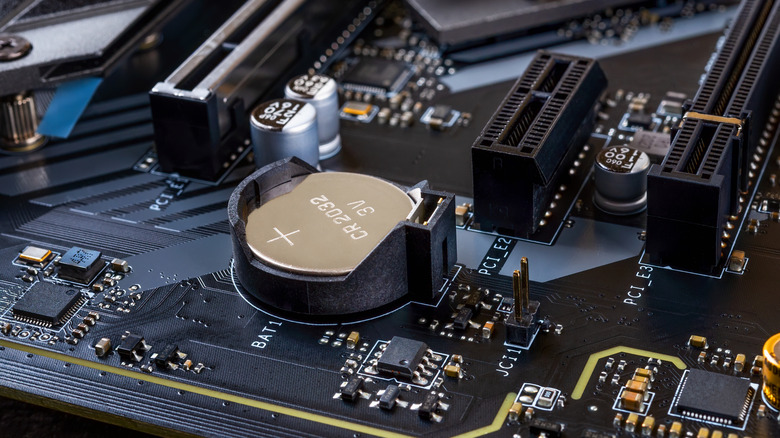
A CMOS battery, short for complementary metal-oxide-semiconductor, is a round, flat battery connected to a computer's motherboard; it usually has a dedicated slot near the BIOS chip. Typically, it's a CR2032 coin-cell size and comes pre-installed. Its purpose is to provide backup power to critical functions and components, like the CMOS RAM chip, even while the system is powered off. Mainly, it keeps the real-time clock on the motherboard running, but it also preserves important BIOS settings by powering volatile memory during low-power states. It's a battery like any other, which means it drains over time and will eventually need to be replaced. When can you expect that, and what else happens when it does?
First, a CMOS battery inside a computer can last anywhere between two and ten years, sometimes longer. They aren't rechargeable. However, when the computer is powered on, the circuit bypasses the battery so it won't discharge, prolonging its lifecycle. That doesn't mean a battery can't fail sooner, but most times, CMOS batteries last for years and years, so users never have to deal with them. All computers have a CMOS battery, including laptops and mini PCs.
If and when a CMOS battery dies, you can simply replace it by swapping it out with the appropriate size. It's easy to do, takes only a few minutes at most, and the batteries are readily available at almost any hardware store or retailer. Again, the most common size is CR2032, but some computers may also use CR2016 or CR2025. When they fail, they can cause more than a few headaches, like stopping your computer from booting.
What happens when a CMOS battery dies or fails?
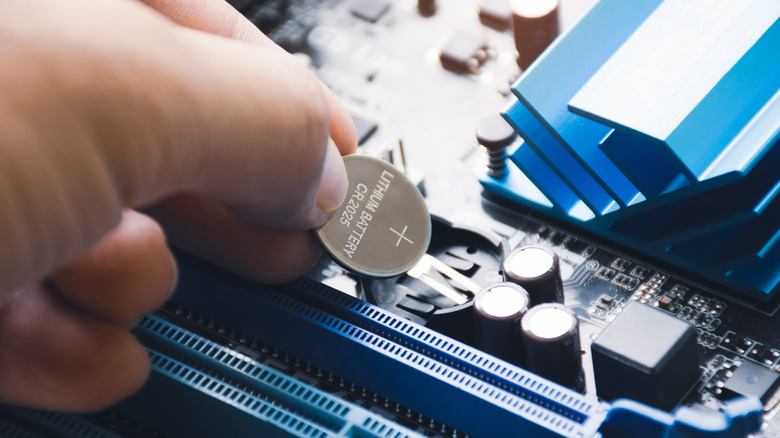
Believe it or not, when a CMOS battery either starts to fail because it's running out of power or fails, it can cause a lot of issues you might not immediately recognize. In fact, there's enough overlap that many of the telltale signs your motherboard is about to fail could actually stem from the battery itself. A CMOS battery failure can desync or cause incorrect system times and dates, a complete wipe of your BIOS and user settings, boot problems and more. Yes, if your computer fails to boot, it could well be a dead CMOS battery and not one of the many other common mistakes that can also ruin a computer. A dead CMOS battery can even cause the system to misrecognize installed hardware, ultimately resulting in performance issues. If you didn't know any better, you might mistake those hardware issues as a problem with software drivers or the security certificates.
What's interesting is how easy it is to overlook the CMOS battery as the main culprit during troubleshooting. That's likely because they normally last so long, but also because they're somewhat hidden away on the motherboard. But if you've had your computer for more than three years, it's where you should look first if you're running into related symptoms. Since a multi-pack of CR2032 batteries costs less than $10, it's a cheap, low-lift fix if it turns out to be the source of the problem. If you ever buy a used or pre-owned PC, there are several things you should check to make sure it works, but it's also a good idea to replace the CMOS battery before diving in.