

Buying A Googlebook? Here Are 4 Cheaper Alternatives To Consider Instead
We may receive a commission on purchases made from links.
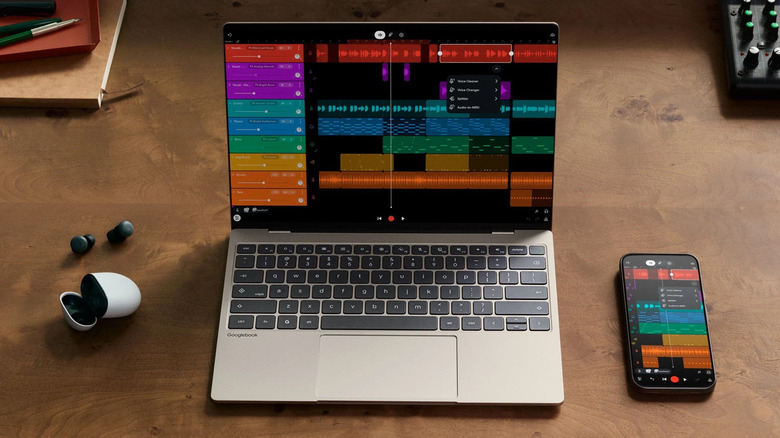
The Googlebook lineup is a more powerful alternative to the conventional Chromebook, with better hardware, AI features powered by Gemini, and a concept closer to a premium laptop. However, the Googlebook starts at $899, which may scare off anyone who wants a simpler device for day-to-day use.
So, if you mainly use your laptop for studying, work, browsing the internet, or similar tasks, paying that extra amount may not be necessary. There are several cheaper alternatives to the Googlebook that still offer portability, good battery life, and the performance needed for everyday tasks. Some even include a good screen, AI features, and smartphone integrations without costing close to $900.
For that reason, we selected four options made for anyone who likes the Chromebook concept and is looking for a new laptop with better value for money. This way, before buying the new Googlebook, you can compare what you actually need before spending on features you may not need.
MacBook Neo

Besides being a good alternative to the Googlebook, the MacBook Neo also gives you access to Apple's ecosystem of devices, which is an advantage for many users. With a similar concept, you pay around $699 for this laptop, saving $200 compared with its competitor. This makes the model interesting for students and users looking for a lightweight laptop to carry day to day.
Even though it costs less, the MacBook Neo comes with a 13-inch Liquid Retina display, Apple's A18 Pro chip, 8GB of unified memory, and a 256GB SSD. You can expand some of these specs by paying more, but this setup is already enough to make the MacBook Neo a good alternative to traditional Chromebooks. Apple also promises up to 16 hours of battery life for video playback.
Similar to Chromebooks or Googlebooks, the MacBook Neo is a laptop aimed at simpler activities. The 8GB of RAM and 256GB of storage should be enough for anyone who wants to browse the internet or edit some documents. However, if you are interested in working with heavier files or installing a game, you may notice that the hardware isn't powerful enough.
HP OmniBook 5 14
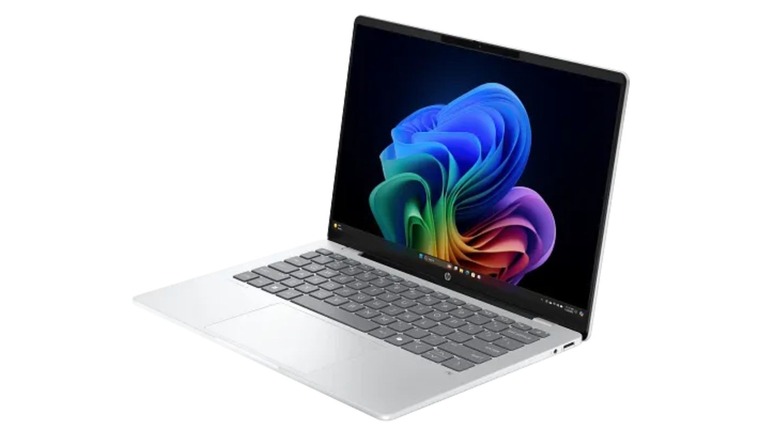
For anyone who would like to keep using Windows, the HP OmniBook 5 14" can be a good buy. You can find this model for around $760 in official stores, so you still save money compared to a Googlebook. In addition, it has a compact 14-inch format with powerful enough hardware for studying and working.
At this price, you will get access to a Snapdragon X processor, 16GB of RAM, and a 512GB SSD. These specs are better than those of a traditional Chromebook, matching the new Googlebook's memory and storage. Another highlight is its 2K OLED display, and it also gives you access to AI features with Copilot.
The battery is another strong point, especially for anyone who needs to spend a long time away from outlets. It has a concept heavily focused on mobility and is one of the laptops with the longest battery life you can find in 2026, lasting up to 34 hours away from a charger, depending on the activity.
Samsung Galaxy Chromebook Plus
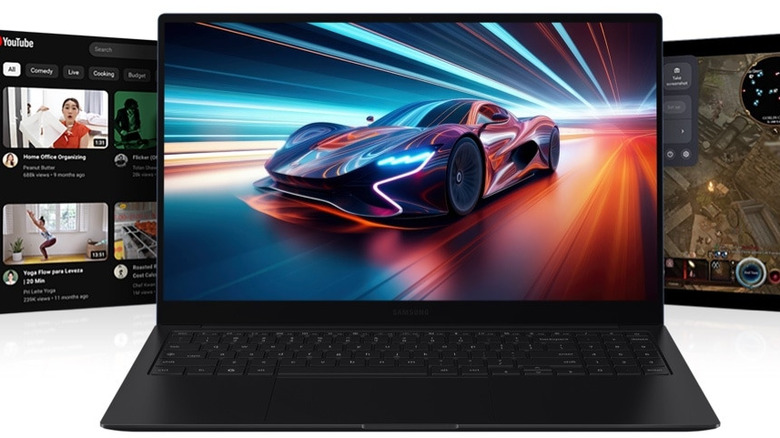
The Galaxy Chromebook Plus by Samsung can be another great alternative to the Googlebook, especially if you prefer the simplicity of Chromebooks and still want Gemini integration. Sold for around $775, it still costs less than the nearly $900 of the Googlebook, while keeping a focus on browsing and integration with the company's services.
In terms of hardware, it has a 15.6-inch AMOLED display and an Intel Core 3 100U processor, paired with 8GB of RAM and 256GB of storage. While that may seem limited for heavier tasks, it should be able to handle work or study tasks without much issue. In addition, the metal construction helps give the device a more premium look, while it remains relatively light to carry.
Another strong point is that it comes equipped with ChromeOS, which remains a lightweight and efficient option for more modest hardware and for anyone who depends on Google apps and services. This is also one of the advantages of choosing Chromebooks, since they offer simplicity and ease for everyday tasks.
Asus Vivobook 14 Copilot+
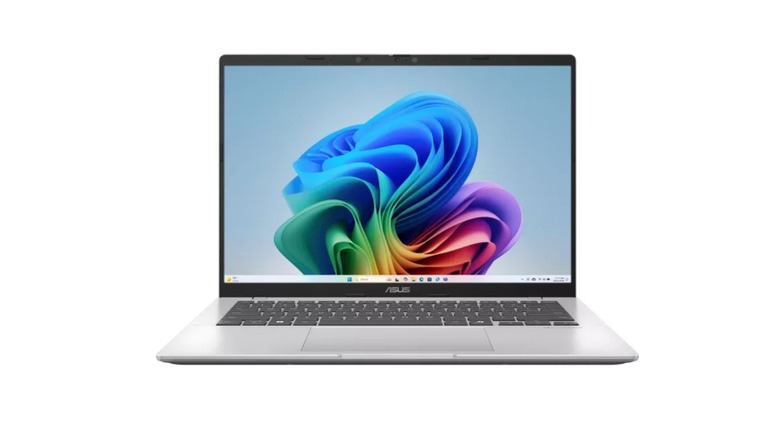
For those who want a simpler laptop to take to college or work, the Asus Vivobook 14 Copilot+ should be considered. Its 14-inch format helps a lot with that, while it still supports Windows, so the user does not need to adapt to ChromeOS or macOS to use it. It also tries to balance some useful features with portability instead of focusing only on raw performance.
The price also helps make it a good option for many users. In some configurations, the Vivobook 14 can carry a list price of $899 on the Asus Store, but these are mostly discounted, making them more affordable than what you would pay for a new Googlebook. It is also part of the Copilot+ PC category, so for anyone who likes using it, it comes with AI features integrated into Windows to help the user with various tasks.
Even though it is cheaper, this Asus model still does not cut back on its specifications. It comes with a Snapdragon X processor, 16GB of RAM, and an SSD of up to 1TB, depending on the version you choose at the time of purchase. While the WUXGA IPS display is not as good as the OLED displays on Googlebooks, it is still enough for editing documents and watching content, especially for anyone who wants to save money.
How we chose these cheaper Googlebook alternatives
To choose the best alternatives to the Googlebook, we looked for models aimed at a similar audience. So, we primarily scouted options focused on productivity, studying, browsing, streaming, and other day-to-day tasks. We also prioritized models that cost less than $899 — which is the starting price for the basic configuration of a Googlebook — and avoided models focused on gaming or ones that target different demographics.
For that reason, besides price, we also considered factors such as portability, battery life, operating system, screen quality, and additional features that can make each of these models interesting for certain users. We also did not limit ourselves to a single operating system, since macOS, Windows, and ChromeOS all offer interesting laptop options. Prices usually vary depending on the configuration, so we considered those configurations that offered specs closer to a Googlebook.