

Should You Use Multiple Ports To Charge Your MacBook?
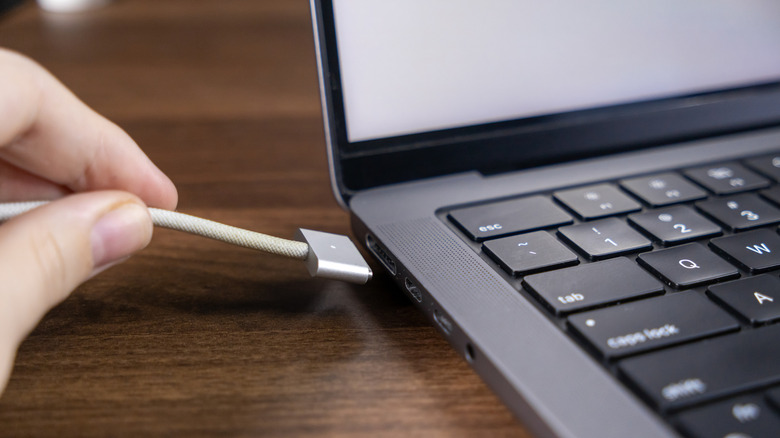
Except for the MacBook Neo, Apple's current MacBook Air and MacBook Pro can charge in two ways: MagSafe and USB-C. There's no right or wrong way to charge these two MacBook models, as MagSafe and USB-C can support similar charging speeds with the right power adapter. MagSafe may be the best choice in crowded environments to reduce the risk of laptop damage from tripping over wires, while USB-C may be more convenient, since it's the connector most smartphones use for charging. But since you can connect both a MagSafe cable and a USB-C cable to a MacBook Air or Pro, you may be wondering whether you can increase charging speeds by using both connectors simultaneously.
You may also wonder whether it's safe to connect both ports to a charger. Good news and bad news: It's safe to connect both MagSafe and USB-C to power, but the laptop will choose only one port to recharge. Apple addresses this scenario in a support document, explaining that a MacBook charges over a single port when connected to multiple power sources. The software will automatically choose the connection that provides the most power. This should ensure the laptop charges as quickly as possible. The same document explicitly notes that "connecting a charging solution to more than one port, whether MagSafe or USB-C, doesn't charge your Mac faster." Accidentally using a multi-port power adapter to connect both USB-C and MagSafe cables to the MacBook would not damage the notebook. The device would charge safely using the port that provides the most power.
What's the right power adapter for your MacBook?
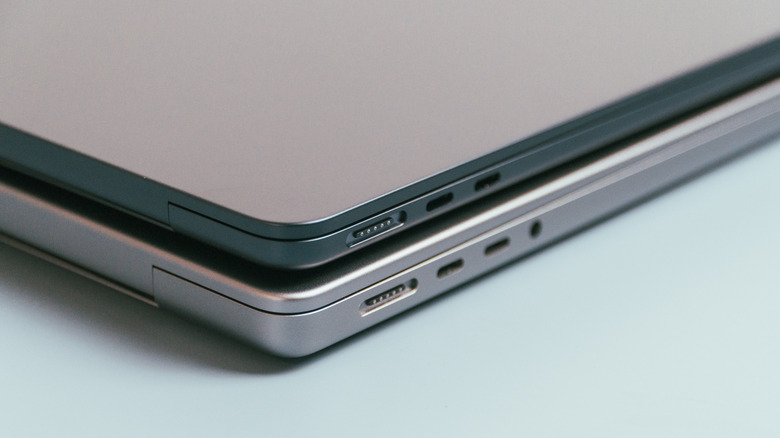
Since both MagSafe and USB-C can support similar charging speeds, it won't matter which cable you're using with your MacBook (with one exception, detailed below). What matters more is buying the correct power adapter to enable the fastest charging. That's even more important if you plan on using multi-port adapters that can recharge laptops and smartphones at the same time. You'll want to connect the cable to the adapter port that offers the highest power.
You'll need a 70 W power adapter for the 13-inch and 15-inch MacBook Air. The 14-inch MacBook Pro needs a 96 W charger for the fastest charging speeds. Finally, 16-inch MacBook Pro models need 140 W chargers. 16-inch laptops made in 2023 or later also need a USB-C cable that supports 240 W of power to take advantage of the same top charging speed as MagSafe. Otherwise, USB-C charging will be slower.
The 2022 MacBook Air (or later) and 2021 MacBook Pro (or later) will reach up to 50% charge in about 30 minutes via MagSafe or USB-C, as long as the power adapter requirements above are met, regardless of laptop type or screen size. Importantly, you can safely charge a MacBook Air with an adapter that supports higher wattage than the recommended 70 W. The laptop will still charge at up to 70 W thanks to the USB Power Delivery (USB-PD) protocol, which lets the device request the appropriate power from the charger. Similarly, you can use a slower charger, but the MacBook may indicate it's using a slower solution in the Settings app. In this scenario, reaching 50% will take longer than 30 minutes.
Why charging speed isn't the only thing to consider
The charging speeds and power requirements above also apply to Apple's newest laptops, including the M5 MacBook Air and various MacBook Pro models (M5, M5 Pro, and M5 Max), as of October 2026. Consumers should check their exact MacBook model to find specific details on charging speeds and requirements. For example, the MacBook Neo can recharge at a minimum of 20 W via USB-C.
But users should remember one important factor before worrying about getting the fastest charging speeds from their laptops. Apple's M-series MacBooks offer all-day battery life. That's up to 16 hours for the MacBook Neo, up to 18 hours for the MacBook Air, and up to 24 hours for the MacBook Pro. The 14-inch M5 MacBook Pro has an estimate of 24 hours, while the 16-inch M5 Max MacBook Pro tops out at 22 hours in Apple's tests. Real-world use may also affect battery life, especially under heavy workloads. If your MacBook lasts almost all day, you likely won't have to worry about charging speeds most of the time. Plugging in the computer at night should be enough.
Finally, Apple rates several MacBook batteries for up to 1,000 cycles. That means battery health shouldn't drop below 80% until it goes through that many full charging cycles. If you were to consume 100% of your battery energy daily, you'd hit the 1,000 threshold in about three years. But if you use the laptop while it's plugged in, it may take even longer. By then, you may want to upgrade to a newer, more powerful MacBook rather than replace the battery.