

Do Disc Scratch Cleaners Actually Work?
We may receive a commission on purchases made from links.
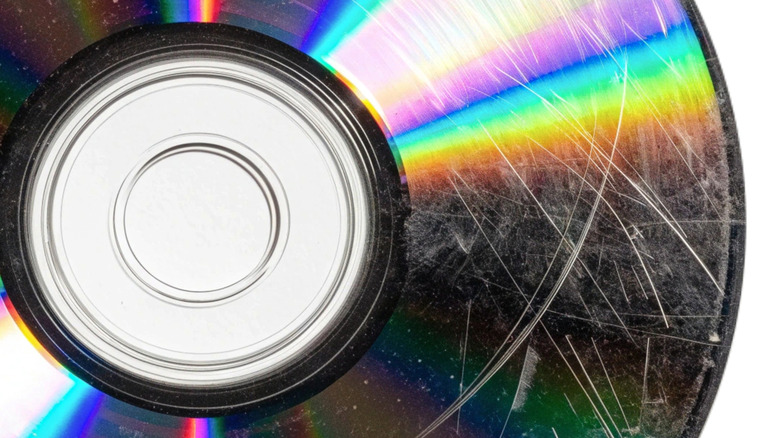
Owning physical media like CDs, DVDs, and Blu-rays sometimes requires a bit of care and attention. If you've been clumsy with your collection over the years, many of your discs may have accumulated marks and scratches. Likewise, if you bought some of them used, they may have come with imperfections on some of their playing surfaces. If that's the case, you might want to consider using a disc repair machine or manual kit. They work by gently smoothing and polishing the disc's clear plastic surface above the data layer, removing a very thin layer of material to reduce the scratches and scuffs. But does the process really work? Well, it seems that some disc cleaners can indeed reduce light scratches and scuffs, but deeper scratches and other forms of damage can be harder to deal with. Fixing disc rot, which is the gradual deterioration of a disc's data layer over time, is also beyond a disc cleaner's capabilities.
If a scratched disc works just fine, you can forgo the cleaning process and carry on playing it — perhaps on one of these wonderful retro players. But if it skips or behaves erratically at certain points during playback, then using a specialist repair kit may help it to play smoothly again. That said, if the cleanup operation is only going to deal with light scratches, but it's a deeper scratch causing playback issues, there may be little point in using it. It's also worth keeping in mind that if the disc does still work, giving it a good clean could help it to fetch a higher price if you ever decide to sell it.
Ways to clean your scratched optical discs

Disc cleaning kits come in various forms. Some remove dust, dirt, and fingerprints, while others use polishing compounds or abrasive pads to reduce surface scratches. So the first step is to work out if your disc needs a simple clean or a more intensive treatment to address the scratches themselves. If dirt or marks are the problem, gently wipe the disc with a microfiber cloth and a suitable cleaning solution. And be sure to always wipe from the center outwards in straight lines, rather than in circles.
When scratches are the issue, choose a kit with polishing agents capable of smoothing out the disc's surface, which should improve readability. Use the supplied cloth to gently buff the disc's surface to reduce the depth of any minor scratches, making them less likely to interfere with playback. Bear in mind, though, that results can vary, and deeper scratches may simply be beyond repair.
If you'd prefer not to attempt the process manually, then consider getting a disc resurfacing machine, which automates the task. You simply place the disc inside the machine and let it get to work, smoothing out the scratches to hopefully improve the disc's readability. One example, available on Amazon for around $400, is the JFJ One-Step machine. But take note — repeated resurfacing work can actually damage a disc, and Blu-rays require particular care because they have more delicate protective coatings. Also, if you only have a few damaged discs, paying for a professional resurfacing service may be more economical than buying a machine. Remember, though, that even the professionals may find deep scratches and gouges too difficult to repair.