

4 Home NAS Devices To Buy Instead Of Building A Storage Server
We may receive a commission on purchases made from links.
The average consumer has a lot of personal data floating around. From photos and videos to audio files and important documents, these aren't the kind of keepsakes you can put on a shelf or store in the cellar; they're digital items that deserve the best in digital backup. But paying for cloud storage could quickly become expensive, and external drives can potentially fail and often aren't remotely accessible. These are a couple of the reasons many users are using network-attached storage (NAS) devices to keep precious bytes under lock and key, and remotely accessible to you and yours from just about anywhere.
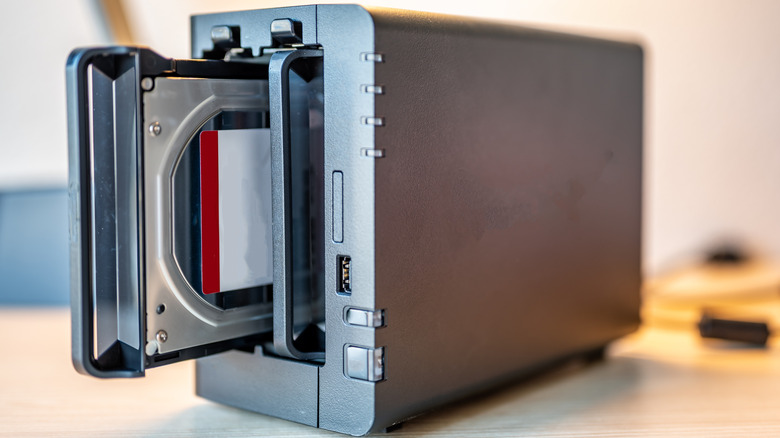
A NAS device is more than just a ones-and-zeros vault, and the best models offer remote tools for viewing, downloads, and uploads. Software often includes mobile and desktop apps, and a lot of NAS gear is starting to incorporate artificial intelligence (AI) for features like facial recognition and keyword searches. Building a storage server from scratch isn't the easiest task, making an off-the-shelf NAS device a simpler alternative to a full DIY, ground-up operation. Something to keep in mind, though, is that most NAS products are sold as the enclosure only, which means it's up to you to provide and install the hard disk drive (HDD) or solid-state drive (SSD) for storage.
Fortunately, NAS enclosures are generally compatible with a wide range of HDD/SSD configurations. Just make sure you don't exceed the storage capacity of your enclosure. And if the NAS market is too daunting to even look at, you're not alone: That's why we created this list in the first place. We have selected four NAS products from reliable manufacturers, doing our best to highlight enclosures that are user-friendly and geared toward home use.
Synology DS124 (1-Bay)
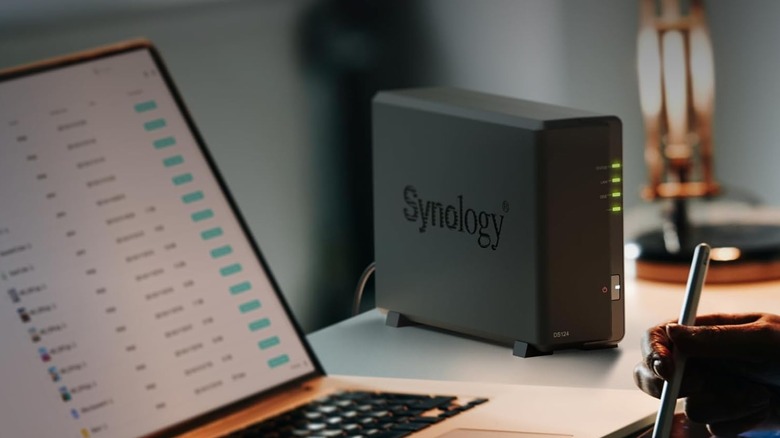
Not every NAS enclosure needs to be built for the apocalypse. If you're in the market for a relatively basic setup, the $160 Synology DS124 (1-Bay) is a solid introduction to the tech. The enclosure will work with a single 3.5-inch SATA hard drive or a 2.5-inch SATA SSD (drive adapter required), and supports up to 108 terabytes (TB) of storage. Whether you want a remote-access photo library or a network-powered streaming hub for your movie collection, the DS124 has got you covered.
As far as connections go, the enclosure has two USB-A 3.2 Gen 1 ports and one Gigabit Ethernet port for plugging into your home network. Synology DiskStation Manager (DSM) is the main software you'll use to configure and manage your personal media. Additional tools include Synology Drive for manual or scheduled file backups — which can be used with platforms like Dropbox and Google Drive — AI-powered facial recognition for photos, and Digital Living Network Alliance (DLNA) compatibility for file sharing and streaming.
On Amazon, the DS124 has scored 4.3 out of five stars, based on over 210 buyer ratings. If you've never used a NAS device before, Synology is a trusted brand in the space, and a good place to get started. In fact, one reviewer who had never worked with DSM before said they learned the software quickly and found it to be quite useful (they were less than thrilled with the plastic pins and chassis cover, though).
Synology DS225+ (2-Bay)
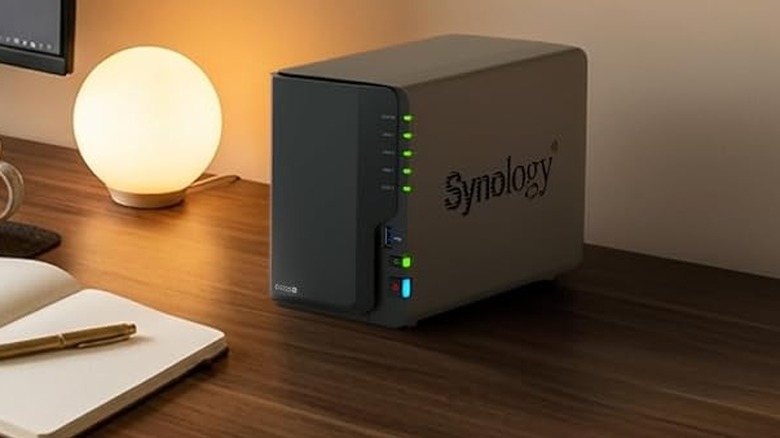
Synology has quite the presence in the NAS community, and enclosures like the $365 Synology DS225+ are great for homes or small businesses. The two-bay design accepts 3.5-inch HDDs or 2.5-inch SSDs, similar to the Synology DS124 we featured above. Under the hood, the enclosure uses an Intel Celeron J4125 processor and two gigabytes (BG) of DDR4 memory, which is expandable up to six GB with the additional memory slot.
The manufacturer claims the DS225+ supports up to 40 TB of usable storage across both drive bays. And, unlike the cheaper DS124 model, the DS225+ also supports multiple (Redundant Array of Independent Disks) RAID configurations should one or both disks encounter issues. This NAS also features a 2.5-gigabit Ethernet port, along with one Gigabit Ethernet connection and two USB 3.2 Gen 1 ports. DiskStation Manager provides a solid user interface and also makes it easy to access your files from just about any device.
In terms of read and write speeds, the DS225+ is a step-up from the DS124, and it fared well on Amazon, too. More than 250 users shared feedback, earning the enclosure a 4.6-out-of-5-star rating. Many individuals appreciate the ease of use and robust backup capabilities, but one two-star review caught our eye: Apparently, Synology now supports only Synology-branded disks for the DS225+ (the reviewer notes that a Seagate drive wasn't compatible, even though it had been usable with older Synology hardware). This seems to be confirmed by Synology's own list of compatible drives for this model.
UGREEN NAS DH4300 (4-Bay)
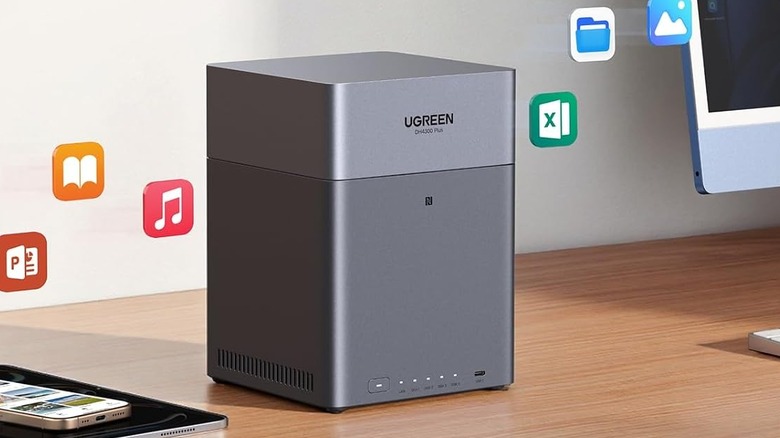
UGREEN makes everything from USB cables and portable power banks to NAS enclosures, and the model we'll be spotlighting here is the $440 UGREEN NAS DH4300 (4-Bay). This is another chassis without built-in storage, so you'll need to purchase your own 3.5-inch HDDs or 2.5-inch SSDs. UGREEN uses UGOS PRO for NAS customization, an intuitive, browser-based software for managing files, permissions, settings, and more.
The enclosure supports up to 128 TB across all four drive bays, and the NAS unit is powered by an eight-core ARM processor and eight GB of LPDDR4X RAM. The case is also outfitted with three USB ports and a 2.5-gigabit Ethernet port, so you can expect fast file searches, uploads, and downloads. The DH4300 even supports multiple RAID configurations to potentially save your data in the event of one or multiple drive failures. UGREEN's AI integration is top-notch, too, making it easy to search for photos, videos, and other files.
The DH4300 scored 4.2 out of five stars, based on over 320 Amazon customer ratings. Most users like its simple setup and versatility, as well as the unique apps that UGREEN provides for remote access. We did see a few reports of slow connection speeds, but that could have more to do with the user's other equipment than the DH4300.
Amber X (512GB)
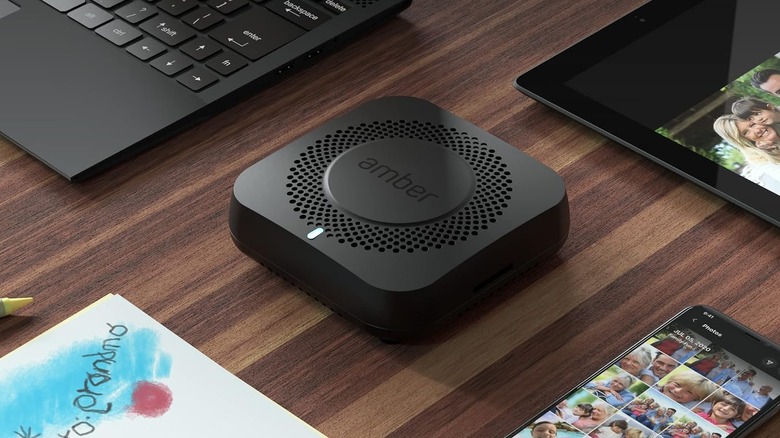
Not every NAS device needs to deliver chart-topping performance and storage. If your remote access needs are relatively simple, the $250 Amber X (512GB) may be all you need. Unlike the other NAS devices on our list, the Amber X includes 512 GB of internal storage. It also includes a USB 3.0 port should you want to connect an external disk for additional bytes. This is also the only NAS in our roundup that can host a Plex server for streaming media, a definite plus if you want to use the software to watch movies and shows remotely.
The Amber iX app is great for backing up your photo library, and even includes an AI tool that can remove duplicate images, among other features. The Amber app is also what you'll use to manage and customize your files. You can use the software to create backups across multiple platforms, and you'll even be able to build an offline folder for viewing files without an internet connection.
Amazon shoppers have rated the Amber X four out of five stars, based on over 250 ratings. Generally speaking, people like the Amber X for what it is: a plug-and-play NAS without a lot of upfront costs. It's not perfect, though, and one user felt that the Amber iX app wasn't intuitive enough and looked outdated. That same user also said that the AI assistant isn't very good (it labeled his daughter as food).
How we chose these NAS devices
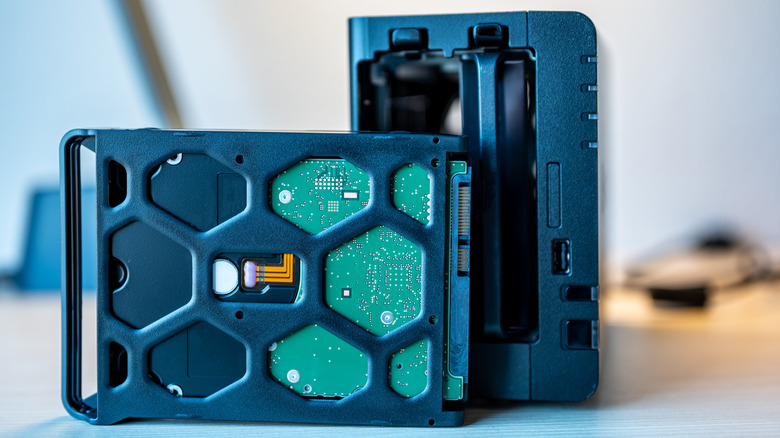
Choosing the right NAS device isn't as simple as just picking a respectable brand and a reasonable price, and there are plenty more questions to answer. Are you primarily investing in a NAS box because you're tired of paying for cloud storage? Or do you need a quick and convenient way of storing and accessing photos, videos, and other files across multiple devices? When making our selections for this roundup, we wanted each pick to build off of the last entry, with the DS124 at the bottom.
The DS225+ adds one more drive bay, and the DH4300 provides a total of four bays. We also wanted to showcase a less conventional design, which is what led us to choose the Amber X. Finally (or firstly, really), we also limited our picks to items that scored at least four stars on Amazon, and we referenced specific user feedback when it made sense to note specific product highlights or points of concern.