

Your iPhone 18 Pro Photos May Look Worse In Pro Mode – Here's Why
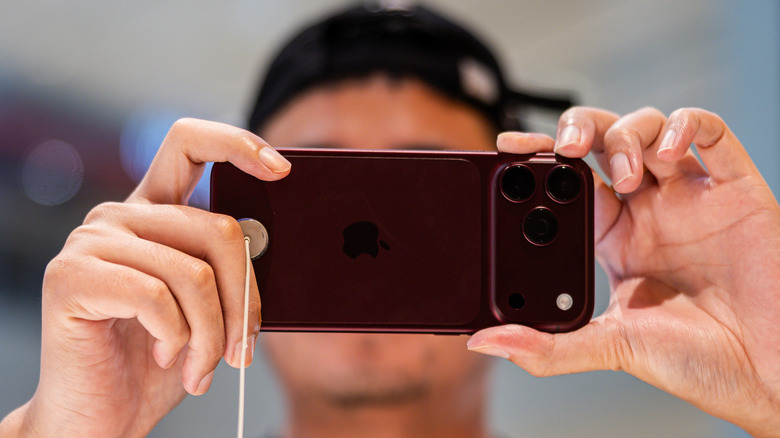
Apple made the iPhone 18 Pro's camera experience a major selling point by introducing its first-ever smartphone camera with a variable aperture and advanced, exclusive manual controls that let users customize shots beyond what other models offer. Pro Controls let you adjust the aperture, shutter speed, and white balance before you shoot. Professional photographers and creators who want to capture specific shots with either iPhone 18 Pro model may appreciate this extra freedom. However, anyone using Pro mode should be aware of an important downside that may negatively impact the resulting images. Switching to manual shutter speed automatically disables some of the iPhone's computational photography features. As a result, photos may look less polished than before.
It's not a bug in iOS 27, but the intended behavior. While a manual shutter can help capture moving subjects or create blur effects, the images may have more noise, especially in low light. Enabling the manual shutter also disables Night Mode, a Camera app feature that lets the iPhone capture better photos at night or in darker settings. These findings come from a detailed DPReview report that tested manual and automatic shutter under similar shooting conditions and provided samples showing the differences between the modes.
It's unclear whether Apple will add computational photography to manual shutter mode in the future, since this may not be a software issue that needs fixing. But iPhone 18 Pro owners should be aware of this limitation before using Pro Controls.
How and when to enable manual shutter
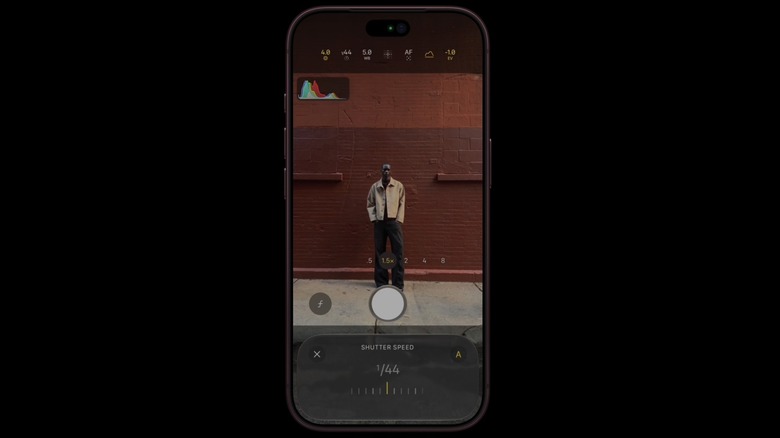
The Pro Controls appear in the default Camera app on iPhone 18 Pro models in the bottom-right corner. Tap the six dots icon and select Shutter Speed from the menu that appears on top of the viewfinder. A slider at the bottom of the handset lets you choose your desired shutter speed, from 1/1600s to one full second. The shutter selection remains active for your shooting session. Tap the "A" icon in the Shutter Speed slider to return to automatic mode. The latter can be useful if you only need to take specific pictures with manual shutter enabled. Depending on your settings, restarting the Camera app may also restore automatic mode.
Given DPReview's findings, you may not want to use manual shutter speed for all your iPhone photography, as some resulting images can look worse than letting the iPhone choose the appropriate shutter speed. Since the Shutter Speed setting controls how long the sensor collects light, you'll want manual control in specific scenarios. For example, a fast shutter speed can help you photograph moving subjects, like a child, pet, or athlete. A fast shutter lets in less light and reduces motion blur. The subject will appear frozen in the shot, even if they're moving fast in real life.
A slow shutter does the opposite, enhancing blur and helping you create shots that benefit from it. Shooting cars on the street or people walking around you will create motion blur on moving subjects against the surrounding static objects. The better the lighting, the better the results.
What about using computational photography with manual shutter speed?
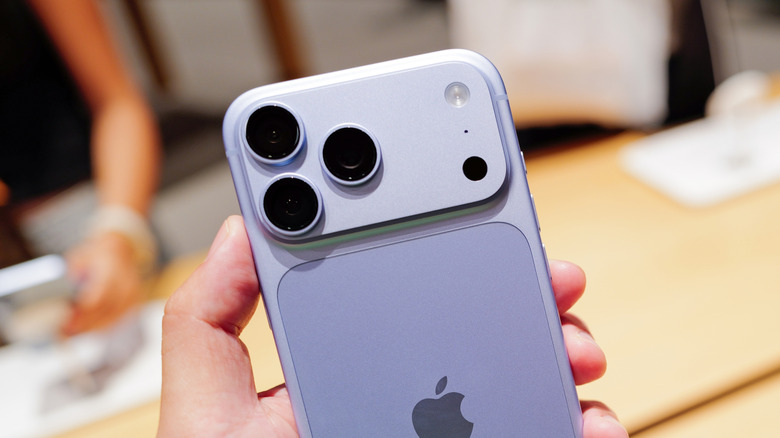
DPReview's samples show that manual shutter speed produces more noise in low light, which gives you a sense of when to let the iPhone choose the shutter speed on its own. That's because computational photography reduces noise and improves dynamic range. With a manual shutter, the photo is made of a single frame, the one you captured when you pressed the button, according to these findings. In automatic mode, the handset can collect several images and combine them. The photos may be taken at different exposures, letting the handset reduce noise and improve dynamic range. The iPhone also takes multiple images in Night Mode. The resulting photo may look brighter and less grainy.
One workaround to take advantage of the iPhone 18 Pro models' computational photography while controlling shutter speed is to use a third-party app like Adobe's Project Indigo, which combines both features. That way, you wouldn't have to compromise, though this solution may be less convenient for users who prefer the Camera app.
There are no guarantees that Apple will "fix" this issue, because it's not a software bug. However, Apple may improve Pro mode in the future to match similar industry developments. For example, Google's Pixel 8 Pro combined HDR+ and manual shutter speed. Samsung also supports multi-frame HDR and manual controls on premium Galaxy phones, but you have to use the separate Expert RAW app. On the other hand, Google introduced Camera Looks with the Pixel 11 series, a feature that lets users choose camera parameters before they press the shutter and reduces computational photography.