

The Reason Why You Need To Restart Your Computer After An Update
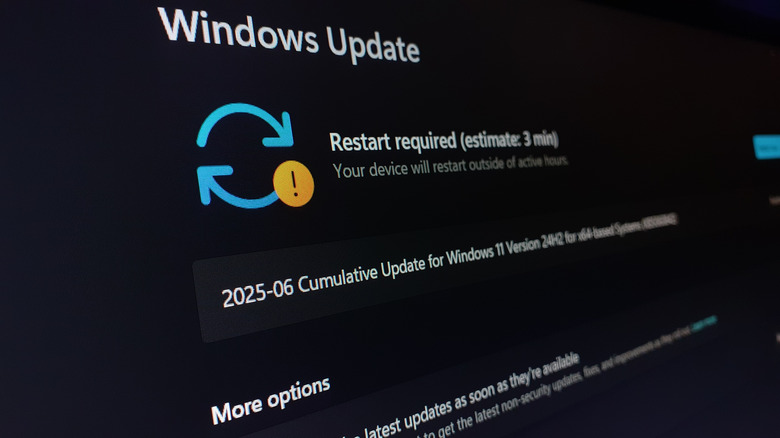
The necessity of updating computers is a foregone conclusion. AI makes hacking much easier, so operating systems, such as Windows, require frequent updates just to keep up. But you often can't complete these updates without restarting your computer. One might wish computers could patch out this annoyingly necessary downtime, but that is antithetical to how computers function under the hood.
The "problem" surrounding updates and why they often require restarts stems from your computer's binaries and memories. Binaries are the machine-readable code that make up the skeletons of all apps and programs—the 1s and 0s that do everything from playing music to loading the website you're reading right now. All these binaries are temporarily stored in your computer's memory, and your computer should function as normal so long as the binaries remain. Furthermore, updates alter these binaries to improve efficiency, add new features, and patch glitches and vulnerabilities.
Binaries lock whenever they're in use, so you generally can't alter them unless you flush your computer's memory. For system apps like those that manage the Start menu or file explorer, you often need a full computer restart. Interestingly, turning your machine off and on again doesn't always cut it because a feature called fast startup keeps some binaries in active memory to help your PC start faster. Let's assume someone made an OS that let binaries update in real time. No restart needed. Suddenly, programs would start failing after every update because they'd look for binaries that no longer exist. Apps would be running under outdated instructions. The best-case scenario is that programs would simply crash. Worst case, your computer would freeze up and produce a blue screen of death, necessitating a restart.
Why some programs don't require a restart

If you don't regularly update your computer, you open it up to virus attacks. So, it's good to get in the habit of installing the latest patches no matter what they are, then rebooting your computer when the system asks. But there are times you'll be able to run an update without a reboot. The reason comes down to the update's importance and which binaries it touches.
As previously stated, your computer protects system binaries by locking them while in memory, so an update wizard typically can't alter them without a restart. But that rule applies mostly to programs that operate on the kernel or user level (programs that are part of the OS or operate close to it). For everything else — e.g., games, Discord, internet web browsers — closing the program removes its binaries from memory, which frees them up for a patch. Every device and program needs a restart to update, but for programs far removed from your operating system, simply exiting them provides the same effect.
If you want to cut down on time spent waiting for your computer to restart due to an update, begin the update process when you're finished using it for the day. You can also pick and choose which updates you run. For example: You should always download crucial security patches, but you don't need to frequently update your graphics card because it will function regardless of driver version. Save your time until you're running a new game that requires the updates, or you are struggling through performance bugs.