

5 Of The Weirdest Laptop Accessories That Are Actually Useful

We may receive a commission on purchases made from links.
Laptops are wonderful tools for those of us who are always on the go, or for those who are tight on space. Over the years, laptops have become more popular and more powerful, to the point where many people now rely solely on a laptop over a traditional PC. But while using a laptop is great, there are a lot of times when you'll need/want some accessories to make the experience a better one.
As a frequent traveler, I've talked about essential USB gadgets that remote workers swear by in the past. You have common things such as USB mice, microphones, game controllers, flash drives, and more. But there are laptop accessories that go beyond the more normal and traditional gizmos. There is a plethora of strange accessories out there, but you might actually find some of the weirdest ones to be actually useful.
We've featured weirdly useful gaming accessories before, and in that vein, I've tracked down some strange, uncommon, and weird laptop accessories that connoisseurs of the curious might be interested in. These come from personal experience, as well as recommendations from users online, product reviews, and experts.
Tempest Laptop Cooler
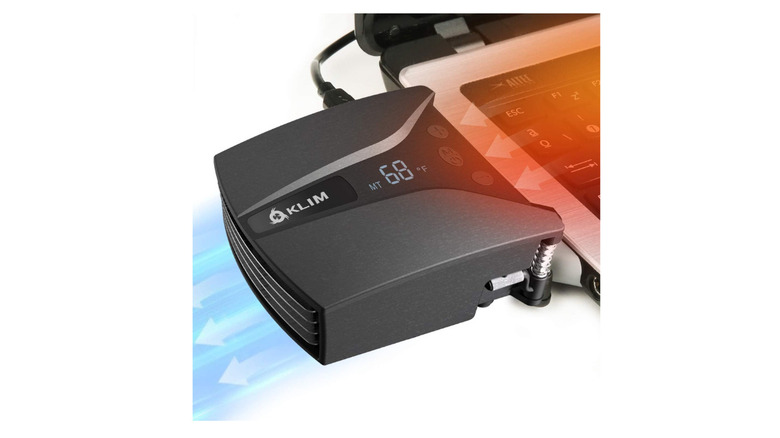
Laptop coolers are not new. These devices usually come as flat bases your laptop sits on, using fans to pull heat from the base. I've had a number of these laptop cooling pads over the years, and they tend to feel more annoying than helpful. For those with an older laptop with poor airflow, they can come in handy, though, provided you're using them the right way.
But what if that large, bulky cooler could be trimmed down to look more like a supercharger on a muscle car than a plastic school lunch tray? The Tempest Laptop Cooler does just that by hooking onto the air intake on your favorite laptop.
With a motor spinning at 4000 RPM, this cooler pulls massive amounts of air through your laptop, helping to keep it cool. You can even control the fan speed to tailor the power, which keeps your laptop cool during the most intensive tasks. It might look funny, but if you're playing on a gaming laptop, the lower temperatures might just be worth the small investment.
DriveSlide
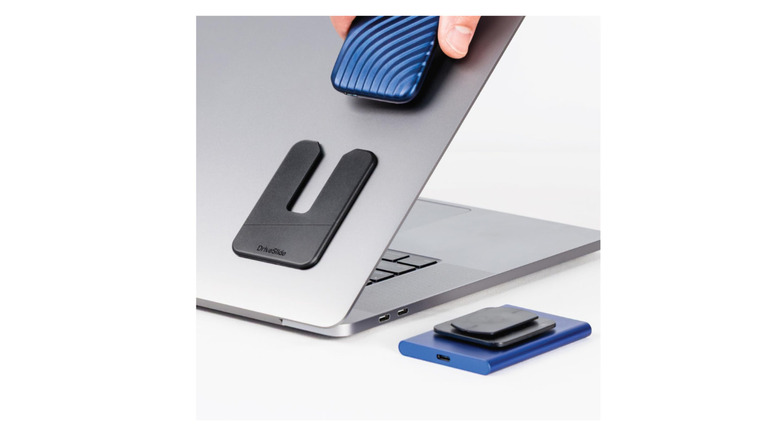
Over the years, I've often seen people mounting several things to the lid of their laptop. I've seen things from pockets to hold a mouse, pouches to hold their cards, and even mounts that hold their phone. These are all a great way to help keep you organized, but all of them have the same limitation. That limitation is that they really only work for a specific device. The DriveSlide helps address this with its slick slide, twist, and lock format.
The DriveSlide is a multi-device mount that lets you store nearly any device on your laptop lid. The device mounts onto your laptop lid and comes with a number of mount keys that you can stick to nearly any device. You can slide and lock any device with a mount key into the DriveSlide.
It's a really slim and slick way to keep you organized, and you can buy keys to stick onto all of your devices. Stick a mount on an external SSD, a power bank, a disk drive, or just about anything you can think of. DriveSlide allows nearly all your devices to become mountable using a super-slim mount.
Magnito Mouse
There's nothing wrong with a laptop trackpad. That said, I don't think there are many people out there who are going to prefer a trackpad over a traditional mouse, especially when it comes to doing intricate work. And while I could always toss an old USB mouse into my travel bag, I'm trying to keep things minimal when traveling.
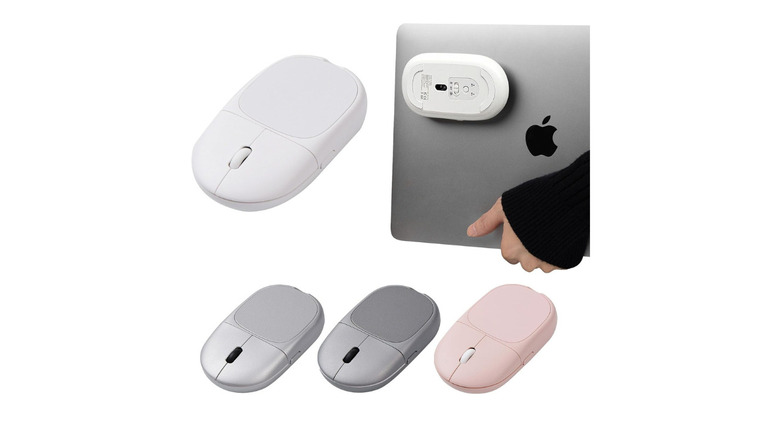
The less in my bag, the better I feel and the less I have to fumble around with. This is why the Magnito Mouse is a really interesting device. It's a small portable mouse, but it solves an issue I've had with these small mice — they're fairly easy to lose or misplace in a bag.
The Magnito Mouse is magnetic, meaning it can attach to the lid of most modern laptops with a reusable pad. This means that while the mouse looks a little weird, it's always exactly where I need it to be. This makes swapping to it for more detailed work a breeze, with it also functioning as a remote. This makes it great for watching content at night without having to reach over and fumble with the trackpad.
ELECROW 5 Inch Touchscreen
When I'm working on my home computer, I take advantage of a multi-monitor setup. I have a main monitor that I do my work on, with a secondary monitor rotated into portrait mode right next to it. This has been great, with the secondary monitor showing software such as Slack, Discord, and even YouTube while I'm working or playing games.
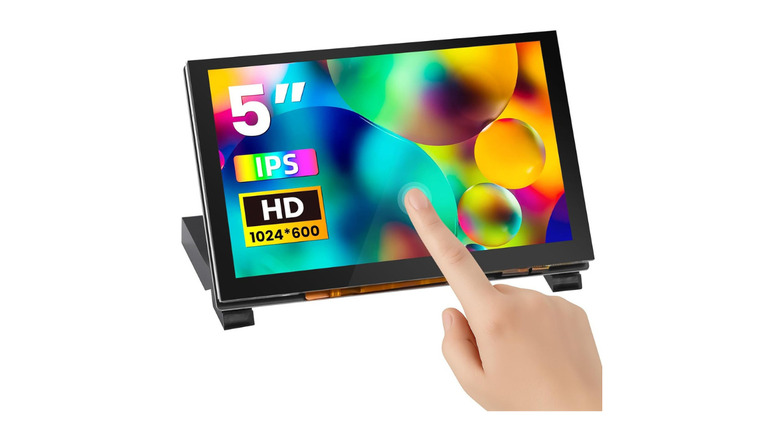
But when traveling with a laptop, most people don't have the luxury or space of pulling out a large secondary monitor to take advantage of the added screen real estate. The ELECROW 5 Inch Touchscreen makes having a second screen on the go much more feasible, while still being small and compact thanks to its small format. Moreover, because it's a touchscreen, it's also incredibly useful.
You can easily use it to show your laptop's power statistics, apps such as Discord, use it to watch content on YouTube, and do anything a normal screen can. In fact, it can do a lot more because of the fact that it's a capacitive touchscreen. Turn it into your own personal macro pad to open apps, trigger events, and use it for shortcuts inside your favorite software. However, note that it doesn't work with a MacBook.
Microsoft Audio Dock
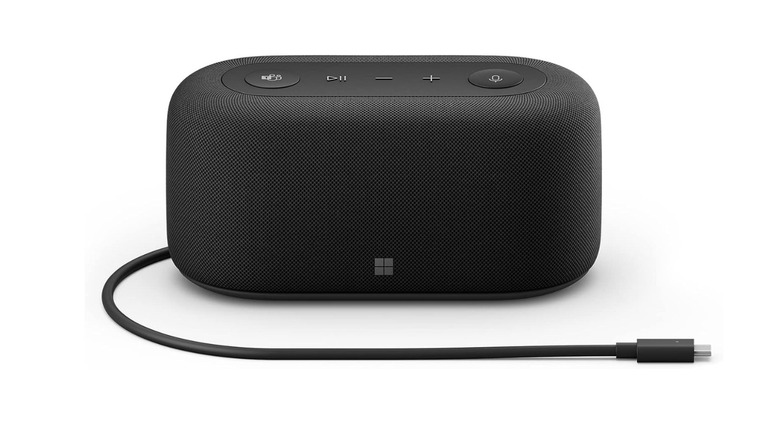
A wireless speaker isn't weird on its own. But what is far less common is when that speaker serves as a dock for your laptop, making it incredibly useful. This Microsoft Audio Dock might look like a strange little speaker at first glance, but it hides a ton of useful technology that might make it the cornerstone of your portable or home setup.
It features HDMI ports for two additional monitors, a power passthrough allowing you to charge your laptop during long work sessions, two additional USB-C ports, and two USB-A ports for laptops that are short on ports. The 15W Omnisonic speakers and 5W tweeters mean your audio and calls will sound great, either while watching content or in work meetings. If you're looking for a base station that can turn a laptop into a complete workstation, this little speaker just might fit the bill.
Add in dual forward-facing built-in microphones and a certified Microsoft Teams button for quick connections, and this odd-looking device could be the all-in-one answer for those looking to turn their laptop or home computer setup into the ultimate remote worker setup.
How we picked these accessories

When selecting the items featured above, we considered the experience of the writer, who has a history of covering gadgets online. We also looked at user reviews for each accessory, taking customer opinions and use cases into account.
On top of that, we also looked at various professional reviews, as well as individual features from YouTube tech experts who have provided their recommendations. Lastly, we dove deep into online forums featuring laptop- and gadget-related threads.