

Using A Cheap DisplayPort Cable Can Cause Big Problems For Your PC
Investing in a powerful workstation PC or high-end gaming rig costs a lot of dough. Not only can the computer, monitor(s), and core peripherals be wildly expensive, but you also have to factor in upgradeability. Graphics cards are always improving, and keeping visuals and performance up to date is critical for moderate to heavy gaming. So, with such big items to afford, you may be tempted to save a few bucks by purchasing cheaper accessories. That's fair, but one wire you should never cheap out on is a DisplayPort cable.
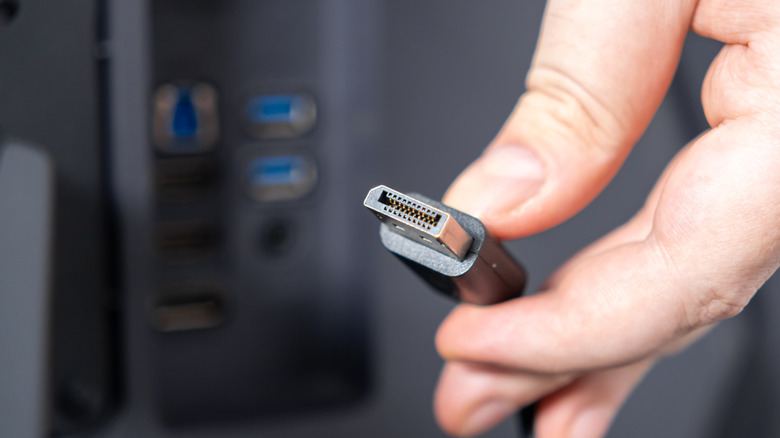
Like HDMI and VGA, DisplayPort uses a multi-pin plug to connect your PC to your monitor. It has 20 pins, but only 19 should be fully functional. Over a decade ago, VESA mandated that VESA-certified DisplayPort cables must have Pin 20 disconnected. This is because Pin 20 carries an electrical charge, as it was originally meant to power USB hubs and other docks. When your PC and monitor initiate an electrical handshake, the completed circuit can damage or completely brick your tech.
This well-known phenomenon has even earned Pin 20 a horrifying nickname: the Death Pin. Symptoms aren't always obvious at first, but if your PC starts rapidly slowing down or failing to boot — and you know for a fact it's plugged into your monitor via DisplayPort — there's a decent chance your DP cable is the thorn in your computer's side.
Play it safe with DisplayPort cables, or risk the total failure of your PC and connected components
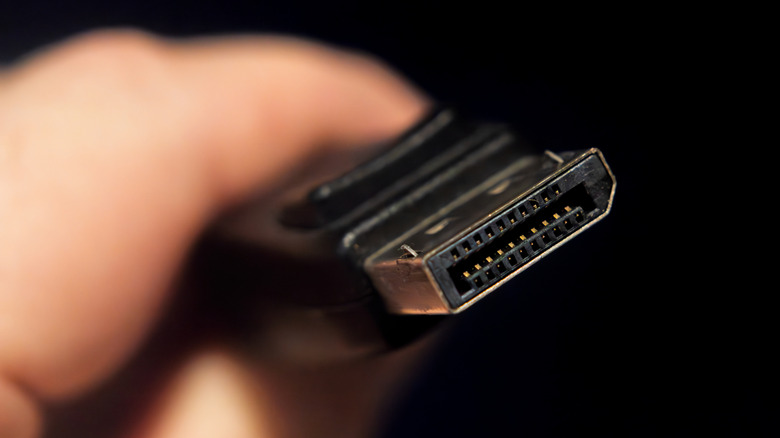
It's actually not hard to avoid DisplayPort cables with potential Death Pins: just don't buy anything that isn't VESA-certified. Reliable accessory brands like UGREEN, Monoprice, and Cable Matters make many VESA-approved DP cables. If you're not sure if a cable you're interested in buying got the thumbs up from VESA or not, simply run a Google search for the brand/cable on your radar with "VESA" at the end of your prompt; the AI result at the top of the page should give you a straightforward answer.
We also like this rule of thumb: if you've owned any AV cable for more than a year or two, it's worth figuring out whether it's time to upgrade. The broader world of consumer tech is always evolving, so an older DP cable may not deliver the full video bandwidth your brand-new 4K monitor supports. For those unaware, DisplayPort 2.1b is the latest standard, and like HDMI, DP 2.1b is fully backward compatible with older DP ports.
We urge you to be extra-cautious when shopping for AV cables online. The lion's share of third-party brands can skirt VESA by selling on Amazon (which's why it's important to look for certification). Also check user reviews, and don't be afraid to dig into the naysaying feedback; if there's a catastrophe to read about, it won't live in a 5-star write-up.