

How Secure Is iCloud Keychain Compared To The Alternatives?
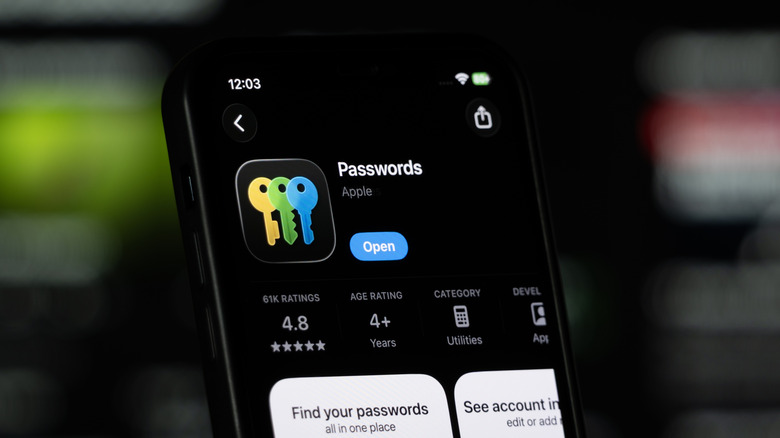
iCloud Keychain is a password manager built into iOS, iPadOS, and macOS. If you own an Apple device that supports these operating systems, you might wonder whether Keychain is secure compared to alternatives like Bitwarden, Proton Pass, and NordPass. It does everything a modern password manager does, including generating passwords and autofilling them. You can also use it to store passkeys and other sensitive information, such as credit cards and security codes. One of its biggest features is that it syncs this information between all your devices that use the same Apple account. You can then access your stored Keychain information through the Passwords app.
How secure is the iCloud Keychain? Very secure. It uses advanced encryption algorithms and end-to-end encryption (E2EE) when encrypting your data and syncing it between devices. Keychain also uses on-device authentication methods when autofilling information. Also, two-factor authentication (2FA) is a requirement when using iCloud Keychain with Apple accounts.
While Keychain doesn't offer the same security as Bitwarden or 1Password in every aspect, you can expect the fundamental protections that all reputable password managers swear by. There are some extra areas where it can improve when compared to its alternatives. However, those might not be deal breakers if you're primarily interested in everyday password security.
Why you can trust iCloud Keychain like its alternatives
Keychain uses AES-256 encryption, which is considered the gold standard and is used and recommended by the National Security Agency (NSA). This is the same encryption used by popular password managers like Bitwarden, 1Password, and Kaspersky Password Manager. Keychain doesn't store the decryption keys in iCloud, but locally on your device in its Secure Enclave. Although the Secure Enclave is integrated within the system-on-chip (SoC), it exists as its own isolated subsystem that remains secure even when the device's core systems become compromised. Information from the Secure Enclave can be accessed using Touch ID, Face ID, or the passcode.
Also, with E2EE, it means that your Keychain data is encrypted on your Apple device before being synced to iCloud. Not even Apple can read it because it doesn't have access to the keys. Even if someone were to hack your iCloud account or an Apple employee were to go rogue and leak it, no one can access your Keychain data since they also don't have the decryption keys.
iCloud Keychain also uses Face ID, Touch ID, or your passcode when autofilling passwords and other information on websites and apps. For iPhones, you can enable Stolen Device Protection in Settings. It removes the passcode option for sensitive actions, like viewing Keychain passwords, when you're not in familiar locations like your home or office, leaving only the very secure biometric options that cannot be guessed or easily spoofed.
Keychain could improve in some areas
One area in which Keychain can do better is data breach monitoring. Keychain only scans for leaked passwords, while Bitwarden, Proton Pass, and NordPass can provide data breach reports telling you if your email or credit card information was exposed. Yes, even email exposure can open you up to significant risks, including spam and phishing attacks.
If someone knows your Apple device's passcode, they can access your passwords. Stolen device protection helps mitigate this somewhat, but if the person is in a familiar location, they can still use your passcode. Also, these biometrics can fail if the hardware develops a fault. Other password managers still use a master password, which creates an independent authentication method. Keep in mind that passwords are the weakest link in the security chain, which is why Microsoft removed the master password from Edge. But if you create an impossibly strong password and keep it safe, a master password can be incredibly secure.
Also, Keychain exports passwords as an unencrypted CSV. Anyone with access to your device can read the file. Bitwarden, for example, allows you to encrypt the exported backup. That option is only good for importing it into Bitwarden again, but if you want to export it elsewhere or keep it on your device, you can protect it with a password. It will still be encrypted, but entering the password will allow other password managers to decrypt it if they support the format.