

How Long Should An Oura Ring Battery Typically Last?
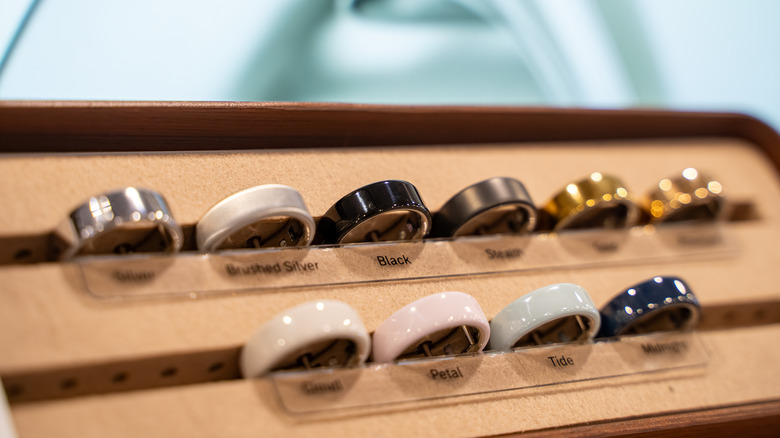
Smart rings, such as the Oura, are a good option for fitness, sleep, and health tracking, particularly for those who want to cut down their screen time. They gather much of the same data as smartwatches with a less obtrusive design and, critically, greater battery life. Though some watches, particularly ones with less robust features, can last well over a week, many models, including the Apple Watch and Galaxy Watch, need to be charged almost every day. In contrast, smart ring battery life is best measured in days, not hours, which is pretty important for those interested in their sleep data.
How long your Oura Ring battery should last depends on the model. Here's how long the manufacturer says each ring should last before needing to be recharged:
- Oura Ring 3: Up to 7 days
- Oura Ring 4: 5–8 days
- Oura Ring 5: 6–9 days
That being said, battery life varies. Around a year after the Oura Ring 4 was released, many users began reporting significantly reduced battery life, down to around 2–3 days. According to reviews, including BGR's own Oura Ring 5 review, the latest device is hitting the promised range, though it's too soon to say how it'll hold up with age. Batteries naturally degrade over time, impacting capacity and overall performance, especially if you don't take proper care of your device. Additionally, your ring size determines maximum battery life — larger rings have slightly larger batteries, so they'll last longer than smaller-sized ones.
How to maximize your Oura Ring's battery life

Although battery life naturally declines with use and recharging, there are ways to maximize its battery life. Consider these tips among the things you need to know before buying an Oura ring. Starting with Oura's own advice, be sure your device is running the latest firmware, and charge it in quick bursts so it stays between 25% and 80% to minimize long-term degradation. Another useful trick is putting your Oura Ring into airplane mode when you aren't using the app. The ring can only store three days of data without syncing, so make sure you turn airplane mode back off within this time. If you continue to use the ring, it'll still function as a tracker and will sync your data once the ring is reconnected.
Similarly, you can turn off Oura's Location Services, though that will impact the kind of workout data it can capture and make it harder to find should you misplace it. If you aren't actively interested in the metric, turning off blood oxygen sensing will really make a difference. You can also disable heart rate tracking during Automatic Activity Detection (AAD), though AAD itself cannot be shut off. Finally, if you know you aren't going to use your Oura Ring for at least two weeks, it's best practice to put it into power-saving mode to protect the battery.