

Waze Acting Up On CarPlay? The Latest iOS Update May Be To Blame
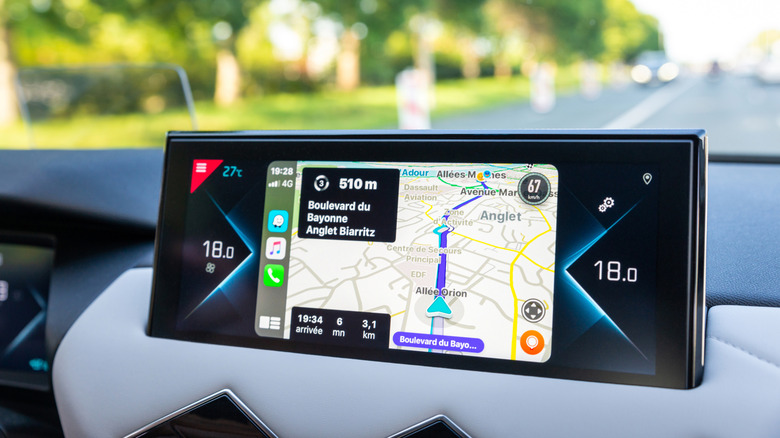
If you updated your iPhone to the latest version of iOS 27 (see our iOS 27 review) and you also use Apple CarPlay in your vehicle, you may have noticed a weird glitch. Some users are reporting that Waze as well as Google Maps are not as easy to use for navigation, and they're desperate for a fix. That's especially important for those who rely on Waze to get them from Point A to Point B. Many of us also use Waze for other reasons, like live re-routing around construction or accidents, spotting hidden police cars, estimating arrival time, and trip sharing.
Reportedly, the bug involves the image of your journey details and arrival time covering the vehicle icon, so you can't always see the navigation arrow or your cute little vehicle avatar. That's not only annoying visually — it also impedes the purpose of the app in the first place. You should be able to follow the tiny virtual version of your car along the route and see the turns and directions graphically along with the street names and turn arrows in the top-left corner. While this bug will likely be fixed in the next update, it's one that users are frustrated with right now.
The issue with obscured turns and vehicle icons is persisting
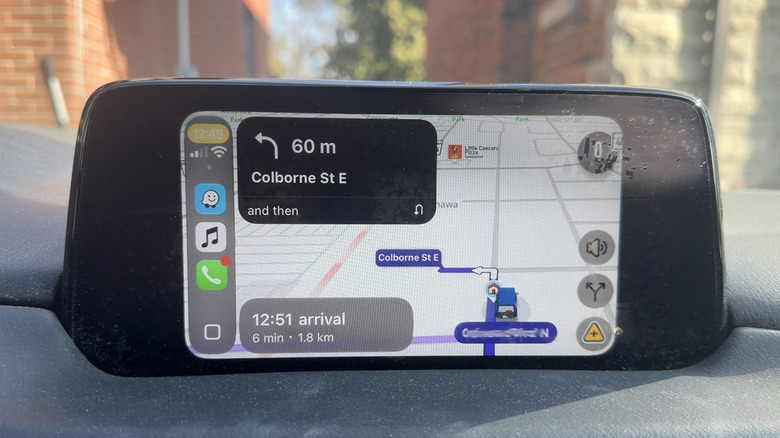
While some Reddit users indicate that they only started experiencing this issue with the release of iOS 27.2, some claim that it has been a problem since the original release of iOS 27. I personally haven't experienced it, but Reddit users swear it's happening with at least iOS 27.2 and with virtually any relatively recent iPhone model compatible with the OS. There are reports of experiences with devices ranging from the iPhone 15 Pro to the new iPhone Duo (see our iPhone Duo review).
What's most frustrating is that the update likely can't be fixed without a full operating system upgrade. So, the only choice might just be to live with it until Apple is ready to release the next one. You can toggle between Waze and Google Maps to see which one is better or rely on Apple Maps for the time being instead. Apple hasn't yet addressed the issue, but the belief is that iOS 27.2.1 is expected to arrive soon, while the iOS 27.3 developer beta should arrive in early November 2026. But it's unclear if a fix for this issue will be part of either update.
What to do now while you wait on the next iOS update
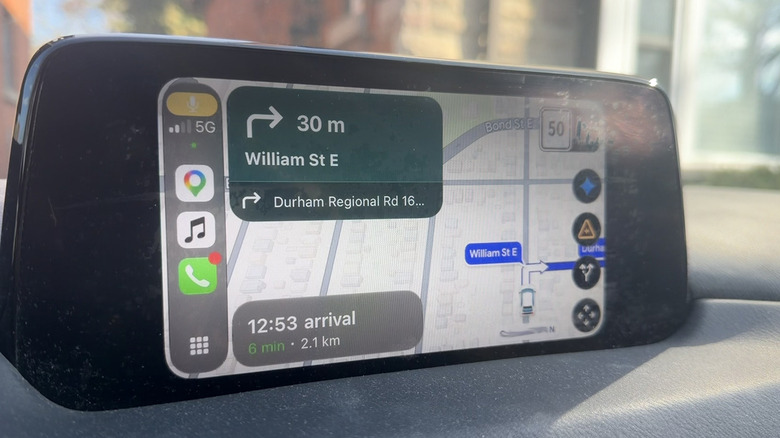
Aside from living with the issue of temporarily switching to Apple Maps via CarPlay, you could hold off on updating your iPhone to iOS 27.2 if you haven't done so already. While some have reported experiencing the issue with iOS 27, if it has been fine for you since updating to that OS version, simply hold tight — that is, assuming you're willing to live without the other upgrades, bug fixes, and cool new features in iOS 27.2. These include convenience features like New Episodes and Continue Playing options in Podcasts and improvements to the Share Albums feature in Photos. You'll have to weigh the pros, cons, and your personal priorities.
It's worth noting that both map features are still available to use, even if you notice these issues. It's just that visually, they won't be as intuitive. You can alternatively rely predominantly on the audio directions portion of Waze or Google Maps. Consider making your own personalized Waze voice to make the experience more pleasurable. Or, focus on the top-left panel that indicates upcoming turns, highway exits, and more. Growing pains are part of OS updates, but for CarPlay users, this is one that has caused a lot of frustration.