

5 Big Changes Coming To Your iOS Devices Before The End Of 2026
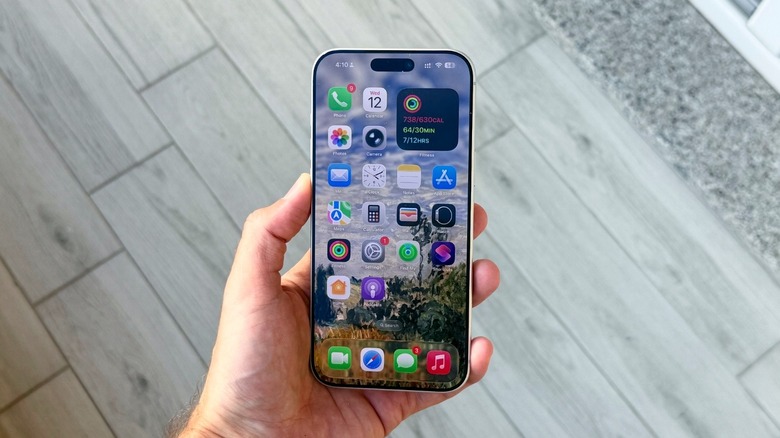
After iOS 27, Apple rolled out iOS 27.2 to most iPhone users. But there's a lot more coming to iOS devices soon. With the first iOS 27.3 beta now available to developers, Apple is previewing several new changes that are coming to iOS devices before the end of the year. Among the changes, the company is adding several new Siri AI app actions, bringing back the all-new Health app, which was in tests and eventually got pulled out, in addition to a reimagined Safari with a few improvements. While it's still unclear when Apple is going to release this new software update, beta cycles usually last around 30 to 45 days, so will likely have all these new features by mid-December.
Siri AI still has limitations, and its most annoying issue is still ongoing in iOS 27.3, but Apple is now testing new languages for the revamped personal assistant, including Traditional Chinese, Vietnamese, Turkish, and Norwegian. This is important because the first Apple Intelligence set of tools is expected to arrive in China with iOS 27.3, although Siri AI is excluded for now. Instead, users in China will only receive the original batch of features introduced with iOS 18. That said, here are the biggest changes you'll see on your iPhone in iOS 27.3 when it gets released.
1. Siri AI app actions
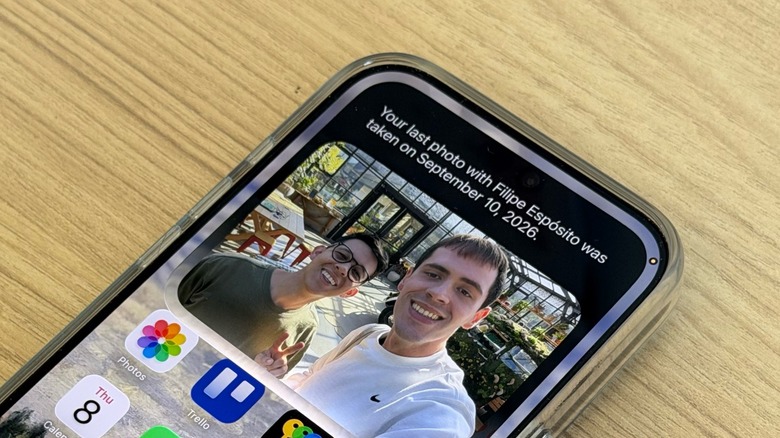
Building on the new Siri AI — which already leverages how people can use their iPhone, iPad, and Mac – Apple says that, in iOS 27.3, the personal assistant will be able to get more things done across select Apple apps by performing more complex tasks. Among the new features, Siri will be able to organize files, rediscover places you visited, and even coordinate plans with friends. The updated Siri AI can create a curated playlist in the Music app, bring your planning together in a Safari tab group, or even schedule a message to your friends on iMessage.
Siri AI will also be able to do things like favorite the best photos on the Photos app and even create a new Journal entry — all hands-free. These new capabilities will be available in Calendar, Files, Journal, Mail, Maps, Messages, Music, Notes, Photos, Preview, Reminders, Safari, Shortcuts, and Weather. Users can also ask Siri, inside of each app, what its new capabilities are.
Still, some of the preview features, include organizing the Downloads folder by content or deleting files in the Files app, haven't been released after more than a year. Others include the ability to find a place you visited recently in Maps, save an article to the Reading List in Safari, or propose a new time for an event based on your availability on Calendar. For the Messages app, users will be able to schedule, edit, and unsend messages, while Mail can flag e-mails from a specific theme.
2. All-new Health app
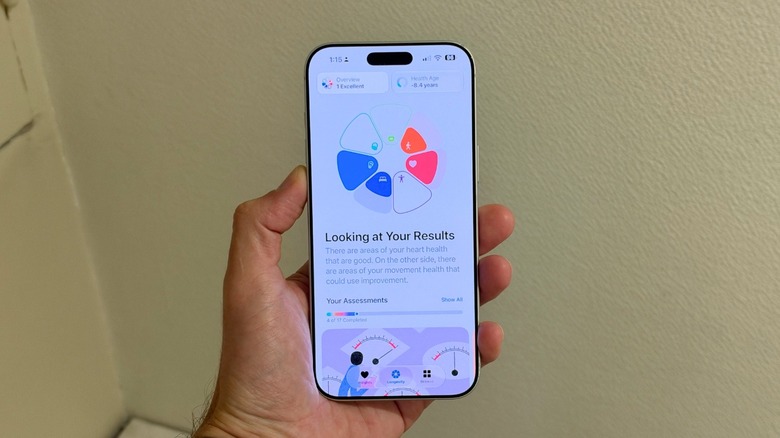
After being shown off at Apple's latest iPhone launch event, the company started to test an all-new Health app with iOS 27.2. However, while in beta development, the company removed references of the new app from the system. Now, with iOS 27.3, Apple is once again testing the revamped Health experience, which focuses on an approach more centered around wellbeing. The new Health app consists of three main tabs: Insights, Longevity, and Browse.
In the Insights tab, users can have an improved overview of their health stats, including how well they slept, their readiness for the day based on these metrics, and how their activity rings at that moment. The Longevity section shows how the health data impacts their Health Age based on activity level, VO2 max, sleep, active life, and other metrics. Finally, the Browse tab lets you quickly find what you need related to your Health.
That said, what's new with the Health app is that Apple is now offering full support to all English language variants. This sits alongside support for French, Japanese, Korean, Norwegian, Portuguese, Simplified and Traditional Chinese, Spanish, Turkish, and Vietnamese, meaning that people who speak those languages will get this revamped experience once iOS 27.3 becomes available.
3. Reimagined Safari
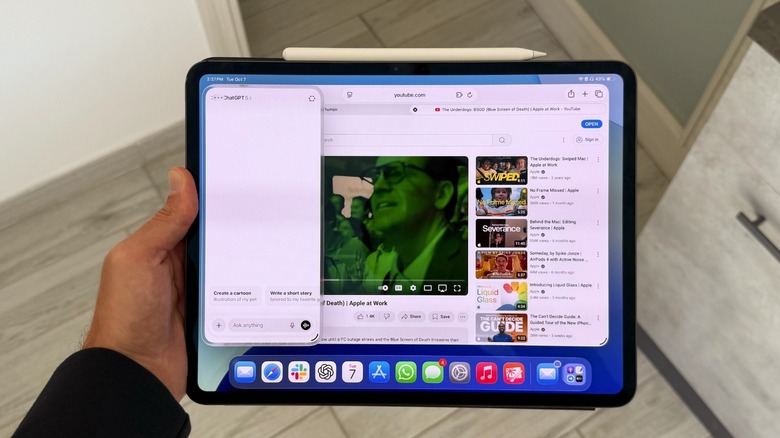
In iOS 27, Safari got a lot of love. Among the features, Apple included Automatic Tab Organization, which uses Apple Intelligence to organize tabs per topic, Custom Extensions, which you can create by using natural language, Notify Me, which lets Safari monitor a website for when you're tracking a price change, concert tickets, or if something is restocked, in addition to new parental control and security features. Still, by the end of the year, Apple's browser will get three new changes, including vertical tabs, adaptive dark mode, and custom Siri AI actions.
Vertical tabs are something users have asked for over years, and Apple is now delivering this new layout for navigating and managing tabs in a more space-efficient design. This new feature will be available from the Safari View menu on Mac and iPad, but users can also find it through Safari Settings. For the new Adaptive Dark Mode, Safari will be able to apply Dark Mode to pages that don't support it natively, meaning you won't get a super bright white display at night or when you're already rocking the Dark Mode.
Finally, Siri AI now lets the personal assistant take more action on the browser, such as combining, sorting, or organizing tabs, closing them, and even helping users manage their web history. Interestingly enough, most of these features have been available across different browsers for longer, such as Opera One, which has those functions for a couple of years now.
4. iPhone Duo's StandBy mode comes to all

The device of the moment, the iPhone Duo, features several new capabilities thanks to its folding design. Users can take advantage of this smartphone with its inner display closed, with it fully unfolded, and even with the hinge half opened, such as in laptop mode or in an interesting StandBy mode. For the latter, Apple offered more faces to choose from, in addition to color customization and new complications. While, at first, it felt like this would be exclusive to the new iPhone Duo, Apple is now offering this improved capability to all the other iPhone users — coming later this year with iOS 27.3.
According to Apple, the company is reimagining StandBy Mode for all supported iPhones, including updated Analog and Digital Clock faces with more customizations available and new faces like Calendar and Weather. For those using photos on StandBy, the company has also improved the feature by letting users pick shots from Shared Albums. Another interesting change is that users can create multiple versions of each face and swipe between them, giving other iPhone users an experience similar to what Apple Watch users can already enjoy. Interestingly enough, with Apple's HomeView launching soon, it feels like Apple is turning all users' displays into this smart home hub, as it also features its own StandBy mode.
5. Siri Mode comes to iPad

A feature focused on the iPad, Apple says that Siri Mode, which was previously only available for the Camera app on the iPhone, is coming to its tablets, in addition to Visual Intelligence with Apple Pencil. While these features require Apple Intelligence-supported devices, these changes mean that the iPad's camera can be a lot more useful.
With Siri Mode on the Camera app, users can ask written questions to Siri based on what the camera is capturing, ask questions in natural language (such as "Who made this sculpture and why?") or even use Apple's Circle to Search-like feature, Visual Intelligence, to search for similar images on Google, Etsy, and more. Among the examples, you can point to a building in Paris to get Airbnb suggestions, to a concert flyer to buy tickets, or a pair of jeans to know where they come from.
This gets a lot more interesting with Apple Pencil support. You can be a lot more specific when using the Visual Intelligence capability and highlight exactly what you want to know more about, including clothes, a text translation, or even saving something to your calendar. By introducing these new features for iPad, in addition to the new Siri AI app actions, users can leverage their experience with the company's products, while continuing to protect their privacy with Apple's on-device models or protected servers with the Private Cloud Compute feature.