

What The Hotspot Symbol On Your Samsung Phone Means For Your Mobile Data
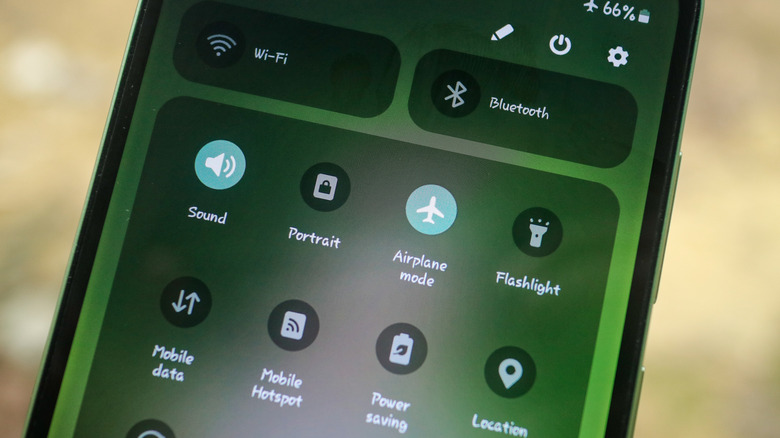
Sharing your phone's internet connection can affect how quickly you go through your monthly mobile data allowance. On a Samsung phone, the hotspot symbol indicates that this feature is enabled. Its appearance can mean that your phone's internet connection is being shared with other devices. However, the hotspot icon alone doesn't mean you are sharing your cellular data with other devices.
When mobile hotspot and tethering are enabled, connected devices like laptops, other mobile phones, tablets, and smart TVs can use your cellular data to stream videos, download files, and much more. So, understanding what the hotspot indicator means, how many devices are connected to your hotspot, and, more importantly, how to monitor data usage can help avoid unnecessary data consumption. While it can sometimes be difficult to decipher which device is connected to your hotspot, you can always change the password when unsure.
What does it mean for your mobile data?
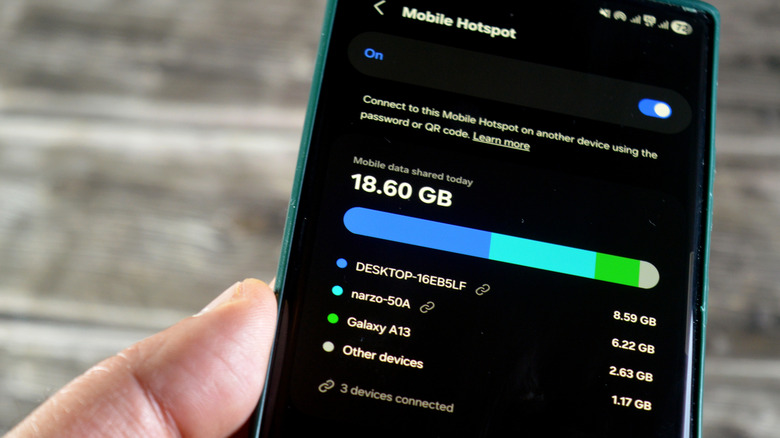
Generally, when the hotspot is on, it doesn't mean that your mobile or cellular data is being shared with the other connected devices. Other mobile phones or laptops can connect to your hotspot even if mobile data or tethering isn't enabled. So, if your hotspot is on and you want to check how many devices are connected and who is using your internet, swipe down from the top-right corner of your Samsung phone screen. Then hold the hotspot icon to see how much mobile data has been shared today, connected devices, network name, password, band, and other information, depending on your phone's model. The data shared in the hotspot settings is different from your total data usage. You can check total data used from the 1st to the end of the month in the data usage settings under Connections.
If you don't recognize a connected device, change your password to a stronger one. If you don't want to share your data, but still use it on your own phone, turn off the hotspot. Also, if your mobile data and hotspot are enabled but no devices are connected, your phone won't use additional data. However, an active hotspot may use a bit more battery.
How much mobile data will you use while your hotspot is on?
Data usage while your hotspot is on depends greatly on the number of devices connected to it, with data consumption going up alongside the number of devices. The specific use case also matters, since streaming videos, joining video calls, and downloading large files naturally use more data than browsing social media or reading articles online.
For instance, a one-hour 1080p YouTube video can consume around 2.5-4.1 GB of mobile data, depending on the bitrate and frame rate. If multiple users connected via a hotspot stream YouTube videos, data consumption can rise very quickly. If data usage is unusually high, consider limiting the number of devices connected to your hotspot. To further limit data usage, reduce video quality while streaming, avoid downloading large files in messaging apps and other places, and avoid opening too many different webpages.