

Apple Just Updated An Old iPad Feature That Makes It Feel Like A iPhone Duo
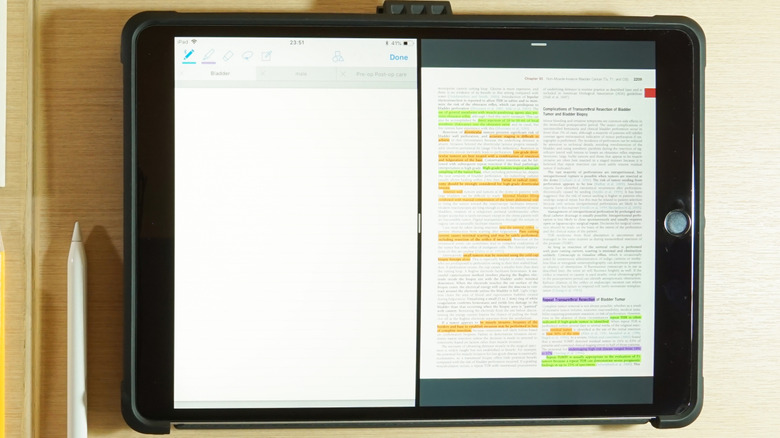
Ever since iOS 9 was launched in 2015, Apple iPad users have been able to multitask with the split-screen app mode, known as Split View. Depending on a user's specific interests and intentions, the iPhone Duo could very well replace its larger cousin as this generation's premier split-screen product. However, if you don't want to spend $1,999 on Apple's first foldable, Apple updated the Split View feature, making iPads feel even more like an iPhone Duo, so you might be more inclined to simply hold onto your iPad rather than replace it.
In October 2026, Apple launched the iPadOS 27.2 update. The software upgrade, which included changes like improving iPadOS' Siri AI capabilities, made it easier to assemble side-by-side displays. All users need to do now is use either the window controls or the menu bar to choose an additional app and select which side they'd like for it to appear on when organizing their desired panels.
Before the change, organizing the split-screen was a tedious process. Users were expected to manually resize both apps involved — the first needed to be launched and shrank down before the other could be accessed by swiping up. The new update almost completely eliminates this irksome procedure, instead affording iPad users a better quality of life akin to how iPhone Duo owners feel when they use their respective devices.
iPad's Split View setup resembles the iPhone Duo
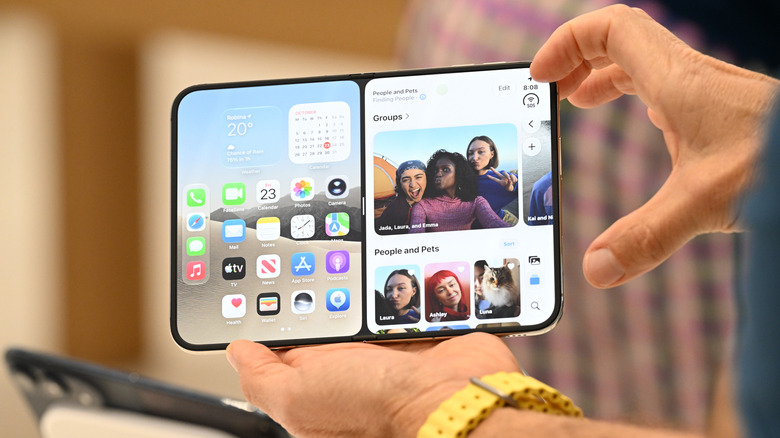
The iPadOS 27.2 update marks yet another big change coming to iOS devices before the end of 2026. Current iPad users may notice that their ability to use Split View feels similar to how the iPhone Duo's split-screen abilities were advertised. The Duo, which hit store shelves in October 2026, makes multitasking easier with a user-friendly Split View setup that some would say makes it worth switching to. Users need only swipe up from the bottom of their screen and press pause.
As with the new iPadOS update, one can open another app from the half of the screen that exposes the home menu, and the two tiles can be organized however the user pleases. That way, they can concurrently access either two apps or two windows in the same app for enhanced productivity. It's also possible to initiate the split-screen view by holding your finger on an app icon in either the device's home menu or the app library. Users can then toggle the option Open in Split View.
Knowing that iPads are staying up to par with modern Apple devices like the iPhone Duo, with settings that mimic their revolutionary enhancements like an easier split-view setup, means users don't need to stress about picking up an iPhone Duo. Time will only tell how else productivity on the iPad can be achieved with ease.