

This Is The One PC Part You Should Never Cheap Out On

We may receive a commission on purchases made from links.
Unless you buy used, there's no getting around today's DIY PC market prices. The data center-induced memory shortage continues to hike price tags for GPUs, RAM, and storage to new heights, making it tempting to save a few bucks wherever possible. You might opt for a cheaper motherboard, skip RGB lighting effects, or settle for a smaller SSD — but there's one part of your PC that you should never cheap out on: the power supply unit (PSU).
Kitting your PC with a cheap, unreliable PSU is like building a house on unstable foundation. A faulty power supply can damage other expensive components or, in the worst-case scenario, pose a serious electrical fire hazard. When you've already spent hundreds — or thousands — of dollars on the rest of your build, that's just not worth the risk. Especially considering it's a fairly small monetary jump to upgrade your PSU.
Investing in a quality power supply also goes a long way towards future-proofing your PC. A reliable PSU with enough wattage can carry your rig through several processor and GPU upgrades, saving you from the need to replace it before you planned to. So, while a budget-friendly PSU might look appealing when you're trying to keep your build under a certain price, it's worth understanding what you may be sacrificing to save that money.
Why cheap power supplies just aren't worth it
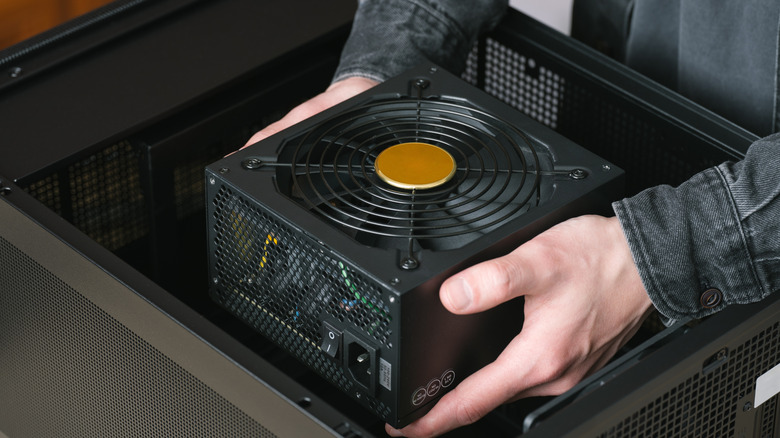
What makes a power supply cheap? It's not always apparent from the design, or even the wattage. Cheap power supplies are usually built with lower quality internal components, like capacitors, transformers, voltage regulation hardware, cooling systems, and cables. This cheaper hardware does cut the price tag, but it also affects the safety and stability of your entire system. Chances are, it's only a matter of time before something gives way and you end up with a fried motherboard, damaged graphics card, or giant paperweight in the form of an inoperable PSU.
Cheap power supplies may use copper-clad aluminum (CCA) wire, for example, whereas a higher-quality PSU is more likely to use pure copper wiring, which offers better efficiency in conduction as well as heat resistance. Cheaper power supplies are often less effective at cleanly converting alternate current (AC, power from your wall) to direct current (DC, power that your PC uses), too. This can lead to voltage spikes and uneven power distribution causing system instability, unexpected shutdowns, and permanent damage to your components. None of which you want — and what you want even less is a fire hazard, which comes in the form of a cheap PSU's shoddy short circuit protection and insulation.
Dangers of a cheap PSU aside, you're also stunting your PC's potential growth. If you have plans to overclock your hardware or upgrade your CPU or GPU in the future, pitching in a few extra dollars for a higher-quality power supply from the start goes a long way towards future-proofing your PC and keeping it stable. A PSU with higher wattage and efficiency ratings can run strong through several upgrades, saving you from having to replace it when you land a new GPU.
How to choose a power supply for your PC
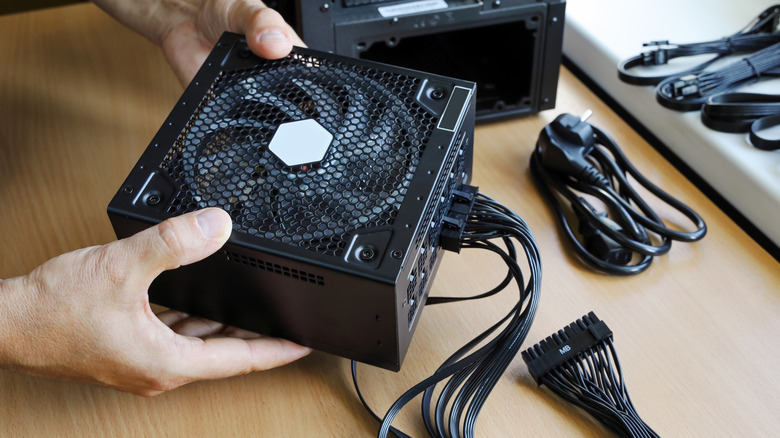
While there isn't one universally "best" power supply for every build, there are key guidelines you can follow to ensure you get a PSU that matches your current and future needs. First off, look for a reputable brand. Corsair, EVGA, Be Quiet!, Seasonic, MSI, Asus, Thermaltake, and Cooler Master are all good bets and can be easily found at major retailers. It's also important to match your power supply's wattage to the power consumption of your components. An Nvidia GeForce RTX 5060 — which should be an affordable entry-level card, but sells for nearly $500 today — requires a minimum of a 550W power supply.
But if you're thinking you might upgrade to a 5070 in the future, you need at least a 650W power supply. It makes sense to opt for a 650W power supply from the get-go, future-proofing your PC at a very low price increase. The 550W MSI MAG A550BN sells for $54.99 at Amazon, whereas the 650W MSI MAG A650BN is only $10 more at $64.99 at Amazon (on sale for $58.99 when written).
The other two main points to consider when buying a power supply are its efficiency rating and modularity. Efficiency ratings are denoted with labels such as 80 Plus Bronze, Silver, Gold, Platinum, and Titanium. These indicate how efficient the conversion of AC to DC is within a PSU. Gamers Nexus uploaded a useful table for comparing these values at a glance. Lastly, modularity: a modular power supply features cables (like the 24-pin connector, PCIe cables, etc.) that you can physically replace, such as in the picture at the top of this section. A non-modular power supply typically has all the cables bundled together under one sheath and they aren't replaceable.