

The 5 Best New Features Added To Steam In 2026 (So Far)

On the hardware front, Valve has been busy with Steam, bringing anticipated 2026 arrivals like the new Steam Controller, the Steam Machine, and the Steam Frame. Next up is software, the Steam Client. Valve usually releases a set of new features tested on the Steam Beta Client, which eventually roll out to stable, along with details on new changes in the regular client or policy shifts.
As such, while many provide bug fixes and great quality-of-life changes, some are more interesting than others because they can change how you interact with the platform. This year, in 2026, Steam introduced numerous changes, including (but not limited to) a customizable quick chat system, added discovery for new and upcoming games with Personal Calendar, and a new handle for Steam's game reviews and submissions. If you want a sneak peek at what's coming next, Valve makes it easy to switch from the Steam Client to the Beta version through the "Interface" tab in settings.
Quick chat feature for Steam Deck and Big Picture Mode
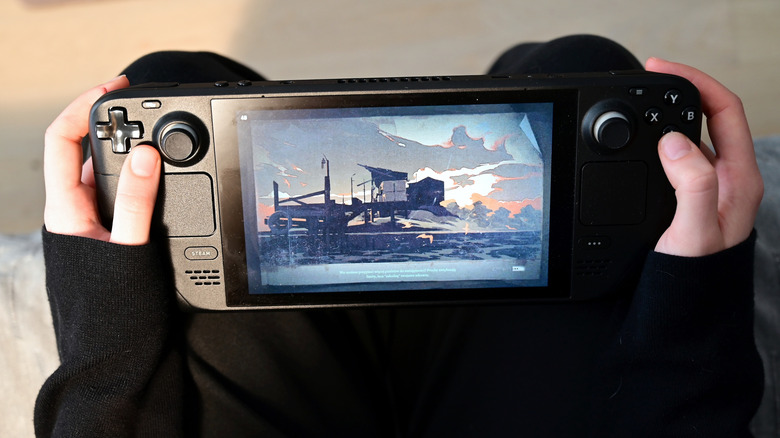
Steam is excellent for keeping you socially connected while you game — but that gets awkward when you're playing on the Steam Deck or using Big Picture Mode on your TV. Plus, anyone with a Steam Deck will know that opening the on-screen keyboard can be clunky. Luckily, Valve added a quick chat feature in the April update to ease some of that awkwardness.
According to the April Steam patch notes, the company implemented quick chats through a variety of helpful shortcuts (using assigned buttons on your hardware), such as letting you press and hold the View button to bring up quick chat options, being able to move the thumbstick and release to send a quick chat preset message, and the ability to edit quick chats through "Settings" > "Keyboard." These are all nice options if you want to acknowledge a message without typing a full response on a controller or handheld — making this 2026 addition an absolute winner for ease of use.
Revised game review and submission process
Valve's November update to its game review process and submissions may seem much more developer-focused, but in fact it can still be impactful for consumers. Improving how games are reviewed before hitting the platform can drastically help catalog quality, if done properly. Sadly, Steam has an AI problem, mainly with cloning and developers submitting broken AI-generated builds.
With OpenAI and Anthropic regularly releasing and improving tools to make vibe-coding easier, a backlash has been brewing among gamers. Many have said they feel played by this influx of vibe-coded apps that seem like unpolished cash-grabs or outright scams.
As a result, people have become more wary of what they are actually buying and playing, particularly because Valve doesn't ban games developed using these types of tools. That's why things needed to change, especially for game reviews and submissions.
Valve's changes include requiring developers to prove their games can run for at least five minutes within the past seven days before they can submit. Valve says on its FAQ page that the review process can take up to 12 business days, and developers should pay attention to the new checklist items, such as confirming achievements and other downloadable elements, before submission. This matters for users because it increases their chances of getting higher-quality games with a more productive wait time — adding a new "filter" means developers have to hit a higher quality bar. Plus, the company has said it received what it called "a significant increase" in submissions during 2026. Again, this likely has to do with how AI has impacted game development and digital distribution.
Steam gifting becomes a lot more streamlined
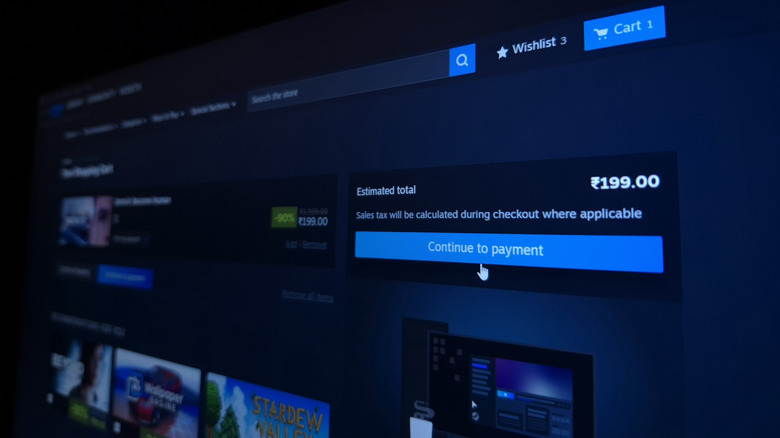
In 2026, Steam gifting had seen some changes. The first is with guest accounts. Guests were able to send gifts to Steam users without having to sign up for an account. The catch was that guests could only purchase digital gift cards and hardware, not games themselves. Fortunately, that has shifted — guests can now gift games to Steam users, including via email if you don't know your recipient's Steam account username.
The next major change is cross-region gifting. Before, there was some friction if the price charged in one part of the globe was more than 10% higher or lower than the other. Users would have to send gift cards instead, which can sour the feeling of a carefully-considered surprise. So instead of worrying about your gesture going unrewarded, Steam has implemented price matching so you can now send games to friends in a higher-priced region.
Finally, the last notable change to gifting involves sharing wishlists. You can gift directly without being Steam friends through guest accounts, and you can send titles or gift cards on the wishlist. Plus, if you have a really large wishlist, you can create a filtered one and send it as a link instead. The checkout process is more streamlined too, since anyone gifting directly from a wishlist will have their information pre-populated instead of forcing the gift-giver to do it manually.
More personalized game discovery
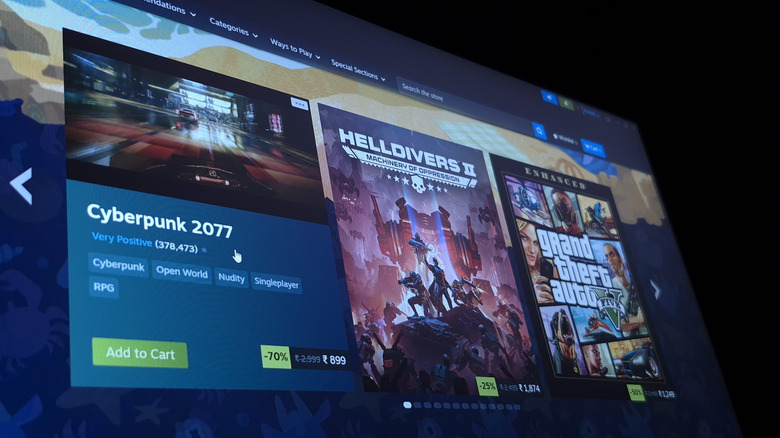
Game discovery is important, especially if you are looking for general deals or want to find new titles to wishlist. As such, Steam normally has a generic set of lists that don't necessarily pertain to your own gaming tastes, which usually means you need to search manually via filters to find titles you are interested in. The visibility, of course, matters a lot, especially if there's a rare indie that is being overlooked by more popular, top-selling titles — you may have otherwise not known about it.
That's why Valve added Personal Calendar, previously a Steam Labs feature, to the stable Steam Client embedded in the Steam Store home section. The feature also now has its own dedicated page. It is used to recommend new and upcoming games based on a player's recent activity, wishlists, and playtime, while cross-checking other profiles with similar statistics. The calendar is also customizable, including how many games appear in your view, as well as preferred filters for themes and genres. If you want to know more about how the algorithm works, Valve published its own Steamworks documentation that provides more details to this specific feature.
Lastly, some extra good news is that this isn't the last of Valve's updates for discovery. The company has noted upcoming 2027 changes, including plans to remove the curated Discounts & Events section on Steam. Instead, the company wants to replace it with "something more dynamic and personalized for each customer," since the Discounts & Events section was a set of scheduled slots shown identically to everyone without personalization.
Improved Remote Play and upcoming Pyrowave

Steam Remote Play is usually a great streaming option that requires little setup. Essentially, you can use Remote Play with your desktop and project it onto a handheld or your TV with the Steam Link app. It also works quite readily on mobile devices. The beauty is that you don't necessarily need the hardware to play if the host can handle it, which makes it a cheaper alternative to buying a Steam Deck OLED. That's why any improvements to Remote Play and how it works are welcome.
First up, Valve added a new advanced client option in Remote Play settings called the Pyrowave codec. It's an experimental video streaming codec that's designed to be extremely low-latency, with the tradeoff that it uses between 5x and 10x more bandwidth. The system is designed to offer selectable settings between 100 Mbps to 500 Mbps. Many people would likely want a wired 1 Gigabit Ethernet connection to handle all this traffic. However, if you can manage to implement the experimental codec, you should see sharper visuals and better color accuracy along with that low latency. Steam says the Pyrowave codec supports full HDR pass-through and optional YUV 4:4:4 color encoding.
This is currently a beta-only feature, so you need to update to the Steam Beta Client to access it. Valve hasn't indicated when this feature will be publicly released, but anyone with the Steam Beta Client can still use it after enabling it in Remote Play settings.
Aside from this beta feature, Remote Play got several fixes and improvements during updates for April and July, including a new frame rate cap option of 59.94 FPS and frame-drop reduction when the automatic framerate setting is enabled.
How were these features chosen?

While the Steam Client introduced extra trinkets like achievement sets, custom screen savers, and some nice visual updates, this list focused more on utility and how that impacts users going forward (remember that there are a lot of concurrent users daily, typically between 35,000 and 40,000 on average). Essentially, anything that combated frictions that people may have experienced with some previous main features, such as gifting and game discovery — both useful ones in their own right — has seen welcomed improvements in 2026. The list also mostly focuses on user-centric changes rather than developer ones, with one exception: the submission and review process for new Steam games, since it impacts both. In this list, we've also included a feature that's only been introduced in the Steam Beta Client, not just the stable version, since anyone can opt in and Valve can release it at any time.