

How Long Does Thermal Paste Last In A PC?
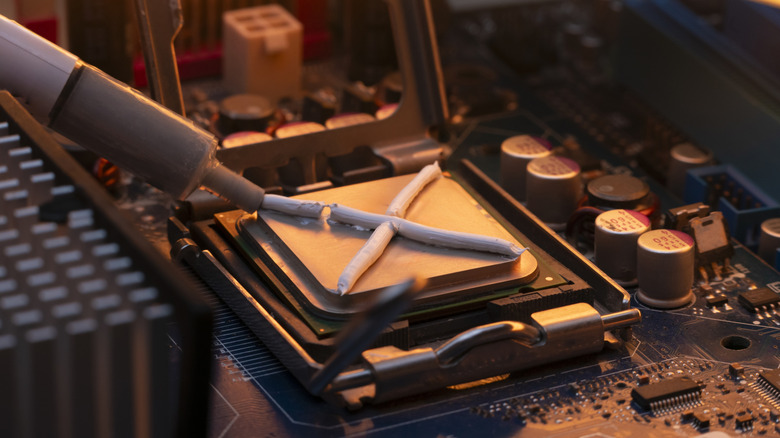
PC gamers might fight about which operating system is best or whether Nvidia outperforms AMD, but there is one indisputable fact upon which everyone agrees: Thermal paste is mandatory for effective heat dissipation. Unfortunately, that is where the consensus ends. Ask five people how best to apply it or how often it should be replaced and you'll likely get five different answers. So how long can you reasonably expect thermal paste to last in your PC? The truth is it depends.
Some manufacturers claim a lifespan of up to five years once the thermal paste has been applied to the CPU but also note that it may continue functioning as expected for several years beyond this. Others stay away from strict timelines and simply suggest reapplying the paste whenever you remove the CPU cooler, a task performed infrequently enough that it makes sense to kill two birds with one stone. Realistically you shouldn't have to replace your thermal paste unless you notice a dramatic temperature increase or louder fans than normal.
You might not want to rely on the old paste that's been sitting around since you first built your PC, either. Once opened, a container of thermal paste can survive up to five years, but this is impacted by how it was stored, what it's made of, and whether it was properly sealed. On the other hand, unopened thermal compound can last for decades in the right conditions (though it would likely be less effective than a modern compound due to technological advances).
Temperature is the biggest factor impacting thermal paste's lifespan
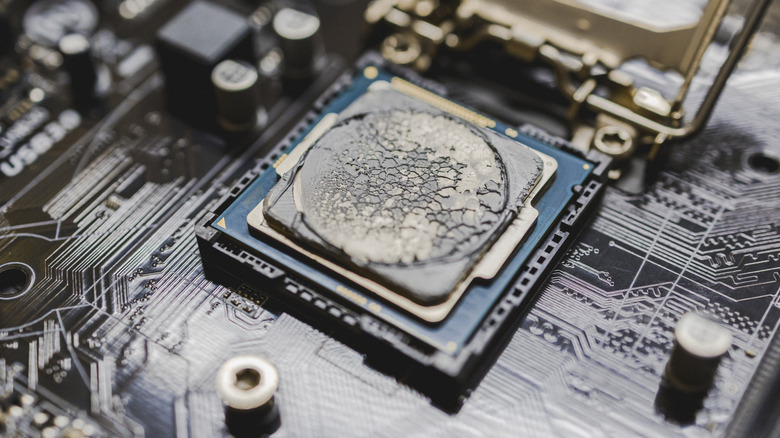
Most thermal paste is made from ceramic or silicone, which is helpful because these materials are non-conductive. In contrast to liquid metal compounds, there's no chance of a spill short circuiting your motherboard. However, over time, your PC's heating and cooling cycles spread the paste thinner and thinner, eventually leaving areas with too little coverage, which causes the CPU temperature to rise. This creates a snowball effect, drying out the compound even faster.
The best approach is to keep your PC's internal temperature as low as possible. This is why it's so important to learn how to clean your PC's fans and case, since ineffective cooling or even just a dust buildup could shorten the lifespan of your paste and the computer's components. There are various apps that can help monitor your PC hardware's performance, too — these are helpful for spotting temperature spikes or identifying parts that are working harder than they should.
Thermal paste doesn't have to be something you worry about. If you notice the temperatures creeping up, simply replace the old coat with a new one (ensuring there's no visible separation or flakes in your compound), and forget about it for another few years. You don't need the most expensive, fanciest paste either — just basic stuff that costs around $15 will do the job perfectly. Plus, once you're done, you can weigh into debates about whether it's optimal to apply paste in dots, lines, or a cross shape (spoiler: it doesn't matter so long as you use the right amount).