

The 4 Best Ways To Expand Your Mac Mini Storage
We may receive a commission on purchases made from links.
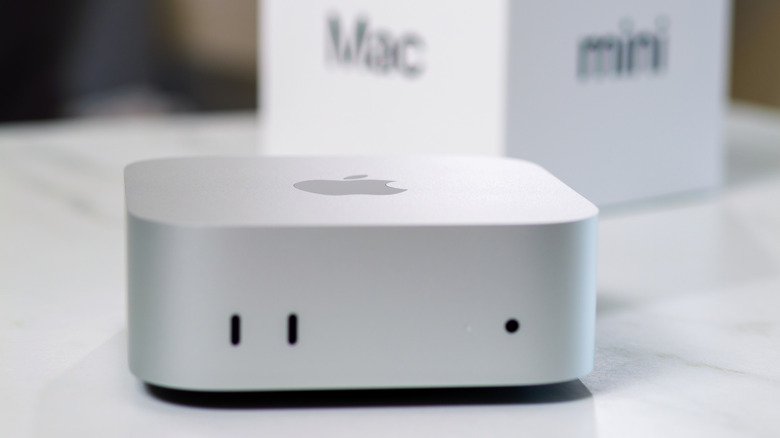
Apple's Mac mini is a surprisingly powerful computer for its size, and a good choice for most people. With the right set of accessories and peripherals, you can make the most of it. It's also pretty reasonably priced; however, like any other Apple product, getting a storage upgrade while buying one can be a costly affair, as the company charges a massive premium. Fortunately, if you don't want to shell out the big bucks to Apple, there are multiple ways to expand your Mac mini storage at reasonable pricing.
Storage expansion options range from Mac mini docks with a built-in SSD slot to connecting a cloud drive. You can technically do an internal SSD swap for M4 or M4 Pro chip-powered Mac mini models using an aftermarket module. However, it requires disassembling the machine, a second Mac, and likely voids the Apple standard warranty. The older M-series chip-powered and the latest Mac mini models have soldered NAND storage, which pretty much removes the SSD swap option unless you're really adventurous.
1. Attach a dock stand to your Mac mini
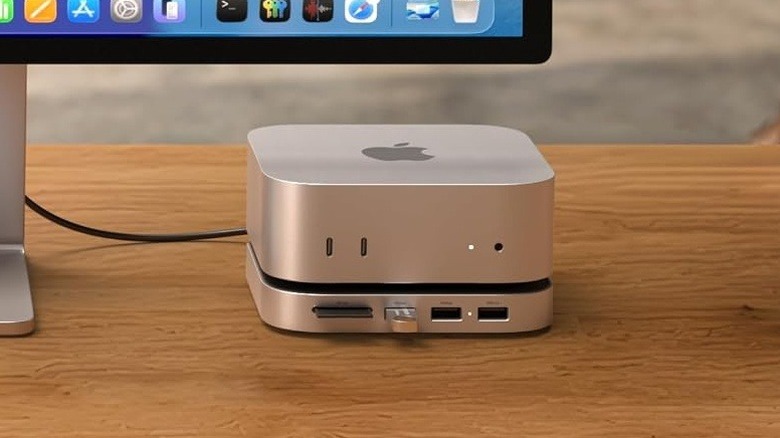
Dock stands are one of the most versatile accessories you can find for your Mac mini, and they also expand the available storage. One of the nicest things about using a Mac mini dock stand is that most models have a similar aesthetic to your Mac, connect seamlessly using a built-in USB-C cable, and sit below the Mac mini. Satechi and Ugreen offer two of the best-rated Mac mini dock stands. The Satechi model is more expensive at $100 and can work with Mac mini M6, M5 Pro, and M4 models, while the Ugreen option is $63 and works with the same Mac mini models. Both docks allow adding M.2 NVMe SSDs of up to 8 TB capacity in 2230, 2242, 2260, and 2280 sizes, and with a 10 Gbps connection.
However, the one thing in favor of the Ugreen dock is the bigger port selection at 11 ports. You get three USB 10 Gbps Type-A ports, two USB 5 Gbps Type-A ports, two USB 10 Gbps Type-C ports, and two card slots. These ports are distributed across the front and the back. The Satechi dock, on the other hand, comes with two USB 10 Gbps Type-A ports, one USB 480 Mbps Type-A port, and an SD card slot.
Amazon shoppers and experts at Macworld have a generally positive opinion of the Satechi and Ugreen offerings. Buyers say the included SSD enclosures are easy to use and work flawlessly. However, some customers mention that their Satechi units failed after a few months of use, and one Ugreen buyer found issues with their SSD getting ejected in macOS. MacWorld also mentioned that the presence of five USB-A ports on the Ugreen dock is overkill and that there is a lack of Thunderbolt speed for SSD enclosures on both docks.
2. Buy a Thunderbolt SSD enclosure
Although dock stands are versatile, not many offer super-fast data transfer speeds; this is where Thunderbolt-compatible SSD enclosures come into play. These give you the freedom to use your own SSD, and you can get 40 Gbps or even higher speeds for quick transfers, depending on the model. More importantly, as these connect directly using a Thunderbolt or USB4 cable, you don't have to worry about whether it will fit your Mac mini like a dock stand.
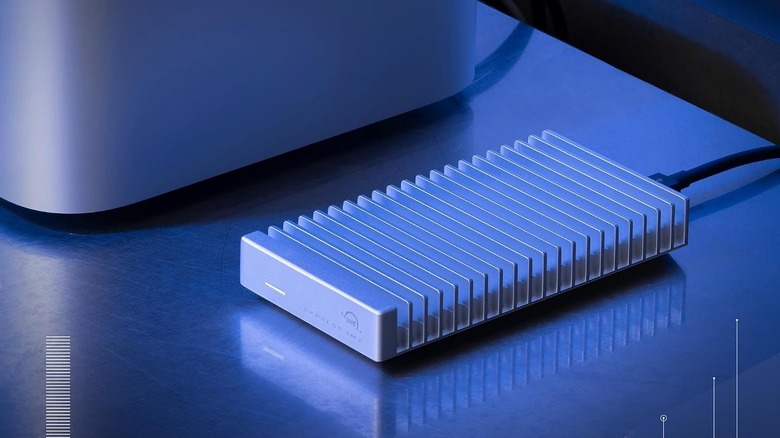
OWC has a well-rated SSD enclosure in their portfolio that you can use with your Mac mini to expand its storage. OWC's Express 1M2 has a list price of $120; however, it can often get it at a discount. It works with both USB4 and Thunderbolt ports and delivers up to 40 Gbps data transfer. It also has an aluminum fin design for efficient heat dissipation. Moreover, you can use M.2 2280, 2242, or 2230 size SSDs of up to 8 TB capacity with it.
Macworld and PCWorld experts have good things to say about it and appreciate its fast data transfer rates and the built-in heat sink. However, they also mention it's pretty large, and the supplied cable is short. Amazon shoppers also have a largely positive opinion of it, like its simple setup, solid construction, and Thunderbolt 4 support. That said, some buyers mention compatibility issues with Intel Macs and constant disconnections.
3. Add an external SSD
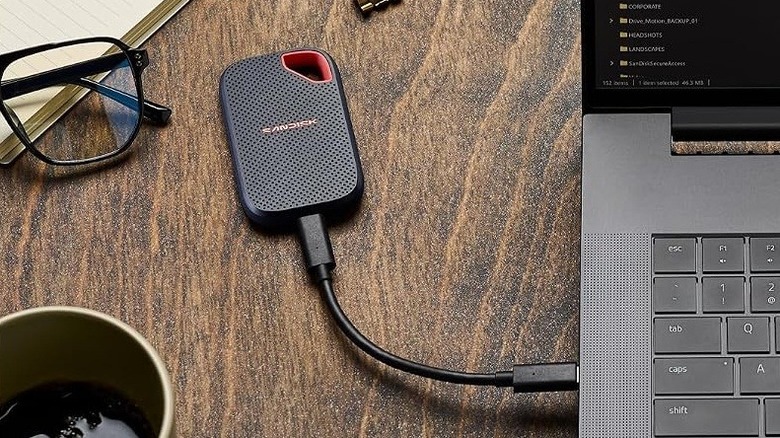
External SSDs are one of the easiest ways to add more storage to your Mac mini. Unlike dock stands or SSD enclosures, these have built-in storage. You also have the option to choose an external SSD based on your data transfer speed, storage needs, and budget. SanDisk's Extreme Portable SSD is a fast external SSD that you can consider for expanding Mac mini storage. It offers read and write speeds of up to 2,000 Mbps and 1,700 Mbps, respectively. Although it's not the fastest SSD on the market, it's reliable and fast enough for most everyday tasks. If you want a faster option, you can consider SanDisk's Extreme Pro model or Samsung's P7.
You can buy the SanDisk Extreme in up to 4 TB capacities, with the 1 TB model costing $300 at list price. However, you can often find it selling for significantly less. The SanDisk external SSD is capable of handling drops from up to three meters and is rated IP65 for dust and water resistance. It will connect with your Mac mini over a USB-C cable capable of fast data transfers..
Experts at Gear Lab and Macworld put it through its paces and found the SSD to be a high-performance option, with its fast read and write performance, rugged design, and USB-C interface. That said, they did mention the lack of complete water resistance. The SSD has also received an excellent buyer rating of 4.6 out of 5 stars on Amazon, with shoppers liking its reliability, compact design, and ease of use. A small selection of buyers do mention getting defective units that either died too soon or didn't perform as expected.
4. Use a network-attached storage or a cloud drive
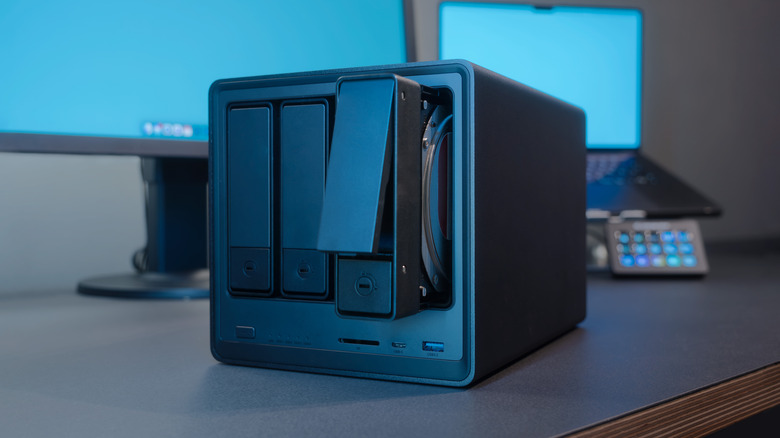
You also have the option to use network-attached storage (NAS) or the cloud to access extra storage space. Both NAS and cloud storage offer the flexibility to use them with multiple devices. You can also access your cloud storage from anywhere, and have the potential to do the same with your NAS. That said, a NAS requires significant upfront investment, and the speed at which you can access cloud data stored will depend significantly on your internet and cloud provider. As a result, both are most suitable for storing data that you don't need readily accessible.
Multiple manufacturers, including Synology and Asustor, offer some of the best-rated NAS products, which you can choose depending on your needs. Synology DiskStation DS225+ ($365) and Asustor Lockerstor 2 Gen2+ ($517) are two widely liked NAS that make sense for home users. The two have garnered an average buyer rating of over 4.6 out of 5 on Amazon. Experts at How-To Geek, PC Mag, and Trusted Reviews also have good things to say about both, with some complaints about the Synology offering packing an older processor and Asustor NAS requiring tools for hard drive installs.
In terms of cloud storage, Apple's iCloud is one of the most convenient options for Mac mini owners; however, you can also consider Google Drive and OneDrive. iCloud starts at $0.99 per month for 50 GB of storage and goes up to $60 a month for 12 TB. You also get benefits like iCloud Private Relay and HomeKit Secure Video with iCloud+ subscriptions. PC Mag and Macworld experts have a largely positive opinion of iCloud for Mac usage; however, they point out that it doesn't work well for collaboration outside the Apple ecosystem and lacks apps for Android and Linux.
How we selected these ways to expand your Mac mini storage
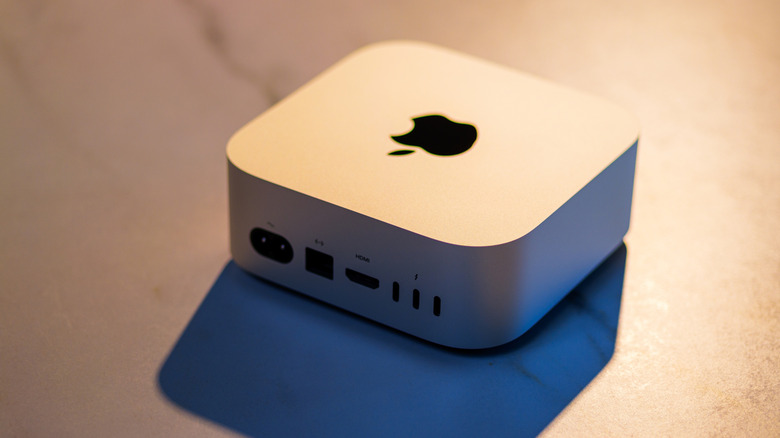
Unlike many other desktop computers, Apple's Mac mini doesn't offer an easy way to upgrade the internal storage once you've purchased it. You can either pay a significant premium for a storage upgrade at the time of buying or go for external storage. While choosing our recommendations for ways to expand Mac mini storage, we looked for ways that are often recommended, easy to use, and accessible for most people. We also included a wide range of options to cater to different needs and use cases. Moreover, for specific product picks, we considered expert reviews as well as buyer feedback to ensure our recommendations are well-liked and devoid of any major issues.