

How To Tell If A Used Phone Had Its Battery Replaced
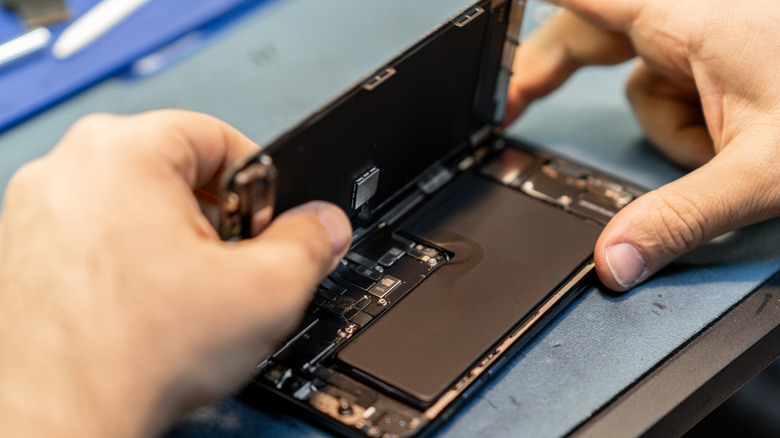
Before handing over your hard-earned money to buy a used phone, there are some things you should check. You need to make sure it powers on, of course, and that it's not still locked to the previous owner's account. You should verify that the touchscreen is responsive across the screen and its corners by testing for taps, pinch and zooms, scrolls, and even typing. Check all buttons and ports as well for responsiveness and proper functioning. Inspect it for visible damage as well, like cracks in the screen or scuffs on the back. But one of the most important parts of a used phone you might overlook is the battery. And it may end up being the thing that matters most.
While an online or in-person seller can swear the phone has its original battery or a refurbished phone may be sold as containing an authentic replacement, how do you really know? You can usually tell by looking for misalignments between the frame of the phone and the screen, if screws don't match, or the battery doesn't have an authenticity label. But you should also check the overall battery health in the phone's settings and diagnostic apps to understand if it's in good condition, regardless of if the battery is new or not. Asking these questions can be critical, whether through a private sale or a reputable business.
How to check a phone's battery health
It may seem obvious, but the battery is one of the most important parts of a phone. And it's a part that's guaranteed to wear out quickly over time. A worn-out battery can affect your phone's speed, not to mention how reliable the device is when you might need it most. Yet it's often the last element people think about when considering whether to buy a used or refurbished device.
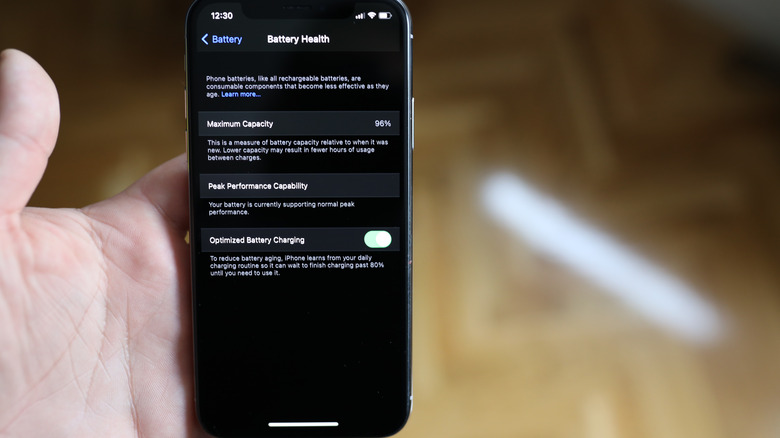
You can check battery health on any phone, though the method is slightly different based on the device. With iPhones, go to Settings, Battery, Battery Health. If it says normal, that's a good sign. You should also click to see the maximum capacity. Anything under 80% means the phone needs a new battery. If it's close to that, you'll probably need to replace it soon.
With Google Pixel phones, go to Settings, Battery & charging, Battery health. Other phones may have it under a Device Care setting. Samsung Galaxy phones are unique in that if you have one with One UI 9, there's a specific Diagnostics feature for checking the battery too. Go to Settings, Device care, Diagnostics or access it from your Samsung Members app. From here, you can check various phone functions, including Battery status, and it will advise if there's an issue and outline what it is. Use Diagnostics to check other things, too, like the sensors and cameras. With interactive checks, you can run tests to verify that everything from the buttons to the speaker, mic, charging, touchscreen, and more works. There are also third-party apps you can use to check battery capacity, like AccuBattery for Android and 3uTools for the iPhone.
What about buying online?

There are lots of phones worth buying used, and plenty of value in doing so. Just make sure that you ask about the battery, check its health, and look in settings for a record of repairs or unapproved battery installation.
When buying privately, ask the seller if the battery was replaced or if it's the original. If replaced, ask whether genuine parts were used, or if it's an aftermarket battery. Many people don't know the difference or may have been scammed by an unscrupulus repair store, but you should ask anyway. You may even want to ask the seller to show you a copy of the repair bill to verify authenticity.
Third-party batteries can act differently from how you'd expect because they may not be made with the right parts, or built with the same quality as the original. The result can be slow charging, quick battery drain, unexpected shutdowns, and overheating.
When buying refurbished, you may have a little more peace of mind depending on where it's coming from. If the device went through a manufacturer-certified process, the phone will likely have a new battery. This is typically why these programs sell devices for slightly more, and why they typically include a special warranty along with the device.
An independent shop, however, may be selling the phone with whatever battery health and charge cycles are left. You can tell the age of the battery with this information. To determine if it's new, with iPhone, go to Settings, General, About and look for Parts and Service History to see if there have been any repairs (The menu item won't appear if no repairs have been detected). This section will also show warning messages about unapproved batteries. Samsung and Google phones have similar detection systems.