

How To Keep The Pixel 11 From Overprocessing Your Photos
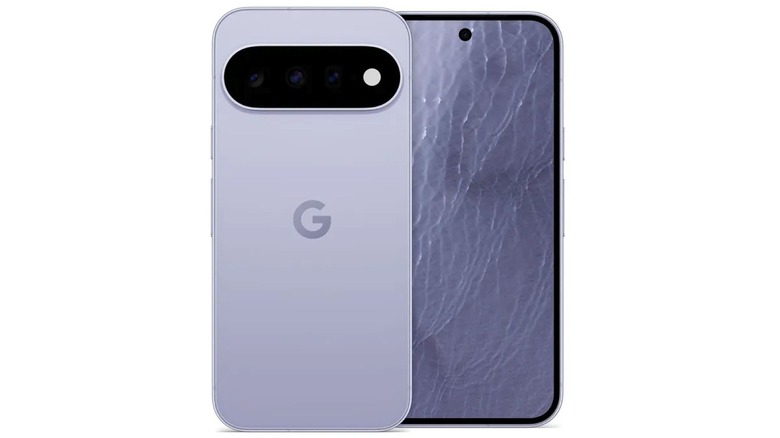
Google announced the Pixel 11 series in August 2026. This latest iteration of the Pixel family was designed for Gemini Intelligence and has a new camera feature called Camera Looks that stylizes photos as part of the image processing sequence, which has superior quality compared to legacy filters. Although Camera Looks is a cool feature, many users lament the rise of AI-powered image processing. Google has taken note and has given its new filtering feature a much more natural option that photographers will appreciate.
Where most smartphones simply apply a filter once the photo is taken, the Camera Looks feature changes the entire photo processing sequence to give you a much more authentic, stylized image. The filters are completely adjustable, with the ability to customize a range of settings such as exposure, color, sharpness, and grain. Most modern smartphone camera apps have built-in AI processing, which is used in conjunction with high dynamic range (HDR) in an effort to give the general public a chance to capture professional-looking images.
People with a deeper interest in photography have been wanting to capture images in a more natural way, where control over shadows, exposures, and colors is at the photographer's discretion. If you're a user who has the same need, the Camera Looks feature comes with a "Minimal" mode, where the AI-powered processing is dialed way back, offering a much more basic image-capturing process for more natural, classic-looking photos, so photography apps for your Android feel less mandatory.
Camera Looks is exclusive to the Pixel 11, for now.
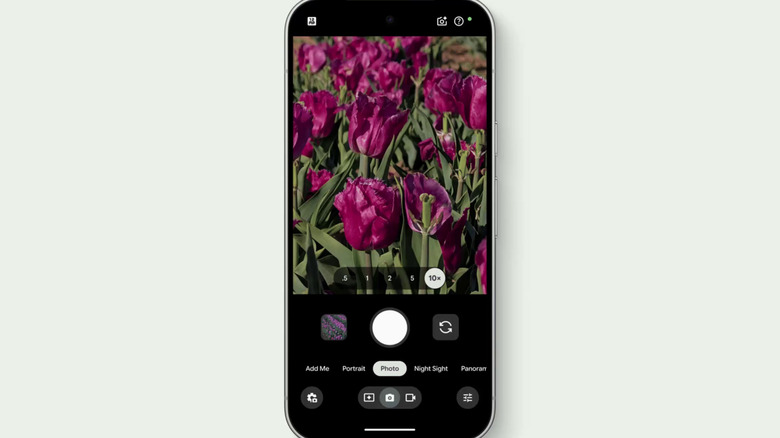
Google uses the Pixel 11's improved hardware performance to enable the Camera Looks feature, using onboard AI processing to change the color science behind images for better styling results. Google's HDR+ pipeline captures multiple frames before and after a shot is taken and merges them into a single high-bit-depth intermediate photo. The feature then applies tone mapping to achieve your desired look. All of this happens in a fraction of a second and requires good hardware performance to achieve seamlessly, such as Google's Tensor G6.
Many users have been questioning whether this feature would be rolled out to older Pixel models in the near future, but Camera Looks' hardware needs make this unlikely. If you have an older Pixel device (or any other Android smartphone, for that matter) and didn't upgrade to the Pixel 11, there are a few great third-party apps that can achieve similar results. Apps like Zerocam or Open Camera have the ability to take natural shots with a lot more control over camera settings than what you would find on the native Pixel camera app.