

You Can Safely Mount Google Nest Cameras With A Magnet If You Have This Accessory
We may receive a commission on purchases made from links.
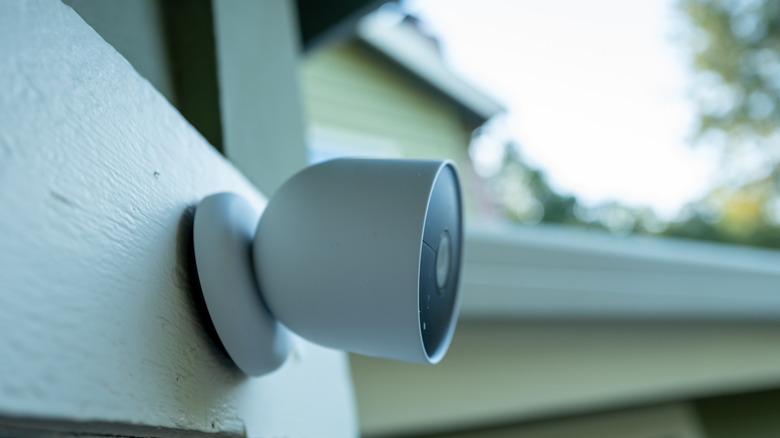
Security cameras are more DIY than they've ever been, and the Google Nest Cam (battery) is one of the best examples. Even if you're faced with a challenging wall-mounting scenario, you won't need to worry about plugging a Nest Cam (battery) in for power. You also won't need to bother running video cables back to a recording unit. The Nest Cam captures all footage locally and stores it in the Google Home app. But you'll want to be careful if you have to mount the camera higher than 6.5 feet.
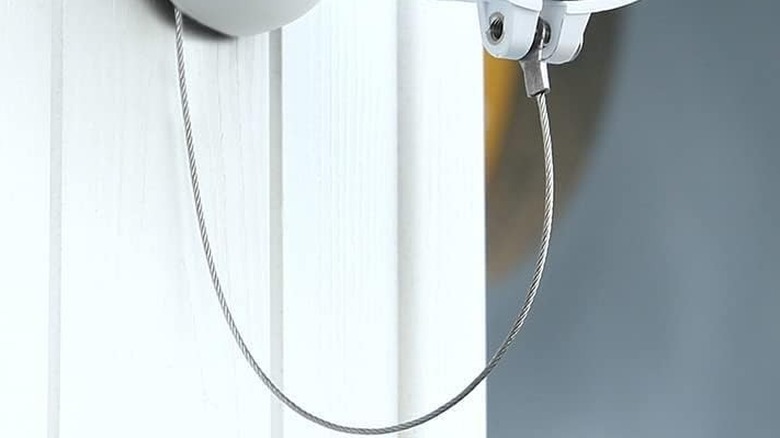
While the Nest Cam is tougher than it looks, it's still just plastic, glass, and sensitive tech encased in a tiny chassis. To prevent the worst accidents from happening, you'll want to be smart and install the provided Secure loop that came in the box with your new Nest Cam. It essentially keeps the camera attached to its mounted magnetic plate.
Installing the Secure loop is pretty straightforward: Start by attaching the tethering cable to the thread on the bottom of the Nest Cam. Then wrap it the loop around the magnetic mounting plate and pull the tab to secure it. The only thing left to do is to hang the camera, which is a lot easier if a friend or family member is helping. One person can use the Google Home app to check the field of view while the other person does the mounting.
The Secure loop ensures your Google Nest Cam is secure
According to Google, all Nest Cam products ship with the Secure loop. If yours didn't come with it, this support page will let you request one. Google also claims that the $13 Wasserstein Anti-Theft Mount is compatible with both the battery-powered and wired versions of the Nest Cam. At the time of writing, the third-party mount wasn't available at the Google Store, but it can be purchased on Amazon (in one- and two-pack options) or directly through Wasserstein.
When it's time to recharge your Nest Cam (battery), and you have the Secure loop installed, you just need to pull down on the tab until the loop is large enough to slip over the mounting plate; Google also suggests using the loop shape to hook the Nest Cam to your wrist when carrying the device around. And don't forget: the Security loop is just an additional failsafe rather than a substitute for proper installation of the magnetic mounting plate.
Google gives you all the hardware to secure the mount. The only thing you'll need to have on hand is a power drill and/or screwdriver. For the utmost peace of mind, make sure to use the provided wall anchors, especially if you know for a fact that the mount won't have wood framing to secure to. The last thing you want is for the entire home security rig to fall in the middle of the night.