

Apple iMac (M6) Review: An Excellent All-In-One That's Starting To Show Its Age
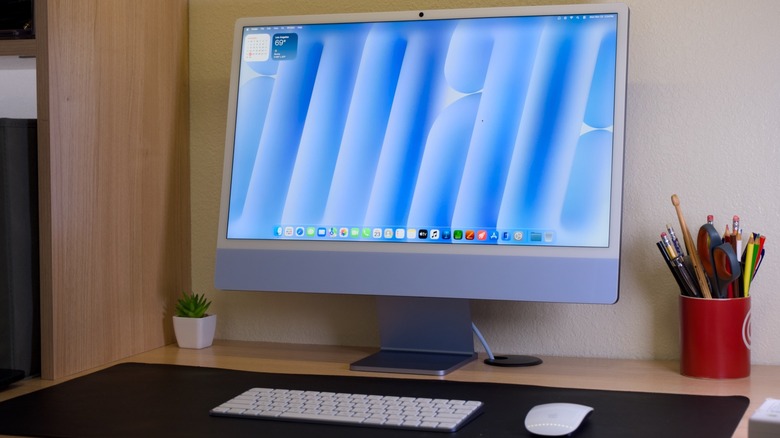
The humble iMac might not have been the certain of attention over the past few years as Apple's laptops continue to evolve fairly rapidly, but it still has a lot going for it. The 24-inch Apple iMac with M6 is Apple's only all-in-one desktop, and its appeal is still easy to understand. It's a compact, colorful Mac for families, students, general home use, and light-to-moderate creative work, with a sharp screen, good speakers, and very little setup required.
This model replaces the M4 iMac after Apple skipped M5 for the desktop, jumping two chip generations to its first 2nm Mac processor while leaving the 2021 design intact. Apple wants $1,499 for the 10-core M6 and $1,699 for the 12-core version, which is a lot for a desktop that hasn't changed much in five years. Those are each $200 more than the M4 iMac's original 2024 launch prices, though they match the higher prices Apple applied to the M4 models earlier this year.
The iMac also arrived alongside the M6 MacBook Pro, following the M6 Mac mini, which comes at a lower price but without the things that make a computer an "all-in-one." I've been using the iMac to see whether the screen and simplicity make that trade worthwhile, or if you should opt for the Mac mini instead and bring your own peripherals.
Design
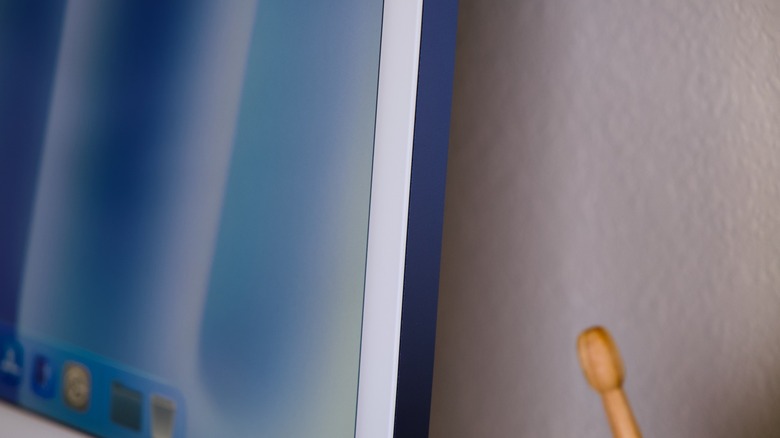
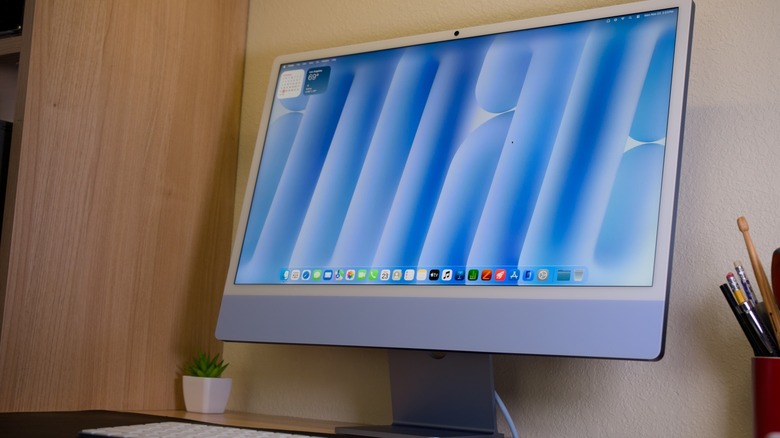
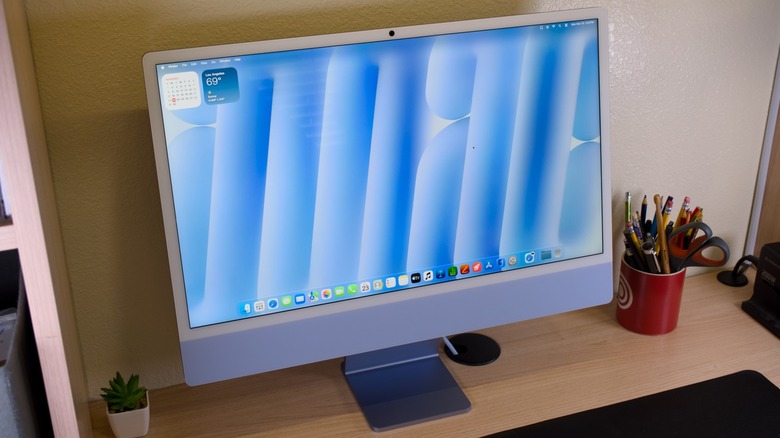
Sit this iMac next to a 2021 model, and you'd struggle to tell them apart. The M6 model is 21.5 inches wide and 18.1 inches tall, with a stand that extends 5.8 inches deep. It weighs 9.7 pounds in the 10-core configuration and 9.8 pounds with the 12-core chip, so moving it between rooms is easy enough, even if it isn't something you'll do every day.
Of course, there was nothing wrong with the old design. The aluminum case still feels excellent, and the slim profile looks good from almost every angle. Apple uses 100% recycled aluminum for the stand and says recycled materials account for 15% of the computer overall. They're still colorful as well. You can choose blue, purple, pink, orange, yellow, green, or silver, and Apple color-matches the keyboard, Magic Mouse, and cables, including the power cord. The cord connects magnetically, which keeps the back of the computer reasonably tidy.
I still like the overall look, despite the fact that it's been around for a while. It's cheerful without feeling like a toy, and the matching accessories make the whole setup feel more thoughtful than the average Windows all-in-one.
But there are some functional design choices I would change. Plenty of Windows all-in-ones offer height-adjustable stands, which you won't get here — the iMac can only tilt. You can request a VESA mount instead of the stand at no additional cost, but then you'll need to supply your own arm or mount. For a machine that's really at least somewhat targeted at families, being able to adjust height would be handy. Despite that, again, the M6 iMac looks great. I like the selection of colors and the overall feel, and it still feels incredibly thin for a machine this size.
Keyboard and mouse
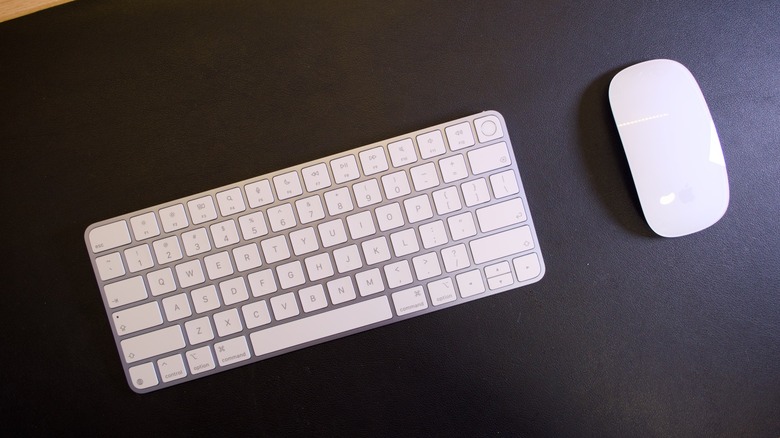
With the iMac, you'll get a few accessories, including a Magic Keyboard and a Magic Mouse (or a Magic Trackpad for an additional $50). The Magic Keyboard is quite nice. The keys have enough travel to feel comfortable during long writing sessions, and the low-profile design keeps your wrists in a natural position. It isn't a mechanical keyboard, but it's steady, quiet, and much better than the bundled keyboards that come with most desktop PCs.
Touch ID is handy, but it's not included with every variant. The base iMac includes a Magic Keyboard with a Lock key but no Touch ID unless you pay $80 for the Touch ID and Numeric Keypad version, while the 12-core model includes Touch ID for logging in and approving purchases. The keyboard itself hasn't changed from the M4 iMac, but charging extra for the fingerprint reader still feels a little stingy at this price.
The Magic Mouse is also color-matched, but it has never been my favorite mouse. Its low shape isn't especially comfortable for extended use, and I'd personally spend the extra $50 to substitute a Magic Trackpad while supplying my own mouse. I'm used to using a trackpad with my left hand and a mouse with my right, so the upgrade makes sense for me. If you just want a mouse, though, it's probably not worth paying the extra cash — just get used to the Magic Mouse, or stash it away and use your own.
Display and webcam
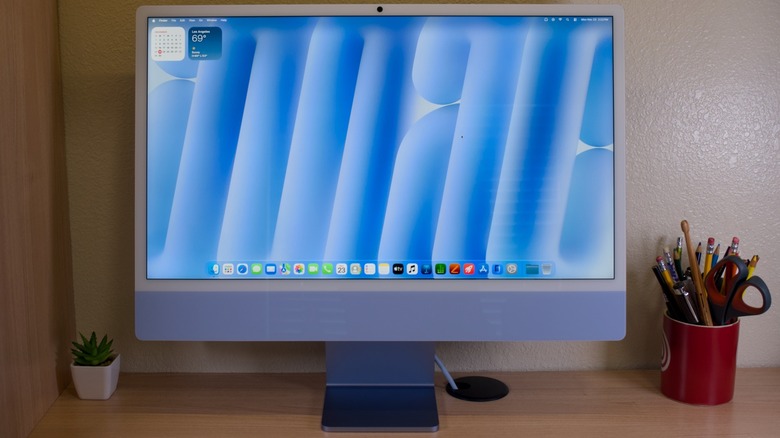
The screen measures 23.5 inches diagonally with a 4,480 x 2,520 resolution and a density of 218 pixels per inch. Text looks crisp, colors are rich, and the panel reaches 500 nits of brightness with P3 wide color, True Tone, and support for 1 billion colors. True Tone adjusts the display's color temperature to match your surroundings, which helps the screen look more natural under different lighting. Overall, it's a solid-looking screen.
But it could still use some upgrades. The 60Hz LED panel has no HDR support, no OLED contrast, no high refresh rate, and no touch support — all of which makes it feel a little last-generation, especially for a $1,499 desktop computer. Scrolling and interface animations simply don't look as fluid as they do on a 120Hz display. Apple's standalone monitors and MacBook Pro displays have improved a great deal since 2021 — the newest MacBook Pro even has a tandem OLED touchscreen — and it would have been nice to see at least some of that progress reach the iMac.
Nano-texture glass is available for another $200, but only on the 12-core model. This etched finish scatters reflections rather than producing the sharp glare you get from standard glossy glass. I've really liked nano-texture on Apple's other products, and it could be worth paying for if your desk sits under bright lights or near a window, but my review model has the standard glossy display.
A 12-megapixel Center Stage camera with Desk View sits above the screen. Center Stage pans and crops the image to keep you framed as you move around, while Desk View can show a top-down view of your desk during calls. The webcam is generally quite good, and Center Stage works well, though video recording remains limited to 1080p. The three-microphone array captures voices clearly.
The display and webcam are in the camp of "great for average users" — those who want something for productivity, video calls, and basic tasks. If you're used to a display with a high refresh rate, you might find it to lack a little smoothness, but for most, it won't be a huge deal.
Speakers
The M6 iMac comes with the same six-speaker system as before, and it still sounds good. The system uses force-cancelling woofers, which place opposing drivers against each other to reduce unwanted vibration while producing stronger bass. It also supports spatial audio for compatible music and video. The speakers get loud and sound decently full-bodied, with better bass than you'd expect from such a thin computer.
They won't replace good headphones or a proper pair of external speakers, but they're more than good enough if you don't want to add either. Sure, it might have been nice for Apple to include some of the speaker improvements that it has built into the new MacBook Pro, but the speakers probably aren't going to make or break this computer for many owners.
Performance
The 2026 iMac comes with Apple's M6 chip, which is Apple's first 2nm Mac processor and the first iMac chip with a three-tier core layout. The base version has 10 CPU cores split between two super cores, three performance cores, and five efficiency cores, while the upgraded chip has two super cores, four performance cores, and six efficiency cores. Super cores handle the most demanding bursts of work, performance cores take on heavier sustained tasks, and efficiency cores manage lighter background activity while using less power.
Each model has a dual 16-core Neural Engine — 32 neural cores in total — which makes this the first iMac with that setup. The GPU adds Neural Accelerators in each core along with hardware ray tracing, though you'll only notice the ray tracing in games that support it. Memory starts at 16GB and can be increased to 24GB on either model, with 32GB reserved for the 12-core version. Bandwidth reaches up to 170GB/s, though the 16GB configuration is reported to top out at 153GB/s. Storage starts at 256GB, with 512GB available for another $200 and 1TB on either model. The 12-core model also supports 2TB, which adds $1,000, while memory upgrades cost $200 per tier.
Day-to-day performance is very good. App launches felt quick, multitasking was smooth, and coding, photo editing, and light video work were all handled without much fuss. The M6 delivers roughly 20% better CPU performance than the M4, with much larger graphics gains. Apple claims up to 1.5x faster productivity, up to 2x faster graphics and ray-traced gaming, and up to 5x faster on-device AI prompt processing. Those are best-case comparisons, but the graphics improvement is meaningful, and I was easily able to do basic video editing on the iMac, though don't expect more advanced editing or rendering to be very efficient. Storage performance has also improved, with PCIe 5.0 support and roughly twice the previous SSD throughput.
The catch is cooling. The iMac's M6 runs hot under heavy sustained loads, more so than the M6 Mac mini and 14-inch MacBook Pro. That leaves it around 5% to 8% behind those machines in multi-core CPU work and 8% to 12% behind in graphics. These are small differences, but differences nonetheless.
Power and ports
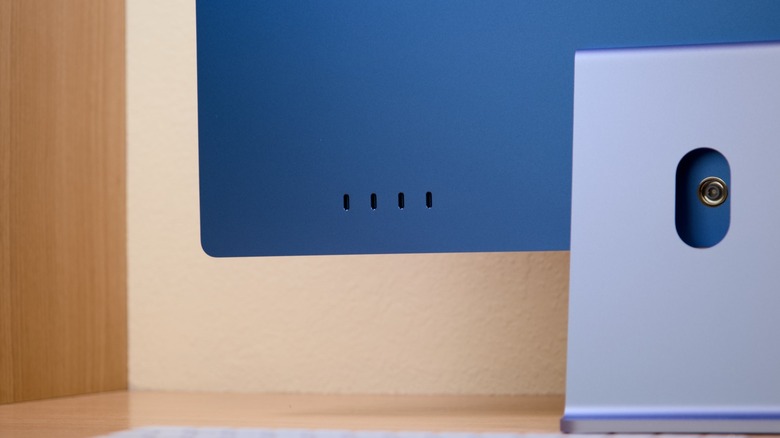
The port selection depends on which iMac you buy. The 10-core model has two Thunderbolt 4/USB4 ports, while the 12-core version has four Thunderbolt 4 ports. Both include a 3.5mm headphone jack. Ethernet runs through the power brick rather than the display itself, with 2.5GbE costing $30 on the base model and coming standard on the 12-core version.
Display support is where the 12-core model pulls ahead a little, if you want or need to connect external displays. The base model drives one external display at up to 6K/60Hz or 4K/165Hz. The 12-core version supports two displays at those specifications, or a single screen at up to 8K/60Hz, 5K/120Hz, or 4K/240Hz. Apple's N1 wireless chip supplies Wi-Fi 7, Bluetooth 6, and Thread support on both models, so wireless connectivity is at least up to date.
The two-port base model may be limiting for some, though. The four-port iMac is easier to live with, but requiring customers to buy the more expensive model for additional ports, dual-display support, and even the option of nano-texture glass, while charging extra for Ethernet and Touch ID, makes the base configuration feel oddly limited.
Software
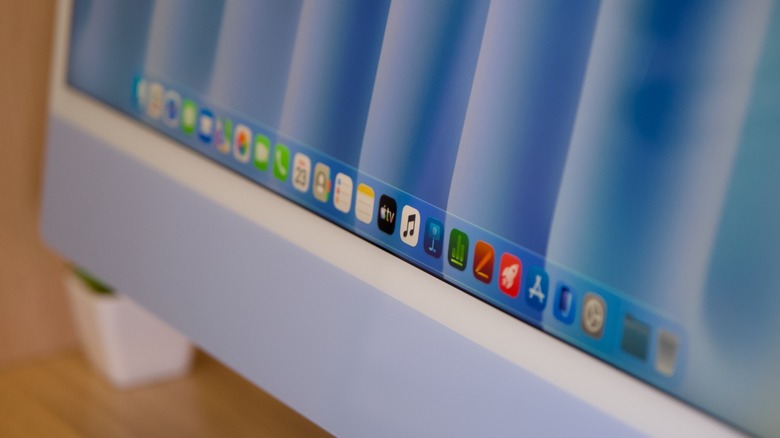
The iMac runs macOS 27 Golden Gate, including Apple Intelligence and the newer Siri AI features. Setup walks you through those options alongside the usual iCloud and privacy settings, so you can decide how much of Apple's AI system you want to enable from the start. There's no third-party bloatware to remove, which is a relief compared with most new PCs.
Apple Intelligence is useful for things like summaries and some image tools, but it doesn't really change why you'd buy this computer. The more practical advantages are ecosystem features such as iCloud syncing, AirDrop, iPhone integration, and the ability to move between Apple devices with little friction. Those features are genuinely helpful if you already own an iPhone, iPad, or MacBook.
The problem is that there's nowhere to go within the iMac line if your needs grow. The 16GB base memory matches the MacBook Air and M6 Mac mini, with only the 8GB MacBook Neo offering less, and there's no M6 Pro or higher-end iMac configuration to trade into. Buyers who expect to get into heavier video production, large local AI models, or more demanding work should plan the configuration carefully at purchase rather than assuming they can upgrade later. If you want a more powerful desktop, you may need to buy an M5 Pro Mac mini or shell out for a Mac Studio.
Conclusions
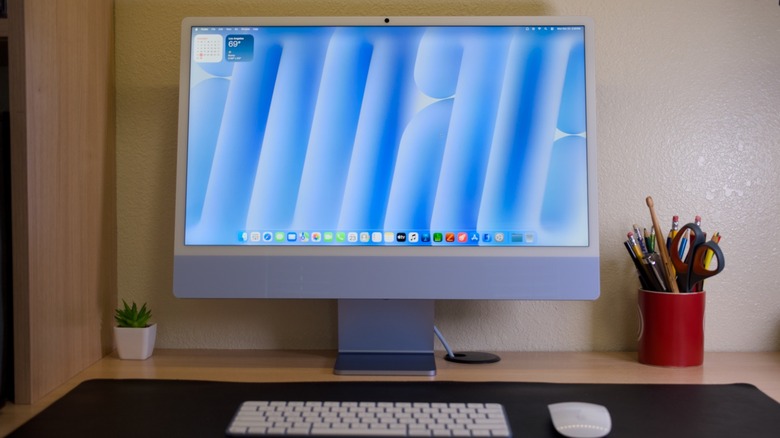
The iMac with M6 is the most polished all-in-one computer on the market, with a sharp screen, strong built-in audio, excellent everyday performance, and a design that keeps cable clutter to a minimum. The design is aging, but it's not in dire need of a refresh yet — it still looks modern and sleek. That said, the 60Hz panel, lack of HDR and OLED, tilt-only stand, and unchanged speakers all make the price harder to swallow, even though the $200 increase over the M4's original launch price reflects Apple's broader June price hikes rather than anything specific to the M6.
The $1,499 base model is the weakest configuration. Two ports, 16GB of memory, 256GB of storage, Touch ID as a paid extra, no nano-texture option, and the same slightly lower sustained performance as the more expensive model add up to a lot of compromises. The 12-core version with 24GB of memory at $1,899 is the more logical sweet spot, adding ports, Touch ID, better external-display support, and more memory headroom.
Consider the $899 M6 Mac Mini before buying either. Pair it with a 27-inch 5K display and you can get more screen space, better sustained performance, and potentially better overall value, at the cost of losing the iMac's simplicity. If you want a single, elegant macOS computer and can live with the aging display and fixed stand, the 12-core iMac is worth buying.