

Can An HDMI Splitter Hurt Your TV's Picture Quality?
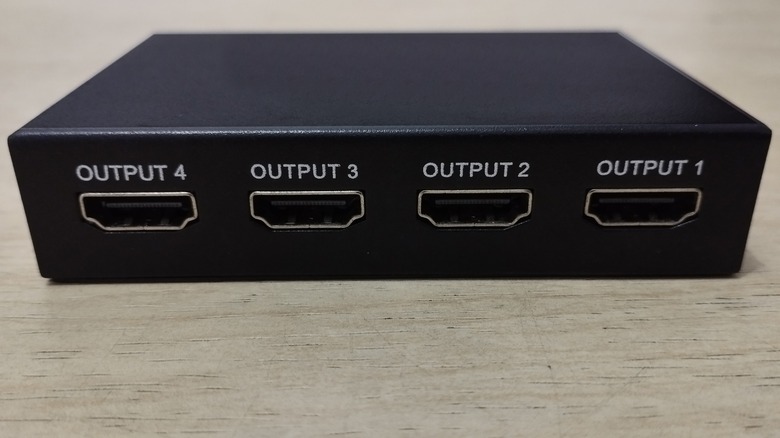
Whether you're looking to share a Netflix stream to multiple screens or need to get a presentation on every TV in the conference room, an HDMI splitter is one of the best tools for the job. Using one is as simple as connecting your source device — be it a laptop, streaming device, or game console — to the splitter's input, and then connecting the splitter's outputs to each display you want to use.
The average splitter is designed to duplicate the image produced by your host component without compromising picture or sound quality. That said, variables like the length of an HDMI cable, as well as the types of displays you're connecting your splitter to, may cause the occasional handshake issue or other audio-video malady.
Generally speaking, HDMI technology works best when cable lengths are kept at 25 feet or shorter. There isn't a hard rule that longer wires won't make the grade, but the AV signal carried by an HDMI cable is far more prone to degradation and interference over longer distances. Fortunately, active HDMI splitters aren't too difficult to find and provide signal amplification. This helps to maintain signal strength and quality when using longer HDMI cables.
You'll also want to be mindful of which HDMI port you're plugging the splitter's output cables into. If you're attempting to split the AV signal from a game console like the PlayStation 5, plugging an HDMI cable into one of a TV's non-HDMI 2.1 ports may disable features like Variable Refresh Rate and Automatic Low Latency Mode, which could result in laggy gameplay.
Other things to know about HDMI splitters
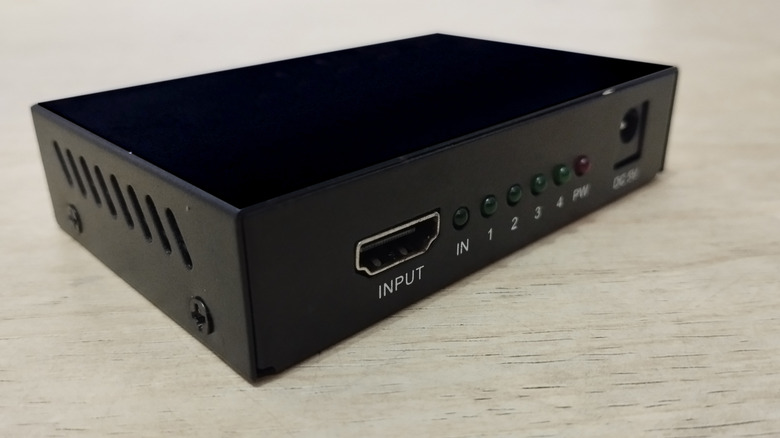
You may encounter picture and sound issues when attempting to use a splitter with older HDMI cables and newer displays. Features like HDR and high refresh rates will only work if the HDMI cables you're using have enough bandwidth. Fortunately, replacing your outdated HDMI cables with the best ones that meet the latest AV standards isn't an overly expensive investment, and you'll future-proof your HDMI setup for years to come.
You might also run into trouble when using an HDMI splitter with older displays. Let's say you want to connect a 4K Blu-ray player to two TVs: one that supports up to 4K resolution, and one capped at 1080p. An HDMI splitter can't increase a TV's pixel count, so your Blu-ray player's 4K signal will likely be downscaled to 1080p on both TVs. Unless you decide to invest in an HDMI splitter with down-scaling technology, you may not be able to skirt around this resolution cap.
We also advise being picky when selecting an HDMI splitter. Even though most of these products are engineered for plug-and-play connectivity, sticking with a well-regarded brand with solid reviews is better than saving a few bucks and ending up with a lackluster device.