

9 Tech Products You Should Never Cheap Out On

Tech products are a category where you can save a lot of money by finding the right deals, but also waste money going for subpar items. The reason is simple: Unlike fashion or furniture, tech gadgets are defined by technical specifications, not just by how they look and feel. A cheaper gadget might skimp on essential features or use lower-quality internal components.
There is also the question of durability. A cheaper product may appear capable on paper, but breaks down within months of use, costing more to repair or replace. Entry-level tech gadgets are often behind on technology, starting out outdated and becoming obsolete by the next release. For some items, it's better to invest in a higher-quality initial product.
Tech products are notorious for wide price ranges, with products at the upper end costing many multiples of entry-level devices. Should you always go for the most expensive choice? Not at all. Between the overpriced upper-end and the shoddy entry-level, there is a price point where you get the best bang for your buck, giving you all the essential features without costing an arm and a leg. Let's review where this breakpoint applies across different types of tech products.
Cameras

For a while after smartphones got popular, the camera market was decimated. Most casual users didn't see a point in buying a separate camera, leaving only overpriced professional cameras for sale. But cameras have gotten cheaper, and people have realized the limits of the integrated cameras on their phones. A lot of new entry-level cameras have cropped up to capitalize on this demand, besides budget variants from more established brands.
However, these cheap cameras are often a trap. They take advantage of the fact that most beginners aren't familiar with technical terms like DSLR or mirrorless cameras, and sell you something with a shoddy chassis and low-quality lenses. How do you avoid this, then? Take a crash course to understand all the technical camera specs? That's not necessary. As a rule of thumb, expect any decent new camera to be expensive. From lenses and imaging sensors to the processor and the camera body itself, a healthy price tag is required to deliver these components at a high level of quality.
Try picking an older or used camera. Unlike electronics like smartphones, you do not lose out on much by going for an older model. The key metrics are lens and camera quality, and a secondhand Nikon, Sony, or Canon will handily beat newer budget cameras in these core areas. There are plenty of used DSLR cameras that are actually worth buying.
Dash Cam

Speaking of cameras, dash cams have become an essential piece of equipment. Having clear footage of any traffic incident makes insurance claims easier. You may be tempted to cheap out on a dash cam because, after all, you do not care about picture quality for this, but that is a mistake. Recording footage from a moving vehicle is not easy. A cheap dash cam simply attaches a standard digital camera to your vehicle, producing shaky, subpar footage that may blur or miss critical details, especially in low-light conditions. Such footage does not make reliable evidence and defeats the purpose of installing a dash cam.
Unlike a hobbyist camera, a dash cam must record continuously and maintain a log of recent recordings. If storage isn't sufficient, the camera may overwrite important footage before you can copy it. Wireless connectivity is one feature you may value despite its higher cost.
At a minimum, you need a dashcam that meets these basic requirements. A dashcam needs high-quality sensors, sufficient dynamic range to capture in foggy or nighttime conditions, ample storage, and wireless connectivity. If you can get a model with a G-sensor to detect impacts, even better. While this rules out the absolute dirt-cheap dash cams, there are still plenty of budget options that meet the mark and make for a better purchase by performing reliably and with quality.
Lithium Batteries
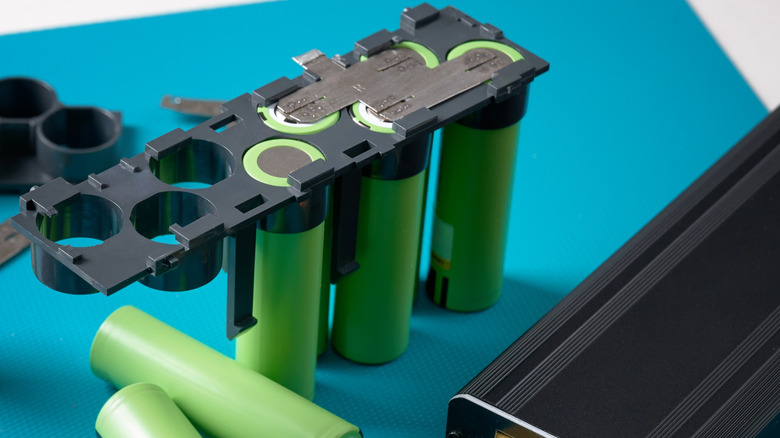
Be it smartphones or laptops, electric vehicles or home backup systems, lithium batteries are the name of the game now. Smaller size, higher capacity, and reliable performance have led Lithium-Ion batteries to displace Lead-Acid batteries. You can now buy various types of Lithium batteries from Amazon itself, making it even more accessible.
The more common type, Lithium Polymer, has great energy density. While it is the cheaper type, you don't want to use Lithium Polymer batteries for anything larger than a phone. The more stable battery chemistry is Lithium Phosphate. This type is more expensive, but offers stable voltages and high temperature tolerance. If you are buying a battery to power a backup system or to connect to a solar panel, choose Lithium Phosphate cells.
Avoid the absolute no-name brands. Even when these batteries claim the exact same specs as a more reputable offering, construction and material quality often fall short, resulting in performance issues. You will see this in cheap power banks as well. A poorly designed battery will have a shorter lifespan and subpar performance. Batteries are part of the investment required to power your devices.
Robot Vacuums
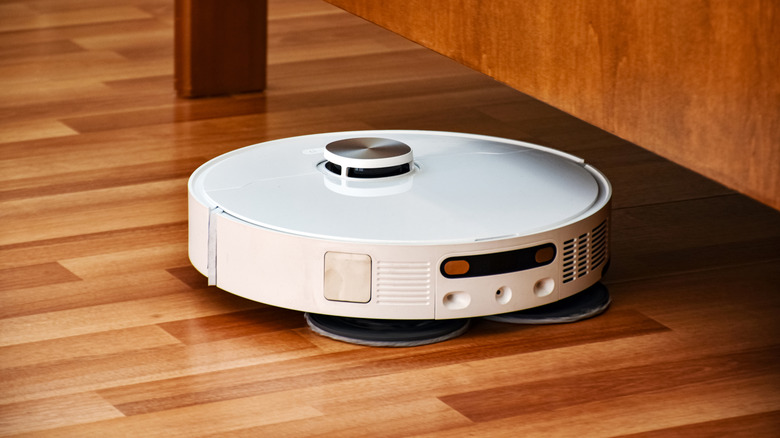
Vacuuming your floors every day is a tedious chore, which is why robot vacuums have gotten so popular. The idea of a small wheeled robot moving through the entire house to automatically clean is very attractive. The issue is that it is also expensive, with well-known robot vacuum brands selling their products at exorbitant prices.
There are many technical factors influencing a robot vacuum's performance. Features such as battery backup or suction power are obvious, with cheaper models spending more time charging and collecting less dirt in operation. But the bigger issue is the navigation system itself. Cheap robot vacuums often get stuck on small objects or skip entire areas when they encounter furniture. Since these budget models lack a proper mapping function, they also spend much more time cleaning a smaller area.
So when you are shopping for a robot vacuum, you need to ensure that its AI system is actually advanced enough to navigate your living space properly. The cleaning specifications themselves do not vary significantly, but you want to pay enough for smart navigation and high-accuracy object detection to ensure a fuss-free experience.
Keyboards
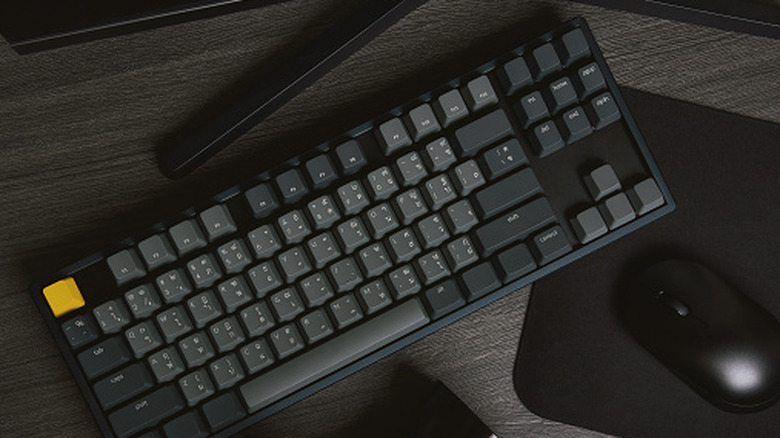
The keyboard rabbit hole can go very deep, with high-end mechanical keyboards sometimes costing more than entire gaming rigs. This makes it tempting to dismiss it all as a scam and just get the cheapest keyboard out there, but that's a mistake, too. While it is easy to spend too much on keyboards, you should not buy a cheap membrane keyboard that breaks down easily and doesn't type smoothly, especially if you spend any appreciable time at the computer. Raising the price point slightly unlocks quality budget keyboards that offer significant utility and comfort without breaking the bank.
At the very basic level, the main difference is the jump between a membrane and a mechanical keyboard. Membrane keyboards are the cheapest keyboards you can buy, and are just a rubber membrane over a circuit board, covered with keycaps. These membranes wear out very easily, and you get dead keys before long, when there is no recourse but to throw out the whole keyboard and replace it. They are also not very responsive and require more force per key press.
What you should do is get an entry-level mechanical keyboard. Even the most basic mechanical keyboard offers a much better typing experience than any rubber membrane keyboard. No need to get into the world of premium mechanical switches, though DIY keycap upgrades are easy. If your budget allows, consider a hot-swappable keyboard. This allows you to replace any dead key switch individually without replacing the entire unit.
Computer Monitor

When building a PC or adding a second screen to your laptop, the monitor is often the component where you can save the most. After all, the cheapest displays are also HD these days, so it's all good, right? If only it were that simple. There is a reason a quality monitor tends to cost more than a TV of the same size: A quality computer monitor requires more than just resolution.
The main metric here is not the resolution but the pixel density. Measured by the PPI (Pixels per inch), the pixel density tells you how many visual pixels are packed in every square inch of a display. Televisions operate at a very low PPI because they are meant to be viewed from a distance, whereas monitors require a higher PPI for the image to look crisp. Cheap monitors shortchange you by technically having a high resolution, but at such a low density that things look blurry.
The second thing is the visual clarity. All displays will render still images pretty well, but motion is often reduced to smearing on cheaper monitors. This is not something you will notice when watching movies, but for gaming or even scrolling, you want a monitor that can handle motion. This is why we recommend spending a bit more than entry-level to buy a monitor with high PPI and image quality. There are plenty of monitors that punch above their price bracket.
Speakers

Headphones have gotten really cheap, and you can now get some excellent sound quality from a budget pick and not feel like you are missing out. Speakers, on the other hand, cannot boast the same. There is undoubtedly a wide range of budget speakers in the market, many of them absolutely dirt cheap. But the resulting audio is tinny, lacking the power and depth you expect from a speaker. The reason for this is simply the acoustics of physical sound.
A low-cost speaker has to compromise on the quality of the speaker enclosure, using cheaper materials and basic drivers. Even at the same wattage, this results in less resonant sound because the materials are softer and introduce distortion. Headphones don't have to deal with physical acoustics because they produce sound directly in the ear, which is why even budget models can deliver good quality.
For speakers, we highly recommend investing a bit more. You don't have to go for top-end studio speakers meant for professional work, but you do want a speaker with good build quality and large enough drivers to produce high-quality sound. This usually means going for a mid-range choice from well-known audio brands, instead of the cheapest no-name brands with plastic bodies. It doesn't have to be bulky, either; good quality alternatives exist.
USB-C cables
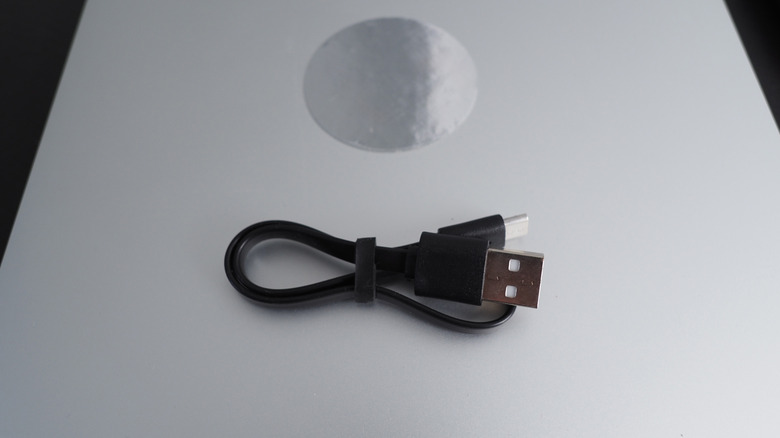
USB-C is marketed as the universal cable, useful for data transfers, charging, and even connecting displays. One reversible cable that can handle so many different jobs sounds amazing, until you buy a cable and realize it cannot do these things at all. Even the charging speed varies. Some cables support fast charging, while others don't, despite both being USB-C cables.
The reason behind these inconsistencies is that USB-C is just the form factor. Which exact features a particular cable supports varies from model to model. The problem is that the cable itself isn't communicating this openly. The USB-C port will accept all compatible cables, but the performance it provides will be calibrated based on what the cable can handle. This is important, as it means that there is no downside to getting the best cable possible; it can supply less or more power depending on the device.
The worst part is that even though almost every device wants USB-C these days, most don't even come with their own cables, forcing you to buy one and hope it is the right one. Instead of buying a bunch of cheap cables to experiment, you need to spend a little more and find the best USB-C cable for your devices. USB-C truly becomes a universal standard when the cable supports the full specifications and can be used to charge anything from an electric toothbrush to your MacBook without risk.
Laptops

Laptops are a bit different from the other tech products on this list, as their specifications are well-advertised. Even with a cheap laptop, you know how much memory and storage it has, and what the screen size and processor speed are, but there is much more to laptop performance and quality than the broad strokes of its features.
The main hidden factor is the build quality. A cheap laptop will cut costs by using flimsy plastic for the body, which works fine at first but easily snaps. Then there is the question of how the components are put together. Laptops, in general, tend to run hot because of their compact design, but better builds use strategically placed heatsinks with proper architecture and airflow to regulate heat. But a cheaper laptop may suffer from poor thermal design, causing its key components to overheat during use and throttling CPU performance.
This is why you should never cheap out on a laptop. Repairs on laptops are far more expensive than the cost of the laptop. Raising your initial budget to buy something as critical as a laptop that will perform reliably in the long term is a wise move.