

3 Things You Should Always Plug Into Your TV's HDMI ARC Port
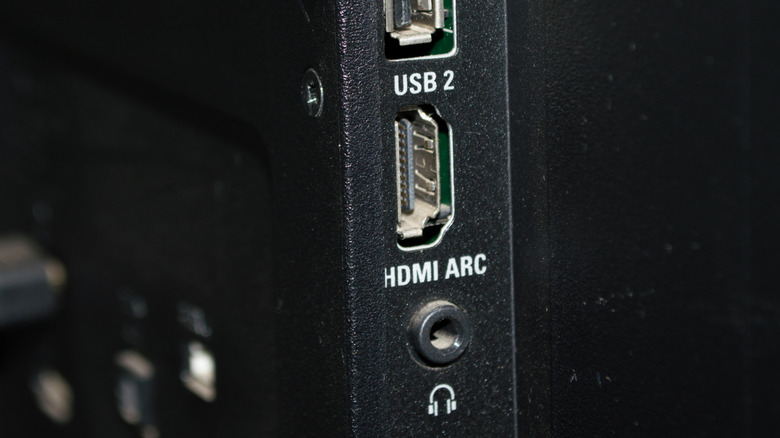
HDMI Audio Return Channel, or HDMI ARC, has been around for a while, but it's a technology that remains relevant over a decade after its inception. Introduced with the HDMI 1.4 standard, you'll find ARC labels on the HDMI ports of numerous devices, including TVs, projectors, soundbars, and AV receivers. Nowadays, you'll also find eARC (the "e" stands for enhanced) ports, which is an updated version of HDMI ARC with additional picture and sound features.
HDMI ARC and eARC let your TV or projector send audio back to a soundbar or an AV receiver over the same HDMI cable you already use for video. You'll connect one end of the cable to the ARC/eARC port on an audio device, and the other end to the ARC/eARC port on your display. If your soundbar or receiver has an ARC/eARC port and dedicated HDMI inputs (most do), you can also connect your AV components (e.g., cable box, Blu-ray player, game console) to your sound system to free up HDMI ports on your TV.
Technically, you can plug whatever you want into your TV's HDMI ARC/eARC port, but there are specific AV devices that will reap the most benefits from ARC/eARC connectivity. We've outlined these below, and also provided some general advice for getting the most out of HDMI ARC/eARC.
A home theater soundbar

Soundbars are great for enhancing your TV audio, which is important in a world where TVs continue to get thinner and built-in speakers keep getting smaller. But some of the best soundbars on the market do more than just boost volume and dialogue clarity. Brands like Sonos, Bose, and many other companies make audiophile-grade soundbars that can virtualize surround sound audio, so you'll be able to enjoy room-filling sound without investing in a bunch of speakers and an amplifier.
Systems like the Samsung HW-Q990F even feature top-firing drivers to virtualize the height effects you'll get with formats like Dolby Atmos and DTS:X. But the only way to take full advantage of these premium codecs is to use HDMI eARC, especially if you're using your TV's built-in apps to stream movies and shows. Atmos, DTS:X, and a few other audio formats require the additional bandwidth that HDMI provides. Digital optical is an okay alternative, but this is an older connection that only supports up to 5.1 surround configurations.
Hooking up a soundbar to your TV's HDMI ARC/eARC port ensures your sound system will be able to decode higher-end audio formats. There's also the bonus of skirting around the occasional incompatibility issue. Some TVs can be finicky when it comes to DTS support, so you might be better off connecting your DTS tech to one of your soundbar's HDMI inputs. This bypasses your TV and puts all the decoding work on your soundbar (just as long as the bar supports DTS).
A surround sound receiver
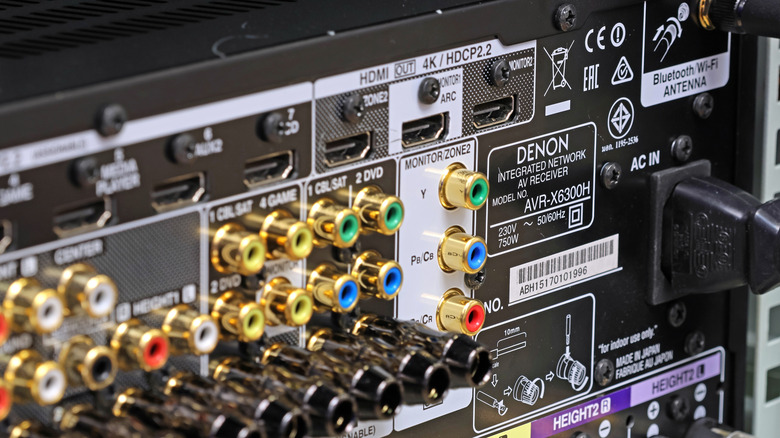
It's hard to beat the power and immersion of true surround sound, but no multi-channel setup is complete without an AV receiver for everything to tie into. Companies like Denon, Marantz, and Yamaha are behind some of the best receivers on the market, and most modern hardware features HDMI ARC/eARC connectivity. Most receivers will also have numerous HDMI inputs for you to connect all your gear to, and we recommend doing so whenever possible.
Why, you may be asking? Because, in most cases, an AV receiver is going to deliver cleaner and more impactful sound than what you'd hear if your TV did all the audio processing. You'll also be able to customize speaker levels and other settings on your receiver to dial in the best sound for your listening space. With HDMI ARC, you'll only need to run one HDMI from your receiver to your TV for video, and all TV-based audio will be routed back into your receiver.
Similar to how an ARC-capable soundbar operates, this ensures that all your TV apps (e.g., Netflix, Hulu, Prime Video) will default to your receiver for audio processing, and it'll also help reduce wire clutter behind your entertainment center or media rack.
An Apple TV 4K
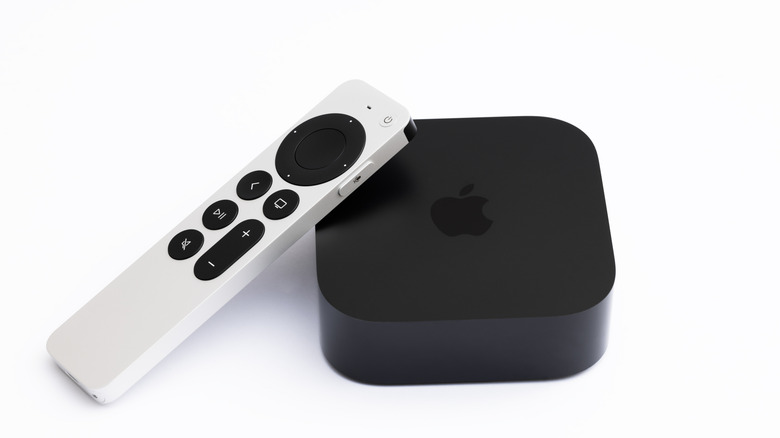
Most streaming devices won't benefit from being connected to your TV's HDMI ARC/eARC port, but the Apple TV 4K is a unique exception. The latest version of the Apple device is able to process lossless audio streams up to 48 kHz, but where ARC/eARC can matter is if you're routing audio back out of the TV to a sound system or a HomePod. We've also heard that the Apple TV 4K can put up a fuss when decoding High Dynamic Range (HDR) content in some setups. If you run into HDR handshake issues, swapping HDMI ports is a quick sanity check, and trying the ARC/eARC port is one option depending on your TV.
Furthermore, the Apple TV 4K can be wirelessly paired with an Apple HomePod speaker, and the latter is able to decode Dolby Atmos, Dolby Digital 7.1, and Dolby Digital 5.1 formats. And the only way an Apple TV 4K is able to deliver surround sound data from a TV to a HomePod is if it's connected to HDMI ARC/eARC. Unlike most soundbars and receivers, the latest version of the Apple TV doesn't include a digital optical port.
Other things you should know about HDMI ARC/eARC
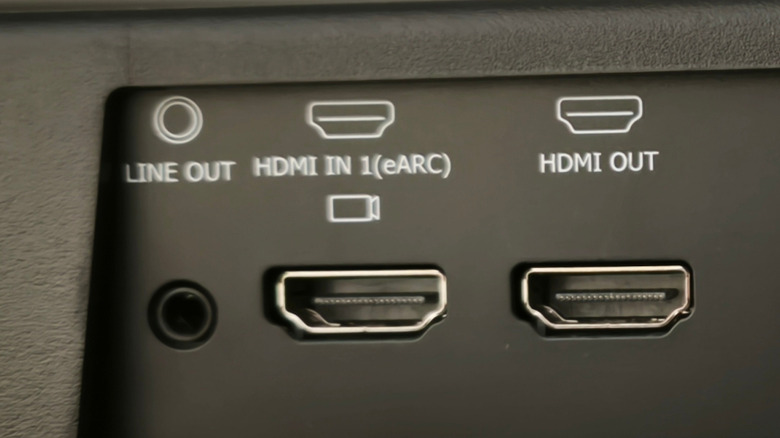
HDMI ARC/eARC is relatively foolproof, but there are some "best practices" we recommend for getting the most out of your home theater equipment. For starters, you'll want to make sure that HDMI-CEC (Consumer Electronics Control) is enabled on all your devices — that includes your TV, projector, Blu-ray player, game console, and streaming box. ARC and CEC will sometimes work together to send and receive audio data, and if the latter is disabled on even one device in your home theater setup, you might run into handshake issues.
We also recommend running Ultra High Speed HDMI cables for eARC setups, or anytime you're using HDMI 2.1 features. Not only does this ensure you're able to pass up to 48 Gbps for maximum bandwidth (and for formats like Dolby Atmos, the more bytes the better), but it also guarantees you'll be able to take full advantage of any HDMI 2.1 ports you're plugging your gear into, including picture features like Quick Media Switching (QMS) and Quick Frame Transport (QFT).