

5 Cool Things You Had No Idea Your Smart TV Could Do
You'd be hard-pressed to find a TV that isn't "smart" nowadays. They all incorporate a smart TV OS like Google TV, Roku, Tizen, Fire TV, or LG webOS for seamless access to streaming services and apps once connected to Wi-Fi.
But smart TVs from all the major brands can do much more, with plenty of features you might not have even realized were available. These go beyond the most common ones, like playing a movie, TV show, or sporting event through a streamer, or video game from a connected source or built-in app.
The smart TV is essentially a really a big computer screen with powerful processing and connectivity behind it. Thanks to various ports in the back, along with built-in wireless connectivity, it can do a lot more than just unlock access to streaming services and downloadable apps, or display content from a connected set-top box, Blu-ray player, or video game console. There's plenty more smart TVs can accomplish for productivity and entertainment, as well as convenience and ambiance.
Connect a computer, phone, USB drive
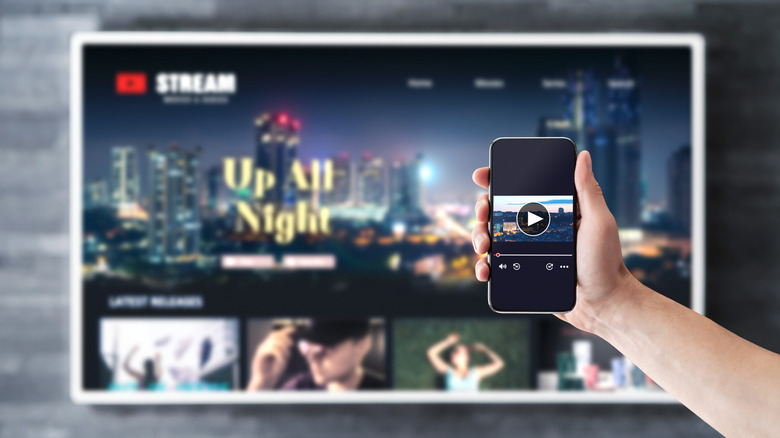
Using a wireless service like Apple AirPlay or Google casting, both of which are built into many of the latest TVs, you can display content wirelessly from your computer or smartphone. Mirror the device's display to show a spreadsheet, document, or your social media page. You could effectively use your TV as a large computer monitor if you added a wirelessly-connected Bluetooth keyboard.
Along with connecting wirelessly, you can also use a wired connection. I often connect my laptop to my TV, for example, via HDMI cable (using an HDMI-to-USB-C adapter since my MacBook Pro doesn't have an HDMI port) to watch content for which there isn't an app. I have also connected my phone this way.
You'll have to adjust audio output, but it works flawlessly. Alternatively, if the TV has a USB port on the back, you can plug in a USB flash drive and play files directly from it, like a slideshow of images or home movies. You can also connect a storage drive via USB cable if you have content saved that you want to view on the big screen.
Work with Bluetooth headphones
Many smart TVs have built-in Bluetooth, or you can connect a separate Bluetooth transmitter. From there, you can use a pair of wireless headphones for private listening. This is ideal for those wanting to watch without disturbing others, like a roommate, spouse, or napping baby, or who have hearing difficulties and want to amplify volume.
I, for example, use the Sennheiser RS 275 TV Headphones with the BTA1 transmitter connected to my Sony Bravia 9 TV to watch TV shows once everyone in the house has gone to bed. This way, I can still listen at a high volume without having to continuously turn down the TV whenever there's a louder scene or commercial, which are often louder than the source content in streaming apps.
You'll find built-in Bluetooth on Google TVs, Roku TVs, Amazon Fire TVs, and other models from brands like Samsung and LG. While my TV has built-in Bluetooth, I like this third-party device set-up, as I can activate enhanced sound modes like 3D for action movies, providing a more immersive experience, or vocal for news and sitcoms. But you can enjoy a basic Bluetooth connection to the wireless headphones you already own.
Built-in gaming access
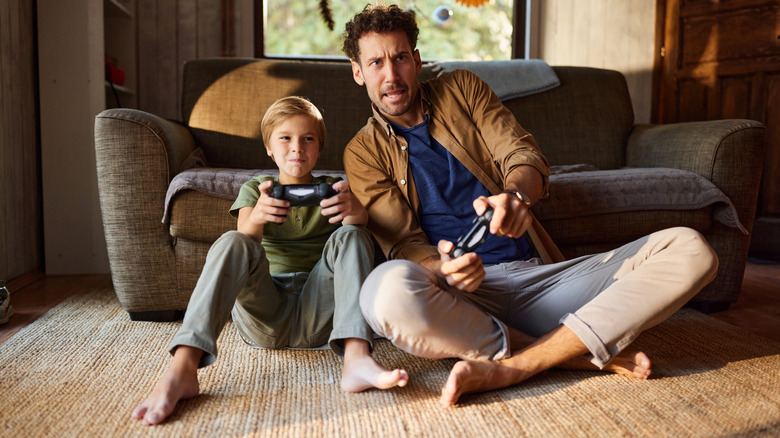
Many smart TVs afford access to apps along with built-in gaming platforms. With Google TVs, for example, you can access games through apps like Xbox, NVIDIA GeForce Now, or downloaded directly from the TV's app store.
You'll likely have to connect a compatible controller, some of which work through wireless Bluetooth connection. For Xbox, if you have a Game Pass subscription, you should be able to access titles right from the TV without even needing the console connected.
This feature is ideal for family-friendly games, as you won't get the same performance you'd get from the console in a dedicated setup, since you're using a cloud service and there will likely be more lag. But TVs like the latest LG models have their own Gaming Portal where you can play simpler, less intense titles like "Just Dance" using the TV's own Magic Remote. The Amazon Luna gaming service, meanwhile, works on brands like Amazon Fire TVs and Samsung and LG smart TVs, and even lets you use your phone as the controller.
Display artwork, photos
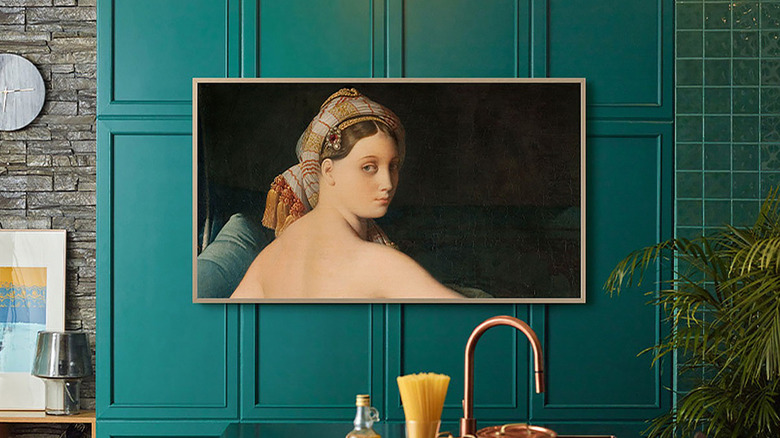
While there are special art TVs like Samsung Frame and other cheaper alternatives, most smart TVs have built-in art galleries you can display when you aren't actively watching. This can cycle through various paintings and other art images, or remain static on a single one (with technology to help prevent burn-in on OLED TVs).
It's a great use of a TV, especially one mounted on a wall, as it disguises as a piece of artwork and enhances the look of the room if you have guests over. The artwork is usually found in a gallery app that's either pre-loaded on the TV or downloadable from an app store.
On my Sony TV, for example, it's called Living Décor, and consists of a screensaver with various themes that you can even pair to music to create the desired ambiance. Many smart TVs also let you load your own images if you want to display personal artwork or photos instead. Some can also display just a clock and the current weather if preferred.
Control smart home devices
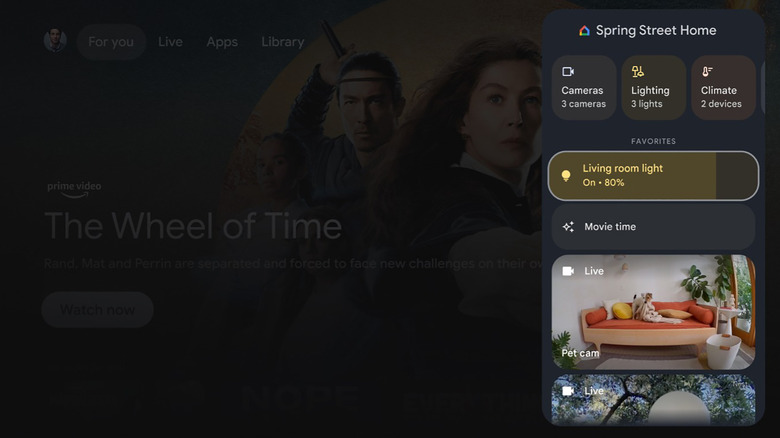
Your TV can become a huge hub for controlling connected and compatible smart home devices. This is an advantage, for example, with Samsung TVs that operate within the SmartThings ecosystem, working seamlessly with Samsung Galaxy phones and other Galaxy devices. However, it works with all sorts of TVs and platforms.
With Google TVs, for example, you can call up the Google Home Panel to control things like lights, thermostat, cameras, speakers, and more without having to pull out your phone. With Amazon Fire OS TVs, you can use Alexa commands to see your smart home dashboard, and can even call up a live video feed of your home security camera.
You'll probably have to adjust settings, like opting into the feature from your TV and setting up the device in the respective app, as well as potentially downloading a companion app to the TV. With the LG ThinQ app, you can set it up on a compatible LG smart TV then monitor other connected devices, like an LG washer/dryer. Once ready, your TV becomes a control panel, allowing you to take full advantage of your smart home. With this capability and many others, your TV isn't just a rectangle on the wall or stand that you use to watch television. It can do so much more.