

The 5 Most Common Ways Passwords Are Hacked, And How To Avoid Them
There are sophisticated methods for securing accounts, including passkeys, biometric verification, and one-time-use passcodes, but the prevailing measure, and certainly the most common, is the age-old password. Because it's essentially a single-factor access method (unless you have multi-factor authentication enabled), hackers focus heavily on breaking through passwords in various ways. Brute-force attacks are well known, and they're all about repetition, simply guessing common passwords or related personal information repeatedly until you're in. Hackers can automate this process, allowing advanced computing tools to do the work for them, in which case, cracking a password is more about time than anything.
However, that's not the only method that nefarious attackers use to gain access to personal accounts. Knowing some of those methods can help you better protect your data, essentially helping you to lock everything down better. It's deeper than simply using a secure password with a long string of random characters. This article will explore the methods hackers use and, more importantly, how to avoid or stop these attacks whenever possible. At the very least, you can slow down someone trying to gain access.
Before diving in, always have a game plan ready in case an account is compromised. It helps to know some of the things you should do right away if you're hacked, alongside tasks to handle later, like a full system wipe or seeking professional recovery help. Knowing what to do in advance allows you to react much faster if and when it happens.
Phishing or social engineering tactics
Phishing and social engineering fall into the same human nature categories. Both involve tricking users into believing they're following legitimate paths of support. Phishing is when attackers clone official emails, websites, or legitimate sources, making them appear as if they're the real thing. When you log in and provide sensitive information like your accounts, passwords, and other data, they have ways to scoop it up and steal access using the information. Social engineering is another facet of that, where attackers prey on human psychology through phone calls, text messages, emails, and even chat services to convince you to provide the information they need. A hacker might pose as an official support rep, for example, or pretend to be working for a credit card company.
The general idea in both attack vectors is to trick you into believing something that's not real or legitimate. The best way to defend against this is to avoid clicking suspicious links and always verify contact identities by reviewing email addresses, numbers, and other information. You can also utilize spam filters for email and ensure you have multi-factor authentication enabled and active — if they do steal information somehow, they won't be able to bypass security immediately.
Most importantly, never give out account usernames, passwords, or payment information to people you don't know, certainly not people requesting it over the phone or via messages. When visiting websites, always check the website URL to make sure it makes sense. If you think you're visiting a Microsoft site but the URL is something odd like "https://soda.example.net", it's most likely fake.
Reused passwords across accounts and services
This is a big one, and it's why security experts say you should always use a secure password that's unique for each account and each service. Kaspersky has an excellent visualization tool called the Cyberthreat Live Map to see how many cyberthreats are active at a given moment. Cyberattacks, data breaches, and hacks are constantly happening, and that means nefarious parties are gaining access to increasingly large stores of sensitive information, including passwords, account names, email addresses, payment information, and even Social Security numbers. But it also means that if you regularly reuse your passwords across your accounts, when one is breached elsewhere, those attackers already have access to the full breadth of your online persona. They could log into any account with that repeated password, and that would not be good.
Globally, it's estimated that more than half of all passwords are reused. That's no bueno, but it also makes an attacker's job very easy. Since a lot of people already reuse their passwords, it's not a challenging task for hackers to take old ones they've collected and plug them in across login services to gain access.
Password sharing with friends and family, even co-workers, is a big no-no, too. Hackers can potentially access the communications where you revealed them if they're not encrypted, and if the other person has their devices or accounts compromised, then so are your passwords.
Malware, spyware, and ransomware
Malware is essentially malicious code — adware, worms, and viruses — that infects your computer and interferes with its normal functions. Spyware is a form of malware that collects information as you interact with your computer, like a keylogger that records your keystrokes to capture passwords and payment details. Meanwhile, ransomware locks down your computer or hard drives, preventing access until you follow an attacker's instructions, such as paying a ransom in crypto or gift cards. All forms of malicious apps or code can infect your computer in various ways. You can get malware from opening email attachments, downloading infected apps and files, plugging in compromised USB devices like thumb drives, via remote access social engineering hacks, and much more. Once infected, attackers can and do steal your passwords and account info, along with other details.
One of the best ways to defend against these attacks is with a reliable security software tool like Malwarebytes, Windows Security Defender, or any number of antivirus tools. Perform scans regularly. Learn to recognize common threats like fake emails or infected attachments sent via spam. Avoid downloading illicit content or visiting unknown websites. You should also avoid contacts you don't know, especially if they're instructing you to provide remote access or send personal information. Additionally, never log in to accounts on a device that you don't trust, like a hotel, library, or public computer, as it could be infected.
Man-in-the-middle attacks or data interceptions
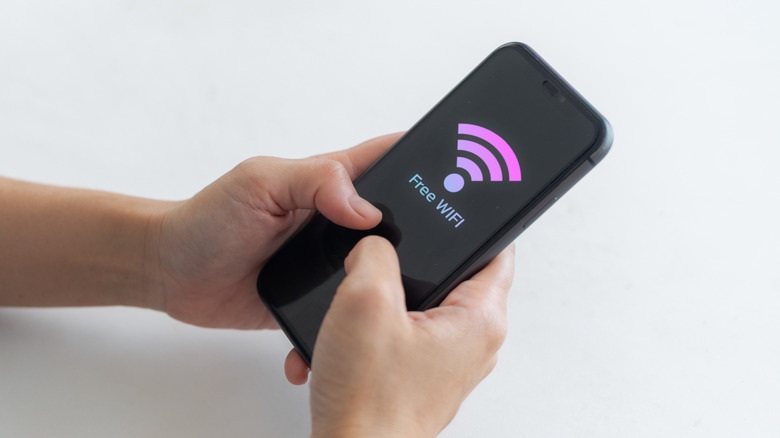
Similar to malware and spyware, hackers can digitally position themselves between data points to intercept and scoop up data that's being transmitted or shared. These are called man-in-the-middle attacks (MITM), where they compromise a network device to infect public Wi-Fi networks and other services. Hackers can also use methods like email hijacking, DNS spoofing, session hijacking, and other measures to infect an increasing number of portals and services, including websites.
How do you protect against something like this? Stay vigilant. Avoid unusual websites, emails, and other access portals you don't know. Avoid public Wi-Fi networks you don't know, as they can be configured to see what you're doing online and infected with data harvesting tools. You can use a VPN in some pretty clever ways to protect your privacy and anonymity when using unsecured networks at an airport, at work, or out in public. In addition, watch for strange behavior on your devices, like frequent disconnects or account notifications about potential unauthorized access.
MITM attacks can be difficult to spot, especially a DNS hijack or backend service that's compromised, which is why you should always use secondary security methods to bolster protections. Use multi-factor authentication whenever possible. Change passwords if you think you're compromised. Always monitor bank statements, login information — like login locations for your active accounts — and avoid sharing or accessing sensitive apps and services on public or unsecured networks.
Shoulder surfing and real-world snooping
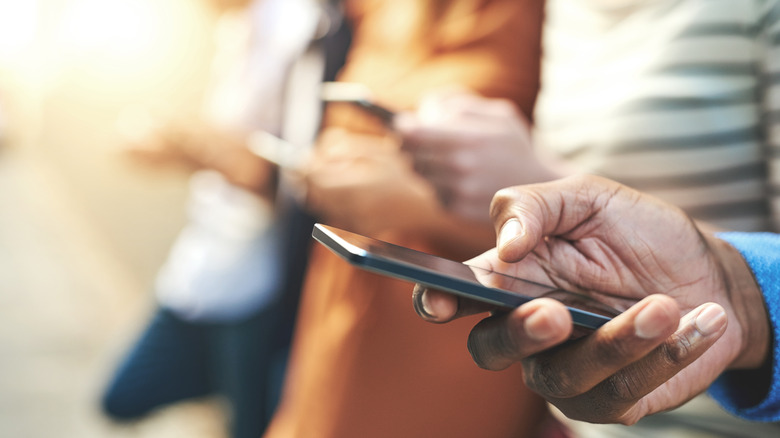
Try as you might to remain as secure as possible, there's always the possibility that someone unscrupulous could be looking over your shoulder as you type in your password on your phone in a public environment. They could watch you input the password and information and steal it that way. But there's a physical and real-world aspect to this, as well. Ever write your passwords down on a sticky note and attach it to your monitor? How about a small notebook that you leave at your desk at work or home?
Passwords, usernames, financial PINs — they can all be lifted using this simple yet effective method, and you'd be surprised how easy it is to miss someone snooping nearby. A good defense for this is to use a mobile or desktop password manager to remember your account access information versus managing it yourself or writing it all down. Bitwarden password manager is an excellent choice for this.
Also, when you're in public and using your devices — your laptop, phone, or otherwise — try to be mindful of your surroundings. Avoid entering passwords and financial details when others are nearby, especially if you don't know them. Don't write anything down, don't share passwords with others, and use the copy+paste or automatic login methods offered through a password manager to avoid typing them out every time. Samsung's privacy screen feature on its Galaxy S26 devices is also a good deterrent for this.