

5 Reasons You Should Update Your Passwords Regularly
Many people stick with one password for years and use the same login credentials across multiple accounts. It might be convenient, but doing this can put your accounts at risk. Regularly updating passwords protects your online accounts from being hacked and keeps your personal data, banking credentials, and other important pieces of information from falling into the wrong hands.
In an age where cyber threats are evolving by the day, your approach to passwords needs to evolve too, encompassing all risks. This is especially true now that we are saving more data on the web than ever before, from photos and videos on internet-based services like Google Photos and iCloud to important interactions and payment details in emails. This makes your accounts more valuable to hackers than they may have been in the past.
The biggest problem is that the risks are often not immediately apparent. For instance, even if your password appears in a data breach, it may not be used right away but at a later stage. When you don't frequently update passwords, your accounts remain vulnerable in the long run, which can lead to bigger problems.
Old passwords give hackers an easy way in
One of the biggest benefits of regularly updating passwords is that it lowers the chances of your accounts being hacked. Hackers no longer rely on guesswork alone — they use a wide array of techniques, including phishing, malware, brute-force attacks, and buying passwords on the dark web. That's why it's essential to update passwords at regular intervals. The recommended frequency used to be every 90 days. However, if you're using secure passwords consisting of several special characters, you could change them less frequently, as modern guidelines focus more on stronger passwords than specific intervals.
Periodically updating passwords renders hacking attempts largely ineffective, especially when the hacker is close to cracking the password. As soon as the password is changed, they would have to start from scratch. And if you don't follow a predictable pattern or use weak passwords, your account becomes harder to compromise.
Another thing you must keep in mind is that the definition of strong passwords changes with time. What was once considered an impossibly strong password may not be as secure anymore. That's because hackers are devising new techniques to steal passwords. So make sure you always set passwords with special characters and numbers, never use the same password for multiple accounts, and avoid other common password mistakes.
Stale passwords keep the door open after a breach
Hackers sometimes gain access to accounts to collect information, monitor payments, or steal data. In such cases, they are unlikely to lock you out — on the contrary, they want you to believe that your account is safe while they continue keeping track of everything. This is common with social media handles and email accounts.
By changing the password, you can effectively lock them out of the account. As soon as you update the password, any user with unauthorized access will be signed out of the account. This is even more important if you share devices with someone and have saved your login credentials or forgotten to log out. Instead of logging out of every device, you can simply reset the password.
However, in many cases, hackers don't wait very long. As soon as they gain access to the account, they get the job done immediately. For instance, if it's a banking platform, they will try to transfer funds right away. But periodically updating passwords, or doing so as soon as you detect unauthorized activity, will help minimize the damage.
Breached credentials can compromise all your accounts
In recent years, data breaches have become increasingly common, and there's little you can do since these happen on the service's end. According to Statista, 2025 alone saw over 3,300 cases of data breaches, with close to 280 million accounts falling victim in the United States alone.
The bigger problem here is that you may not know until much later that your account credentials were exposed. That's because companies can't always detect data breaches immediately, and even when they do, it could take time to notify the affected users. There are web-based services like Have I Been Pwned that can help you find out if your email is featured in a data breach. Browsers like Google Chrome also have a built-in feature to detect and notify you if your password has appeared online.
All of this usually comes into the picture much later, and by then, the damage may already have been done. So the only effective way to minimize the risk is regularly updating your passwords. Remember, even if only one account's password appears in a data breach, hackers may try it with your other accounts — so if you use the same credentials across platforms, all of those accounts are at risk of being compromised.
Public Wi-Fi exposes your passwords to nearby hackers
If you often use public Wi-Fi networks, whether that's at cafes, airports, or hotels, it comes with a risk. Public networks are usually not as secure and can lack proper encryption standards, which makes them easy targets for hackers. Once hackers gain access to a network, they could monitor traffic moving through it, including the websites you visit, and even access the credentials you enter to sign in to platforms.
Regularly updating passwords minimizes the risk such hacks typically pose. Even if a hacker manages to steal your password through public Wi-Fi, they can't sign in or lock you out of the account if you have two-factor authentication (2FA) set up. And as soon as you update the password, they won't possess the baseline credentials anymore. This is especially important for sensitive accounts, like your banking portal, email, and cloud storage services. Additionally, it's recommended to use top-rated VPN services while on public Wi-Fi networks, as they encrypt the data. So even if it's intercepted, hackers are unlikely to benefit from the data.
Unchanged passwords are an open invitation for malicious apps and extensions
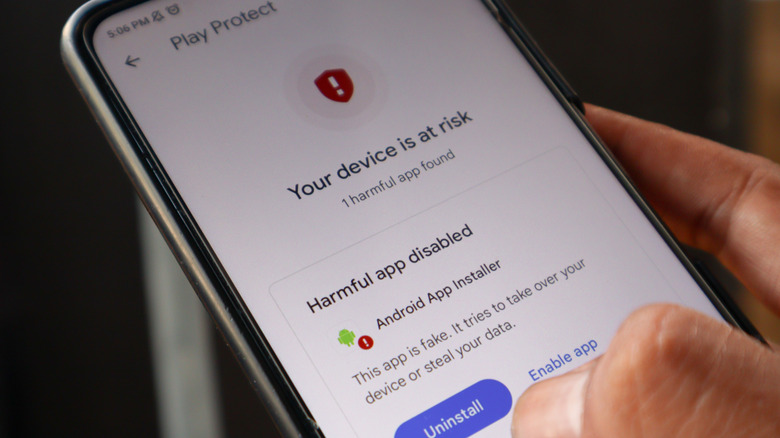
Sometimes, installed apps and browser extensions have been known to record data or steal account credentials. While the possibility of this is significantly minimized with more stringent measures in place on first-party stores, users who install apps and extensions from third-party sources remain at risk. So if you happen to frequently install apps and extensions, either as part of work or simply out of curiosity, it's wise to update your passwords frequently, too.
This way, even if an app manages to capture the credentials or simply parts of them, any later attempts to access the account will be rendered ineffective. It's also a good idea to regularly check your installed apps and extensions and review their permissions. If you see anything you don't recall installing, remove it right away.
Updating passwords is one of the simplest ways to protect your accounts. The best part is that you don't need any advanced tools to do it. All it takes is a little effort and consistency. But if you want more protection, it's advisable to use a leading password manager. With a password manager, you can set stronger passwords without the need to remember them.