

9 Handy Smart Home Gadgets Your Grandparents Will Love
We may receive a commission on purchases made from links.
Giving a tablet to an older parent often means you're now their personal help desk. You can't blame them, though. Half the buttons are impossible to find, apps change their layouts constantly, and it's just plain frustrating. They just want to see the grandkids, not fight with a confusing operating system.
We have to stop seeing smart home tech as flashy toys for gadget geeks. It's actually one of the best tools we have for keeping loved ones safe and making their daily lives easier. The goal is to build a reliable safety net that works quietly in the background, without requiring a computer science degree to turn on the lights.
Because we know the sacred burden of being the unofficial, unpaid family IT department, this guide exists to break that endless tech support loop. We picked smart gadgets that set up with ease and then behave, so your grandparents enjoy rather than wrestle with them. The result is a home that will support them, keep things calm, and let them age in place with comfort while you retire from emergency tech duty.
Dedicated display for easy video calls
Getting the family together for a video call doesn't have to feel like pulling teeth. Often, you spend the first 10 minutes shouting at a blurry ceiling, but that only happens if Grandpa survives the latest surprise app update first. It is a comedy of errors in which everyone logs off, completely drained, instead of feeling connected. The easiest fix to this connectivity chaos is to table the tablet.
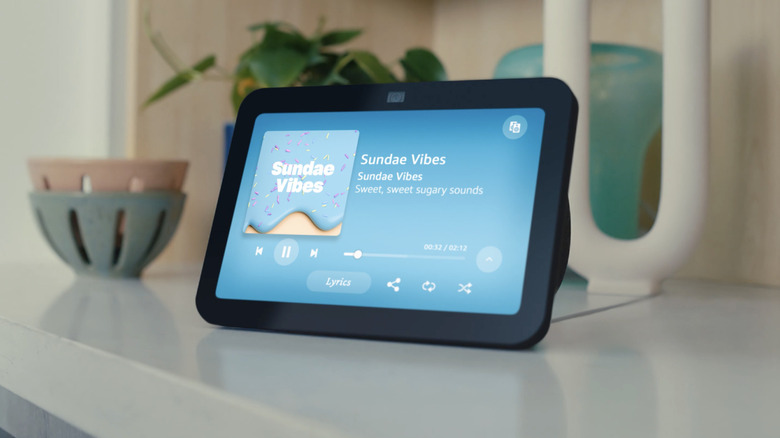
Swapping it out for an Amazon Echo Show 8 runs about $150 and changes the game by providing a dedicated hub for communicating. Because it operates entirely on natural speech via Alexa, the endless screen tapping and confusing menus are officially retired. Once your relatives master the essential voice assistant commands, making hands-free calls via Skype, Zoom, or other services, and reading recipes on the vibrant touchscreen becomes a cakewalk.
What steals the show, however, is the auto-framing camera that keeps the speaker right in the shot. In short, it's a lifesaver for active conversations, allowing you to connect with loved ones without the frustration. With built-in background noise reduction and a standby screen that naturally displays a rotating family photo album, the technology fades into the background when inactive.
Voice-activated kettle for kitchen safety
A kitchen is undeniably the heart of a home, but for seniors, it can become a recipe for disaster. Standing around waiting for a traditional stovetop kettle to whistle is physically exhausting for anyone dealing with severe joint pain. Even worse, walking away and forgetting that kettle on a scorching hot burner transforms a simple craving for tea into an accident.
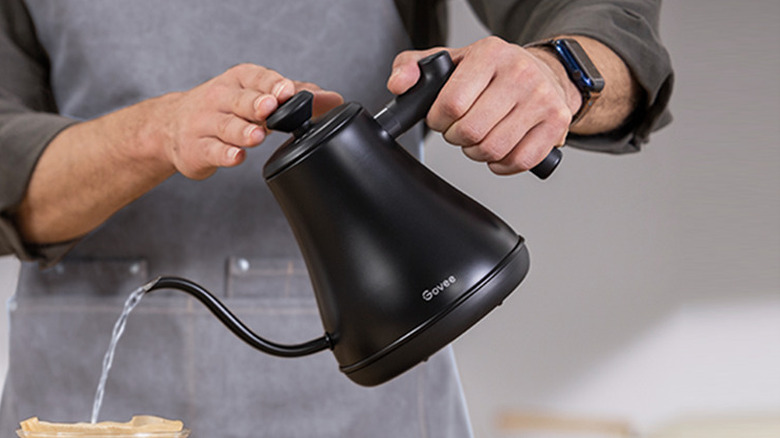
We can dodge that with a voice-activated water boiler. The Govee Smart Gooseneck Kettle hits the nail on the head here, priced accessibly at roughly $70. This upgrade alone is a compelling reason to install a voice assistant, allowing them to start boiling water right from their armchair. Plus, its counterbalanced handle makes getting a steady pour easier, while the two-hour keep-warm function and auto-shutoff ensure they never have to rush back into the kitchen. This smart gadget also boasts automatic boil-dry protection alongside precise app controls.
Automated thermostats for temperature control
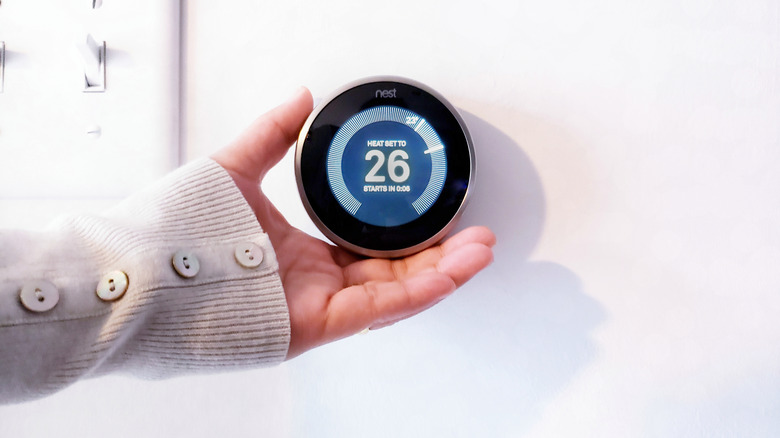
Let's talk about that ancient, yellowing beige box haunting your grandparents' hallway. It doesn't even feel like a thermostat — it is more like a cursed Hogwarts artifact. The numbers look like microscopic runes, the stiff dial demands wand-flick precision, and getting the room comfortable feels like a hopeless spell. And since older folks feel the chill so much faster, one clumsy bump of that crusty slider and bam, you've accidentally cast Glacius.
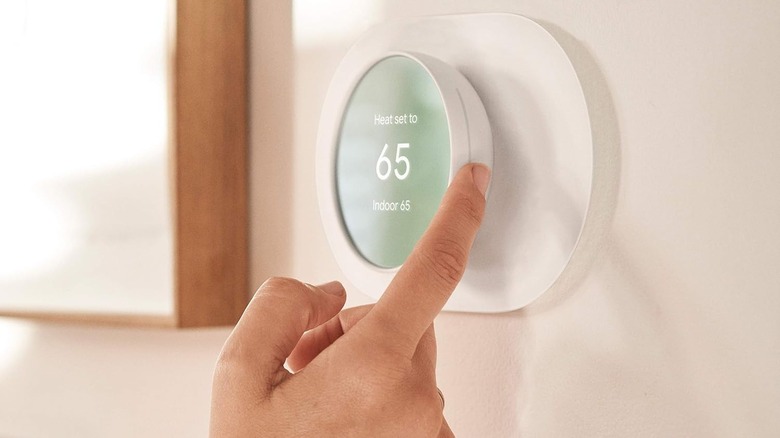
Smart thermostats banish that daily hallway temperature roulette for good. We love the bright screens for tired eyes, obviously, but the automation is what flexes on the old beige box. If you deploy a couple of basic smart thermostat tips and tricks, you can have the living room thawing out before anyone even considers leaving their blankets. Pair it with Alexa, and you can just holler at the drywall to crank the heat.
Dropping about $130 on a standard smart thermostat is cheap for what is a digital leash for your HVAC. Beyond keeping the grandparents toasty, it hands you the remote control to their climate. You can peek at the smartphone app from your desk across town, being certain the heater hasn't randomly quit on your watch.
Wi-Fi plug to eliminate dangerous reachings
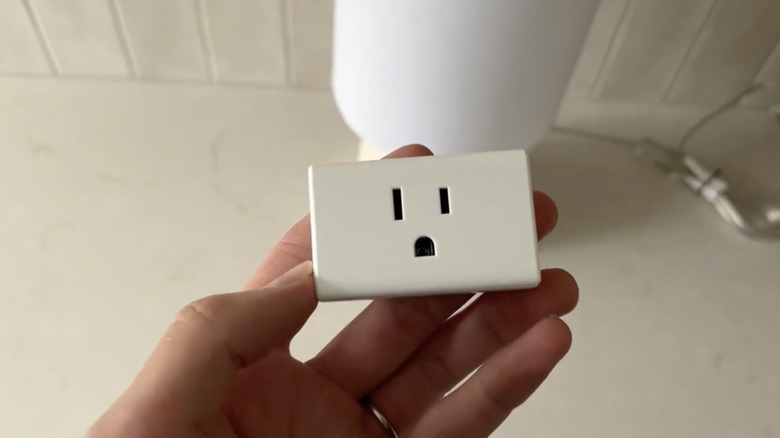
Sometimes, everyday household routines turn into an accident waiting to happen for individuals with limited mobility. Reaching behind heavy armchairs to switch off a stubborn floor lamp or bending down awkwardly to unplug holiday lights poses a massive fall risk. It is ridiculous that turning off the living room lights should feel like participating in an extreme, high-stakes gymnastics routine.
Instead of risking a nasty tumble in the dark, we can easily modernize their entire setup. The Kasa Smart Plug Mini is simple and comes in a handy four-pack. You just plug the existing lamps right into these tiny WiFi adapters. Then you pair them up with a smart home speaker like an Amazon Echo. Now the smart plug actively listens for Alexa to cut the power whenever someone asks her.
Users can just say, "Alexa turn off the lamp," out loud and stay safely glued to the living room couch. This upgrade removes the need to bend down or stretch over hidden power cords in dark corners. Setting virtually anyone up with this hands-free system helps keep them safe and independent in their own home.
Cellular smartwatch for fall detection
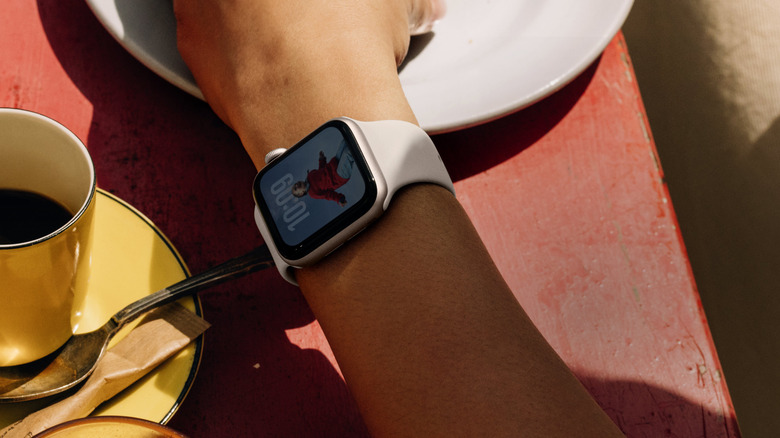
Now, what happens if someone falls and no one's around to help? Medical alert pendants do their job, no question, but they can feel bulky, easy to forget, and not exactly something people are excited to wear all day. So a lot of seniors skip them altogether, even if it leaves everyone else just a little on edge.
A far smoother move is to swap the clinical gear for a cellular-enabled smartwatch. Take the Apple Watch SE, for instance. At around $270, it offers the best of both worlds, blending right into daily life as a sleek, everyday accessory rather than a stigmatizing device. Because it simply straps to their wrist as part of a normal morning routine, there's nothing extra for them to remember. Meanwhile, you still get that crucial peace of mind, knowing built-in safety features like Fall Detection are working in the background.
If the watch detects a hard fall, it taps their wrist, sounds an alert, and asks if they need help. If they're up and moving, no big deal, but if they stay still for about a minute, it calls emergency services and notifies the safety contact. Just like that, a scary what-if turns into something handled, retaining maximum independence with an added layer of safety.
Camera doorbell to safely screen visitors
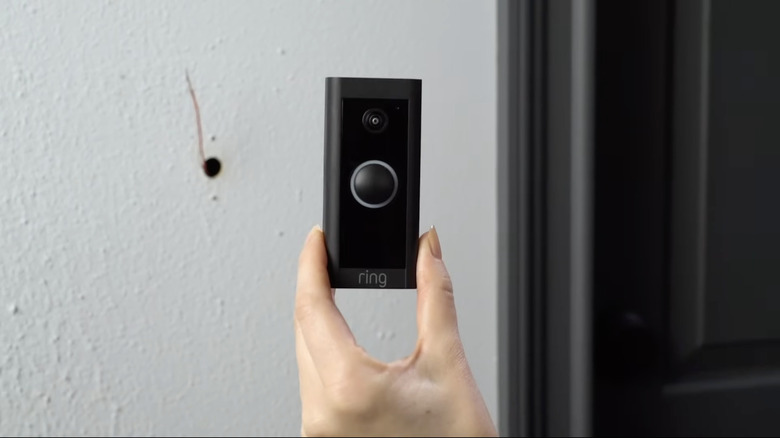
If your grandparents are anything like mine, the sound of a doorbell triggers an immediate hustle to the entryway. It stresses us out just thinking about it — one turned-up rug or missed step in that blind rush, and you are looking at a disastrous fall. And for what? So they can press their face against a cloudy glass peephole? That doesn't help anyone. It is a potential health and safety risk.
You probably do not want your grandparents forced to parley with every random stranger wandering onto the porch. This is exactly why you should give them a Ring Video Doorbell. For around $50, the gadget works like an unblinking digital sentry, ensuring your aging parents never have to play guessing games when someone knocks at the door after dark. A quick glance at their phone or the tablet on the coffee table reveals exactly who is standing outside, thanks to the doorbell's high-definition camera.
With that clarity, dismissing a pushy salesperson or asking a delivery driver to leave the package behind the planter becomes effortless, all without lifting a single finger from the recliner or leaving the stove unattended.
Digital frame for photo-sharing
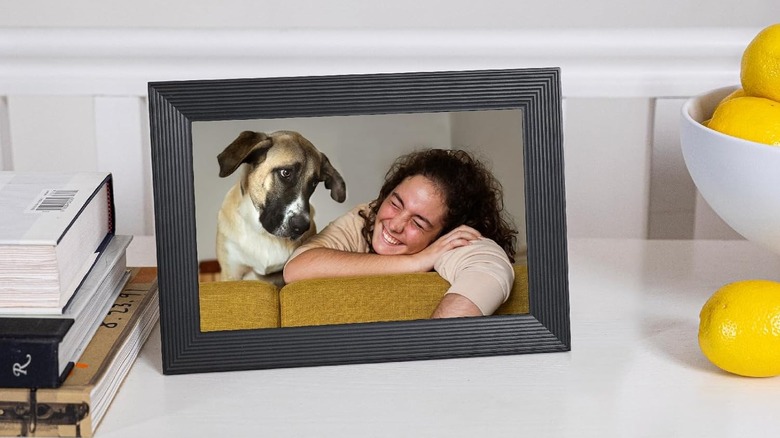
Grandparents want to watch their family grow, but modern social media often leaves them feeling out of touch. Forcing an older adult to sift through endless digital clutter, like aggressive targeted ads, random suggested posts, and viral videos, just to find a single photo of their grandchild is a losing battle. And when they cannot make heads or tails of the interface, they miss out on precious memories and end up feeling isolated.
That said, if a full-blown smart display with apps and voice commands feels like too much, this is the easy win because it asks nothing from them. Now, it may not scream futuristic gadgets you can own today, but for gramps, this is straight-up sci-fi. The Aura Digital Picture Frame costs around $150, and works like a private, ever-updating family album that does its thing, no tech skills needed.
Relatives from all over the globe can instantly beam their latest vacation photos or baby pictures directly from their smartphones to grandma's living room. It will keep her connected to the action, allowing her to simply sit back, relax, and enjoy the show.
Smart dispenser for medicine management
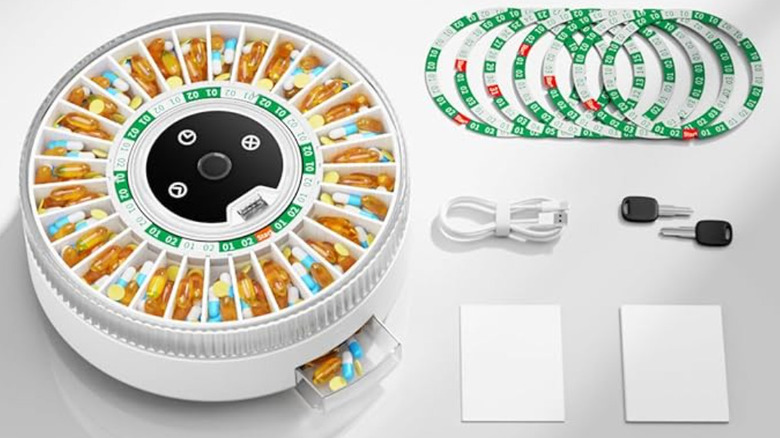
There are plenty of great tips to take full advantage of your smart home, but the biggest game-changer is upgrading to a Wi-Fi-connected smart automatic pill dispenser. Managing pills is laborious and can get confusing, not to mention the number we need increases as we age.
The Colorwing Smart Pill Dispenser unlocks the correct pill on schedule, removing the guesswork of whether you took your heart pill or a Tic Tac. On top of that, it boasts the ability to record your own voice alerts. That means one can program a quick audio reminder in a little grandchild's voice. Hearing a sweet, familiar voice say, "We love you, Grandpa, take your pill!" makes swallowing a dose of medication feel like a little less of a chore.
Should a dose still go unretrieved, the app pings the family's phones. You get real-time awareness and peace of mind, replacing frustrating check-in calls with quiet, effective support.
Keyless lock for emergency entry
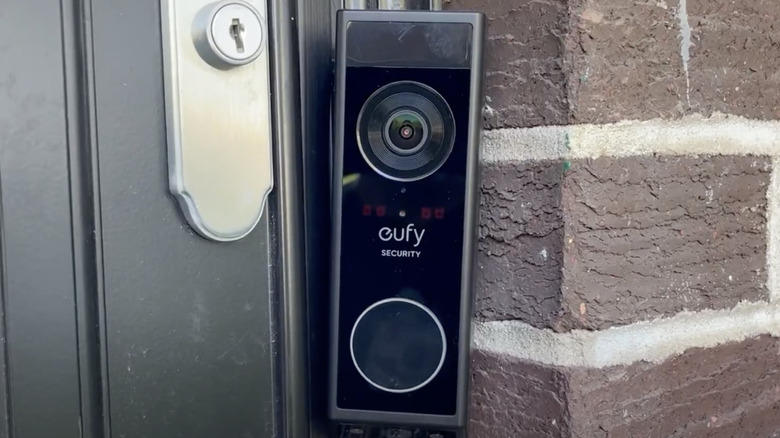
Fumbling with a giant ring of keys in the dark is a hassle, but actual chaos hits during an emergency, when your loved one cannot get up to unlock the front door and the paramedics are stuck on the other side. That trusty old deadbolt goes from being a helpful home security feature to the actual villain of the story, keeping the good guys out when every single second counts.
The Eufy Smart Lock C220 is an option to protect against that scenario for about $90. Along with custom PIN codes for the whole family, it features a super-fast built-in fingerprint scanner. This means unlocking the front door is as simple as a quick tap of the thumb. And if someone is inside the house, indisposed, and waiting for aid, they can unlock via the app or by voice (with their PIN), allowing access for emergency personnel or family members.
You can pair it with Alexa and those awesome Costco smart lights so the hallway brightens up the exact second the front door unlocks, reducing tripping hazards. Add in the simple remote locking and real-time activity logs sent straight to your phone. All in all, this hardware is not just some dumb piece of metal — it is part of a potential safety net working quietly in the background.
How we separated help from hype

We watched Grandpa try to plug in a speaker, and to our shock, his stiff back made bending down to the floor sockets absolute torture. Big yikes! General tech recommendations overlook aging bodies, and therefore, those standard picks create more barriers than they break. For this list, we sought out gadgets that reduce the need to move or rush. They must also improve safety or peace of mind for users and families. Many mainstream guides assume everyone understands cloud saves, so complex setups confuse older folks.
To combat this, we reviewed screens against tech confusion, because, as we know, extra steps throw a wrench in the works. Gadgets demanding a web account to play a song? Big nope. We also looked at vision issues. Cataracts make fine print blur together, and, moreover, gadgets must feature voice control or large icons to pass our review. We rejected bad interfaces, and in the same vein, we avoided confusing updates.