

3 Of The Best Smart TV Launchers You Can Try
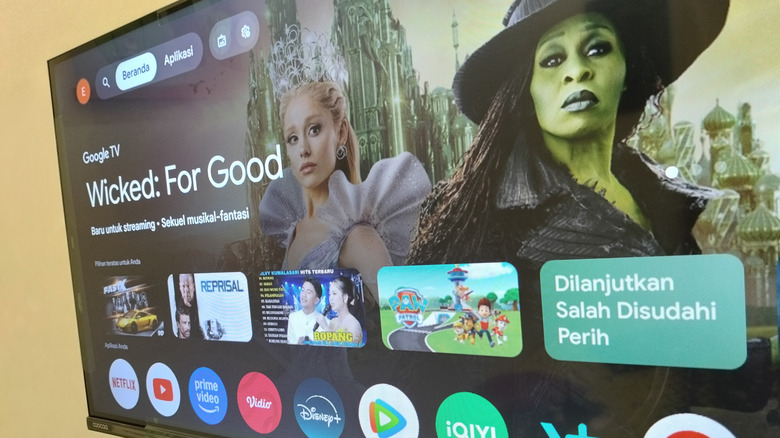
There are several benefits of owning a smart TV with Android TV or Google TV platforms. It gives you access to thousands of made-for-TV apps, including several essentials that make a good case to be on your smart TV in 2026. Moreover, you get access to Gemini AI, and you can control and monitor your compatible smart home gadgets right from your TV screen. However, there is another advantage that you don't get on any of the other major smart TV OS, including the likes of Apple tvOS and Roku OS: it's the ability to install a third-party launcher to replace your TV's default home screen.
The Google Play Store packs a number of smart TV launchers that not only change the interface and add new functionality, but can also help you get rid of ads through free apps like Projectivy Launcher. Here's a look at some of the best smart TV launchers that you can install on your smart TV with the Android TV or Google TV operating systems.
Projectivy Launcher
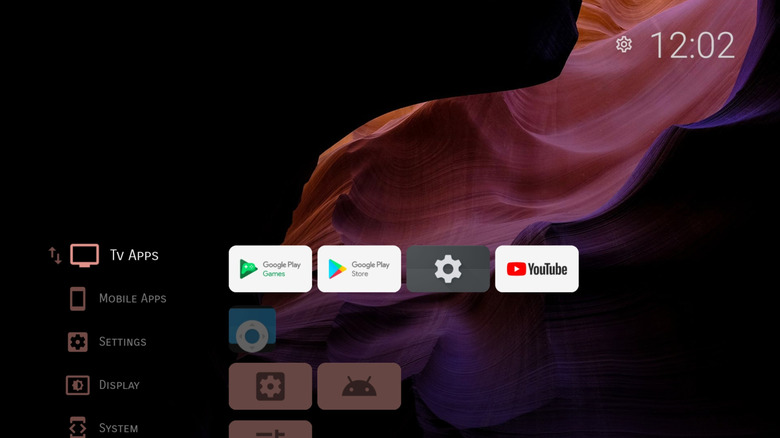
Projectivy is arguably the most popular third-party smart TV launcher you can find on the Google Play Store. One of its biggest highlights is the ability to get rid of the ads that you typically see on your Google TV home screen. It's also pretty customizable, allowing you to choose your preferred layout, add custom icons, change icon sizes, add or remove categories, and do a lot more. It's completely up to you what you want to see on your TV home screen.
While all the essentials are available as part of the launcher's free version, you'll have to get the premium version if you want stuff like custom wallpapers, advanced icon customization, and more. It's relatively easy to set up, available directly from the Play Store, and includes a simple setting to override the default launcher so that when you press the home button on your TV remote, you reach Projectivy Launcher and not the Google TV launcher. It also includes several extras like access to your TV's engineering menus, if available, the ability to set an app or an input source to launch automatically on startup, and parental controls.
AT4K Launcher
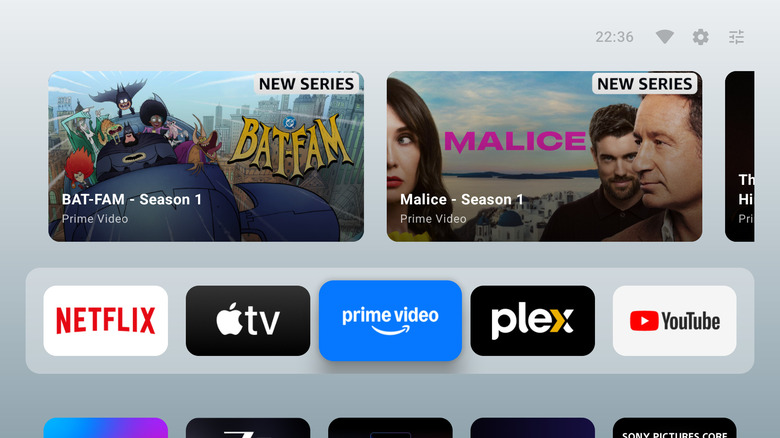
If you are a fan of the clean and minimal aesthetic of the official Apple TV launcher, you'll appreciate the AT4K Launcher. It's a relatively new entrant to the Google TV launcher space, but it has quickly garnered a lot of passionate followers. It's also in active development, with new features being added with every version. As you can expect, it borrows a lot of visual ideas from the tvOS interface and has a similar overall look, including a large "Watch Next" row with content previews, a favorites bar, app folders, and more.
It also lacks any advertisements or tracking for privacy-conscious users. Moreover, you can tweak some aspects of the launcher, such as the theme gradient, number of apps in a row, and overall theme. Keep in mind that some of the customization might require you to make an in-app purchase to get the premium version. Otherwise, setting up the launcher is pretty easy if you are prompted to set the app as your default launcher. If not, the process can get slightly trickier, unfortunately, as you'll have to sideload the Launcher Manager app to make it your TV's default launcher. Alternatively, you can use Button Mapper or tvQuickActions Pro to map the launcher to your TV remote's home button as a workaround.
LTvLauncher
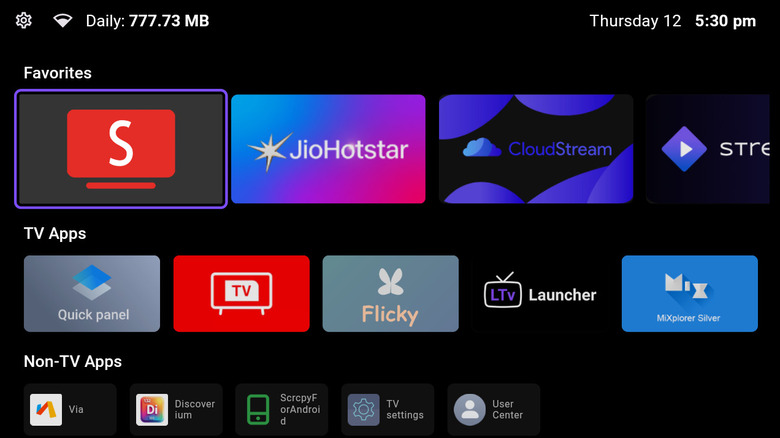
LTvLauncher is an open-source fork of the widely-liked FLauncher, which hasn't been updated for a while now. This free-to-download launcher has a minimal undertone and features a clean interface with tiles for different apps. You also get a reasonable number of customization options, including the ability to add or remove sections that appear on the home screen, choose your own wallpaper, select the accent color, and more. Another highlight of the launcher is its built-in screensavers that will prevent OLED burn-in even if left running for hours. Moreover, it shows the sideloaded Android apps, which you don't typically see on the default Google TV launcher, and has no advertisements or in-app purchases.
Unfortunately, it's not available via the Google Play Store right now, and you'll have to grab its installer APK file directly from GitHub to sideload the app. If you're uncomfortable doing so, you can consider a few other recommendations. The launcher also lacks a built-in option to make it the default launcher, like the one present in Projectivy Launcher. So, same as with the AT4K Launcher, you'll need to use Button Mapper or tvQuickActions Pro to map the launcher to your TV remote's home button or use Launcher Manager.
How we selected these smart TV launchers
Although the Google Play Store doesn't have as many smart TV launchers as it has for mobile devices, it has a decent selection. So, while picking up the best smart TV launchers, we looked through the Google Play Store for the well-rated options as well as considered feedback shared on Reddit by actual users to choose the top options. We also considered open-source projects that are currently not available via the Google Play Store to highlight any excellent options that folks who are willing to sideload can consider. All our recommendations have a usable free version and don't add advertisements to the smart TV interface.