

Before You Buy A New Soundbar, Check For This HDMI Feature First
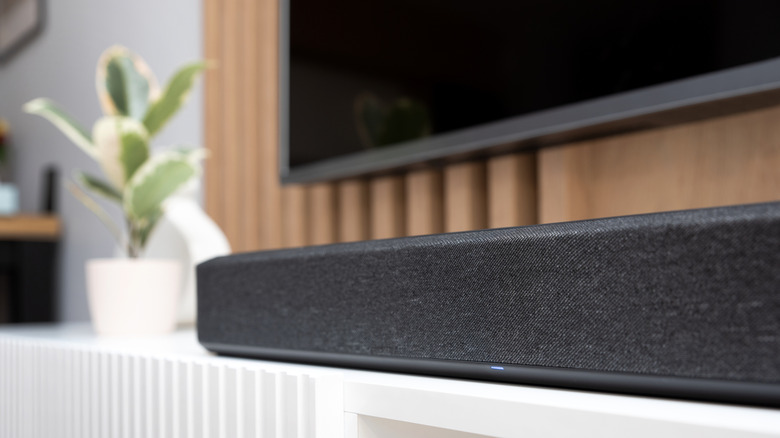
If you're tired of the lackluster sound quality your TV speakers are cursed to deliver, it might be time for you to invest in a soundbar. Designed for plug-and-play connectivity, getting a soundbar up and running can often be done in just a few minutes. Many systems also come with all the accessories you'd need or want, like an HDMI cable, a digital optical cable, mounting hardware, and more. But before you sign on for a new piece of expensive audio gear, we recommend confirming the soundbar you're interested in has an HDMI eARC port.
HDMI eARC is the upgraded version of HDMI ARC. The "ARC" part of the acronym stands for "Audio Return Channel," an HDMI feature that allows your TV to route all audio from all connected source devices into a single soundbar or AV receiver using a single port. That tiny "e" in "eARC" stands for "enhanced" — accordingly, eARC supports more audio codecs than ARC does. For you to take full advantage of eARC features, however, both your soundbar and your TV need to have HDMI eARC ports. Additionally, you should use an HDMI cable labeled "High Speed" or "Ultra High Speed", the latter of which accommodates data transfer speeds of up to 48Gbps. Here's a good rule of thumb: If you know for a fact that you're buying an HDMI 2.1-certified cable, said cable should also be ARC- and eARC-ready.
Digital optical is better than nothing, but HDMI eARC is the gold standard
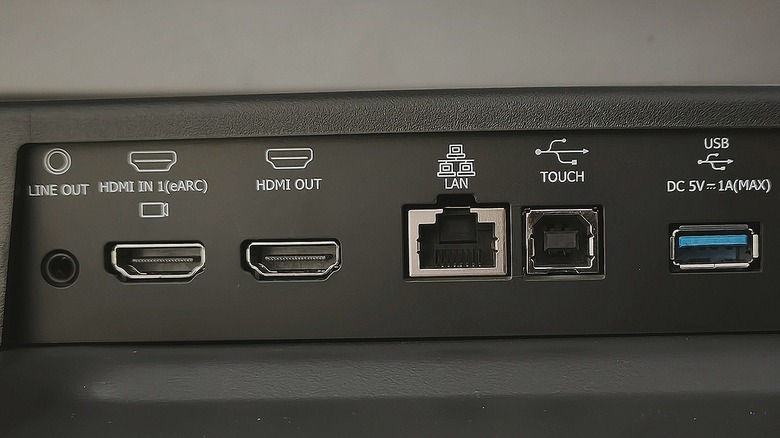
Up until the rollout of HDMI ARC, connecting a soundbar to a TV was usually handled by a digital optical cable. This wasn't a bad way to hook device A to device B, and most soundbars and TVs do still include digital optical ports. But ARC made it possible to transmit both video and audio upstream and downstream using just one HDMI cable. With ARC, you can simply plug all your AV components into your TV, then run a single HDMI cable between your TV and your soundbar, ensuring the cable is connected to the eARC ports on both devices.
Compared to digital optical connectivity, HDMI eARC can transfer far more information between your TV and audio system, which opens the doors to more advanced codecs. Surround sound formats like Dolby Atmos and DTS:X deliver three-dimensional audio immersion, and to support this functionality, many soundbars feature up- and side-firing speakers for Atmos and DTS:X height effects.
Unfortunately, some older TVs may not support eARC or even ARC, forcing many a home theater owner to use the next best thing: digital optical. Generally speaking, digital optical connections shouldn't have an issue decoding basic 5.1 Dolby and DTS tracks — it's when you start dabbling with Atmos that optical connections begin to fall short. That little red light simply doesn't have what it takes to deliver lossless, full-quality Atmos or DTS:X audio mixes.
Get the most out of your home theater soundbar with HDMI eARC

If you've been waiting to pull the trigger on a brand-new smart TV that you're looking to pair with a brand-new soundbar, then you're in luck, as far as compatibility goes. Just about any new 4K HDR TV you'd end up taking home with you is going to have an HDMI eARC port, and the same goes for any soundbar designed for home theater use — in other words, any soundbar that supports Dolby Atmos or DTS:X codecs.
Besides being listed on the official product specs, another good tell that your prospective soundbar will have an eARC port is if it has a handful of dedicated HDMI inputs. This isn't exactly a hard rule, but soundbars with built-in HDMI switching tend to have HDMI ARC or eARC passthrough. In such cases, instead of plugging AV components into your TV, you can plug them into the HDMI inputs on your home theater bar, then run a single HDMI cable from your bar's eARC to your TV's eARC. This will ensure you get both maximum-fidelity audio through your soundbar and high-speed video to your TV.
It's also worth mentioning, however, that not all TVs and soundbars with HDMI eARC ports can support both Dolby and DTS formats. If you're planning to use a 4K Blu-ray player as part of your home theater, we recommend ensuring the soundbar you're buying can decode DTS tracks, a common audio codec used on 4K Blu-ray disks.