

Some Of Your Favorite Google App Icons Are Getting A Sleek Redesign
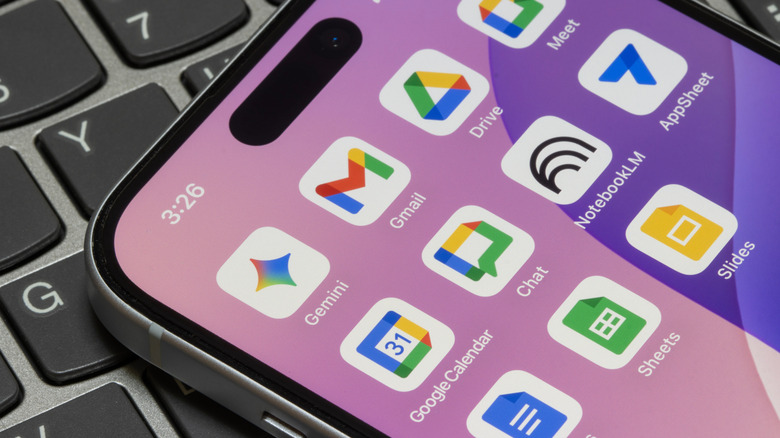
Google is no stranger to changing its design philosophy and switching to new app designs every so often. Late last year, after adding new AI features to Google Maps and Google Photos, the company gave the apps makeovers that featured a new gradient-centric design. This gradient seems to be Google's way of showing that an app has generative AI incorporated into it, and with apps like Google Drive also getting AI updates, it was only a matter of time before this design element started showing up in more Google apps.
According to sources speaking to 9to5Google, big changes are on the way. The icons for your favorite Google apps are reportedly getting a sleek redesign that goes beyond just a gradient, and we have a list of all the changes that you can expect to see.
The biggest change is perhaps in the colors. For a long time now, Google has been insistent on all of its app icons — save for Workspace apps like Docs, Sheets, and Slides — keeping the four distinct Google brand colors: red, blue, green, and yellow. This was good for the company's overall brand identity, but ultimately led to many users complaining about the app icons blending into each other and not being immediately recognizable. With the new Google app icons, the company is finally moving away from the four-color palette, opting to instead (kind of) color-code its apps.
The new Google app icons are more easily recognizable
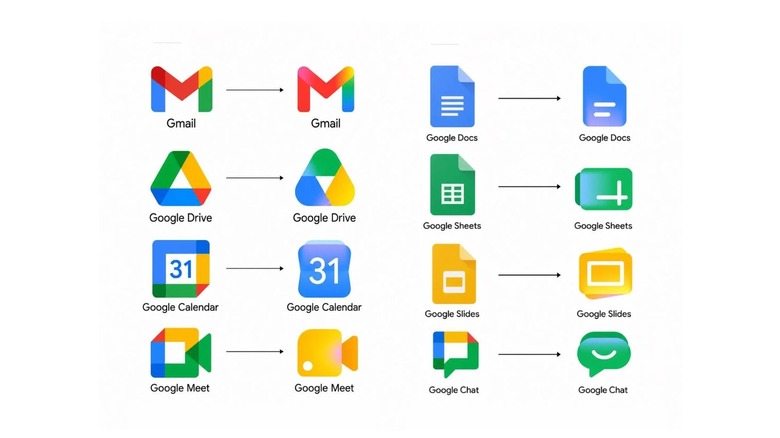
The new Google Meet icon is a more recognizable camera and has switched from a four-color look to primarily yellow, while the Google Slides icon has changed to a landscape view and retains its yellow shading from past iterations. Similarly, Google Chat's chat bubble icon is more apparent and fully green now, and the Sheets icon has turned landscape as well. The new Google Docs icon is largely the same as before, just with an added gradient. The Calendar and Tasks apps, however, now share the blue shading of Docs. Google Drive has removed the red and only has blue, green, and yellow, possibly to hint at how it stores your documents, sheets, and slides all in one place.
Gmail and Google Voice are mostly the same, apart from using gradients instead of solid color separations. Both Google Forms and Google Sites, on the other hand, have had complete overhauls. The Forms icon now features three choices in a poll, whereas the Sites icon shows a minimalistic view of a desktop website. Google Forms keeps its purple, but the new Sites icon is a lighter blue now. The last known change is to Google Keep, which is now just a yellow lightbulb, instead of one inside a file icon.
Apart from these color changes, all Google app icons now also have rounder edges and the previously mentioned gradient. Additionally, Google has also gotten rid of the white container around some of its apps, giving them much more easily identifiable silhouettes. Interestingly enough, Google's recent iOS-exclusive dictation app still follows the old design philosophy of having all four colors.