

What Makes The Kindle Colorsoft Signature Edition Different?
We may receive a commission on purchases made from links.
When you think of a Kindle, the first thing that comes to mind is the grayscale display that makes the pages look like printed paper. It's easily one of the reasons why reading on a Kindle beats your smartphone, and for over a decade, it has stayed that way for all the different Kindle models that hit the market. Come 2024, though, Amazon redefined the monochrome Kindle line with the introduction of its first color e-reader, the Kindle Colorsoft Signature Edition. It works just like any Kindle, but with a colored interface instead of the traditional black-and-white display. That means your book covers, highlights, and comics and manga content now appear in their original color.
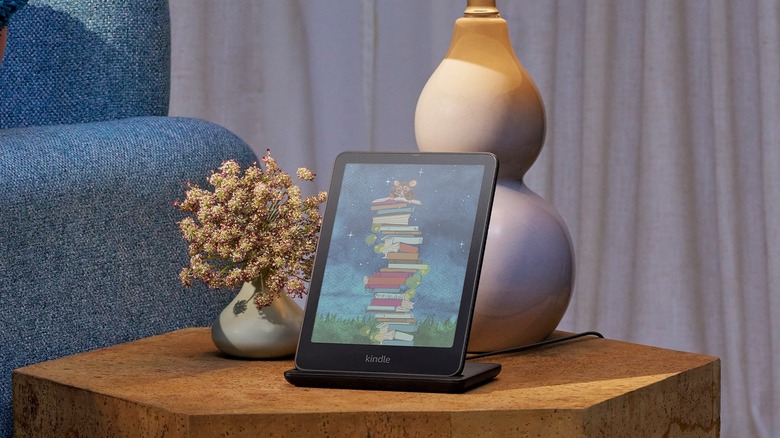
Following the release of the Colorsoft Signature Edition, Amazon came up with the basic Kindle Colorsoft in July 2025. It's $30 cheaper than the first Colorsoft model, which might make you wonder what makes the Colorsoft Signature Edition different and worth looking into. Well, the Colorsoft Signature Edition actually includes more premium features, specifically larger storage capacity, wireless charging, and an auto-adjusting front light sensor. Let's go through a more detailed breakdown of those extras.
Kindle Colorsoft vs. Kindle Colorsoft Signature Edition
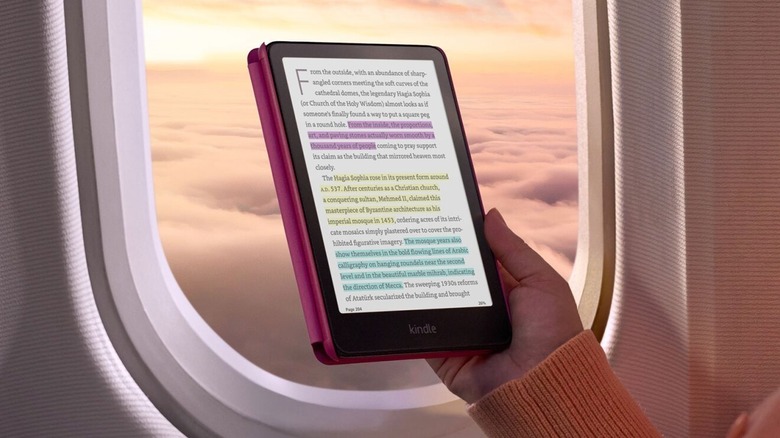
The Kindle Colorsoft and Kindle Colorsoft Signature Edition are two models that look exactly the same but function a bit differently under the hood. Both come in the same dimensions, but the Signature Edition is slightly heavier, by 0.1 ounce. They both feature the same seven-inch glare-free color screen, with a resolution of 300 pixels per inch (ppi) in black and white and 150 ppi in color. However, what makes the Signature Edition's display different is the integrated sensor that automatically adjusts the brightness of the front light depending on the ambient lighting. The basic Colorsoft, on the other hand, needs manual adjustment.
Like any other Kindle, both devices have storage built in, but the difference in capacity is massive. While the Colorsoft includes 16 gigabytes (GB) of storage, the Signature Edition offers twice as much, at 32 gigabytes. Battery life is similar with either Kindle model, usually lasting for as long as eight weeks on a single charge, if you read 30 minutes a day with airplane mode on and the light setting at level 13. Once drained, both Kindles take under 2.5 hours to charge with a 9-watt USB charger. The Signature Edition also offers wireless charging, though. You can simply place it in the Made for Amazon Wireless Charging Dock and leave it for 2.5 hours until it fully charges, something you can't do with the basic Colorsoft.
If you like reading by the pool or in your bathtub, the Kindle Colorsoft is no different from the Colorsoft Signature Edition. They're both rated at IPX8, meaning they're waterproof and can be submerged in fresh water up to 6.5 feet (two meters) deep for an hour without running into issues — not that you should be reading underwater!
When to choose the Colorsoft Signature Edition
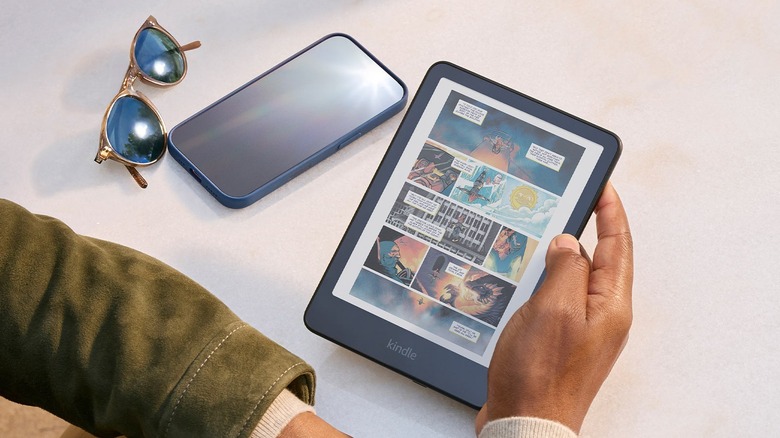
The Kindle Colorsoft Signature Edition might look more appealing because of its premium features, but that doesn't automatically mean it's always the better buy between the two. If you read lots of comics and manga or prefer audiobooks over regular books, then going with the Colorsoft Signature Edition does make sense since you won't use up its 32 GB storage as quickly as the Colorsoft's 16 GB. If you mainly read regular books, though, that 16GB would be more than enough to accommodate thousands of titles.
If you hate the hassle of dealing with charging cables, you'd appreciate the Kindle Colorsoft Signature Edition's wireless charging capability. But that also means spending more, as you have to buy the charging dock, which is sold separately. And that doesn't even take into account the difference between the prices for the two models: $249.99 for the Colorsoft, $279.99 for the Colorsoft Signature Edition.
Another thing to consider when deciding which model to go for is how much you prefer auto-brightness over manual adjustment. Unlike with the Colorsoft, you won't have to change the brightness on the Colorsoft Signature Edition every time you move from the bright outdoors to your dark bedroom. It adjusts on its own, so it's one less Kindle setting to change and worry about. If you're on a budget and can live without the convenience of wireless charging and auto-brightness, the Kindle Colorsoft is likely enough for your needs.