

5 Android Apps And Features That Can Replace Your Old Office Gadgets For Free
If you were to go back to the 2000s or early 2010s and tell someone who was struggling to get a document printed so the boss could sign it before the end of the day that that entire workflow would be handled by a phone in the future, they might find it a little inconceivable. But that's where we are right now. It's a testament to how far mobile phones have come, from allowing people to call and text anywhere to being mini computers that can fit in our pockets. As time goes on, they keep replacing the need for old office equipment with various free apps and features. Although screen time needs to be managed to ensure that phones don't become a problem, they can lead to efficient workflows.
These days, smartphones can function as a tool for scanning and signing documents, performing calculations, transferring files, and basic desktop computing. An Android phone can make an office more mobile, leading to a significant cost reduction, especially when it replaces old and clunky office gadgets. As phones get more advanced and new apps keep popping up or adding more features, it's only a matter of time before we start questioning the need for physical equipment at all.
Google Drive for document scanning
Once upon a time, people had to wait in line to use the scanner so they could fax important documents. This could be in a busy office or a now-extinct internet cafe. While scanners still exist today, one can easily scan an important document using Google Drive and email it to whoever needs it in less than two minutes.
The word "scan" is used a bit loosely here because when you take a picture using the document scanning feature, Google Drive processes it using AI-powered optical character recognition (OCR) and produces a PDF. Because of that, it's also a good way to make copies of important documents, including receipts, invoices, memos, certificates, business cards, and diagrams. Everything is stored in the cloud and ready to be accessed whenever you need it.
Speaking of cloud storage, Google Drive can also eliminate the need for a flash drive, particularly if you have an online workflow. You get 15 GB of free storage courtesy of your Google account, which is enough to handle daily file sharing, document storage, and cross-device syncing. Just finished working on a document that a colleague needs? Drop it in a shared folder, and they will be able to access it. You can download Google Drive from the Play Store.
Voice recorder apps for transcriptions
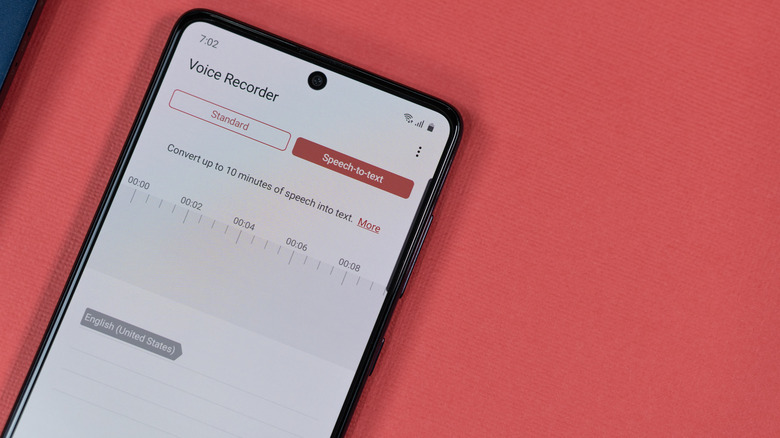
If you're using a modern Android device, it probably has multiple built-in microphones. They might not be high-quality microphones that can be used to record a song or voice-over, but they can replace the need for a voice recorder. As the saying goes, "A short pencil is better than a long memory." If you constantly attend meetings, brainstorming sessions, and interviews, it's always good to have some form of documentation instead of relying on your memory alone. This is where a voice recording app can come in handy, especially if you intend to transcribe notes later.
Depending on the Android phone you have, it may already come with a voice recording app, or you might need to download one from the Play Store for free. For instance, Samsung Galaxy devices have Voice Recorder and Google Pixel phones have Recorder, both of which have excellent machine-learning transcription features that will give you a text version of the conversation in an instant. You can even find a variety of free third-party voice recorders on the Play Store. Some of them have advanced features like audio editing, speaker identification, and speech-to-text.
Calculator apps for even the most complex math problems
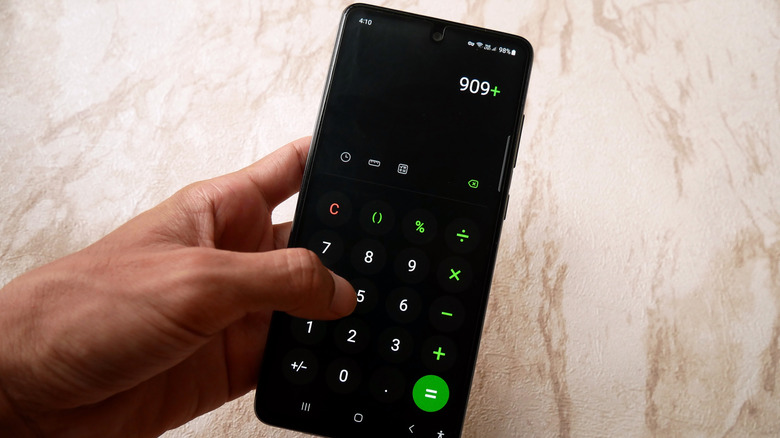
While highly complex financial calculations are better off being handled by a dedicated program like Excel or Zoho Invoice, the need for quick calculations still arises. In the old days, this used to be the job of a digital calculator stored in a desk drawer. These days, Android devices come with one built in. When the phone or tablet is in portrait mode, it's a basic arithmetic calculator — but with a toggle or a flip to landscape mode, it can become an advanced scientific calculator.
If the calculator is advanced, it might have a unit converter. This provides a quick and offline method for converting multiple units of measurement (e.g., time, length, speed, temperature, and volume) without needing to download a separate app or even know how the conversion is being done. It might also have history, allowing you to revisit past calculations or roll them back if you make a mistake.
Even if the built-in calculator doesn't have any of the features mentioned above, you can download one from the Play Store, such as ClevCalc or RealCalc. Some even have advanced features. For instance, you can graph out equations with the Desmos Graphing Calculator or make sense of your finances (e.g., credit card bills, loan repayments, 401(k), and taxes) with Financial Calculators.
Quick Share for transferring files (even to iPhones)
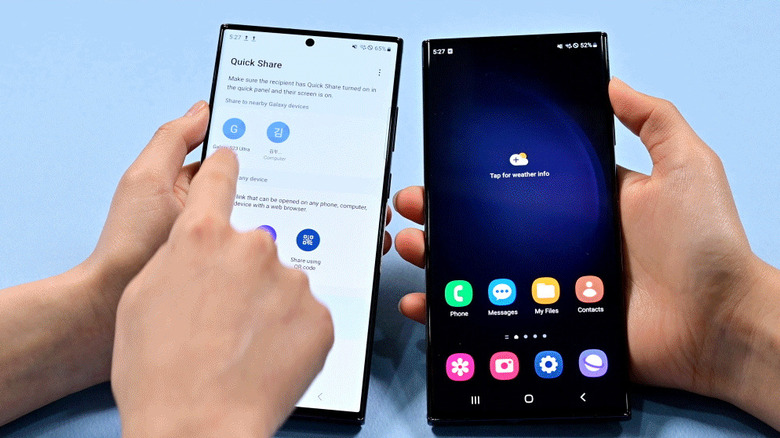
Want to transfer a file to a colleague? As already mentioned, Google Drive is one of the quickest ways to make files available to others. But if it's a highly sensitive file that shouldn't be uploaded to the cloud, you don't need to first transfer it to your computer (via USB cable) and then to your colleague's device. All modern Android devices have Quick Share (formerly Nearby Share). You can use it to transfer files to devices around the office that are within 16 feet of each other via Bluetooth. It creates a secure connection between devices, with end-to-end encryption (E2EE) protecting all file transfers.
Quick Share is one of the best AirDrop alternatives for Android devices, and nowadays, you can even use it to transfer files to Apple devices (iPhone, iPad, and macOS devices). Quick Share has interoperability with AirDrop on Google Pixel 9 or newer, as well as select Samsung or Oppo devices. But even if the device you're trying to send the files to doesn't directly connect to Quick Share, you can still create a link or QR code so they can be easily downloaded.
Samsung DeX for a PC-like experience
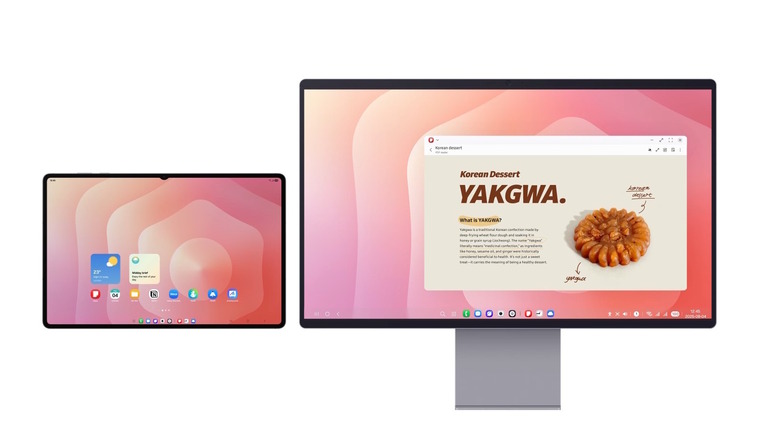
If you have an old entry-level desktop that is showing its age performance wise, you might not need to buy a new one if you own a modern flagship Samsung phone or tablet. Samsung DeX allows you to connect your device to a TV or monitor (wired and wirelessly) and turn it into a desktop experience that is suitable for light work. If all you do on your computer is browse the internet, write notes, manage tasks, edit documents, and perform basic spreadsheet calculations, you can get by using your Galaxy device as a computer.
Samsung DeX can work in a pinch if you don't need specialized PC software, and all you need can be found on the Play Store. Its desktop-like experience allows for multi-window multitasking. You can open up to five windows at once (opening a sixth one will minimize the first window opened), as well as resize and rearrange them just like you would on a PC. You can create multiple workspaces to separate your workflows (e.g., writing, research, drawing, or designing). On top of controlling everything through your Android device, you can use a wireless keyboard and mouse with Samsung DeX.