

Xbox Mode Turns Your PC Into A Console, But It Can't Hide Windows 11 Bloat
After a long alpha and beta period lurking in preview builds while being officially exclusive to Asus Xbox ROG Ally PC handhelds, Xbox mode for Windows 11 has launched. It marks a massive shift in Microsoft's strategy for making Windows 11 an optimized experience while showing a glimpse of a blurred future between console and PC gaming. It's a testing ground for a much larger ambition, serving as a beta test of sorts for Project Helix, the next generation Xbox console set to play both console and PC games on one machine.
It's a perfect alternative to Steam's Big Picture mode when it comes to players already in the Xbox ecosystem who just want their PC to play games out of the box, but the Windows 11 gaming experience is far from frictionless, even more so for tinkerers. Windows 11 is full of bloatware, artificial intelligence clutter, and is broken in some ways thanks to unnecessary system processes and Copilot. While it's great news that gaming Copilot is retiring from bothering players, Xbox mode doesn't hide the telemetry and bloated nightmare that is Windows 11. Having to run tools to de-bloat Windows 11 and remove Copilot goes against the promise of faster speeds and better performance and gaming. Let's take a deeper look at it.
Every storefront in one place
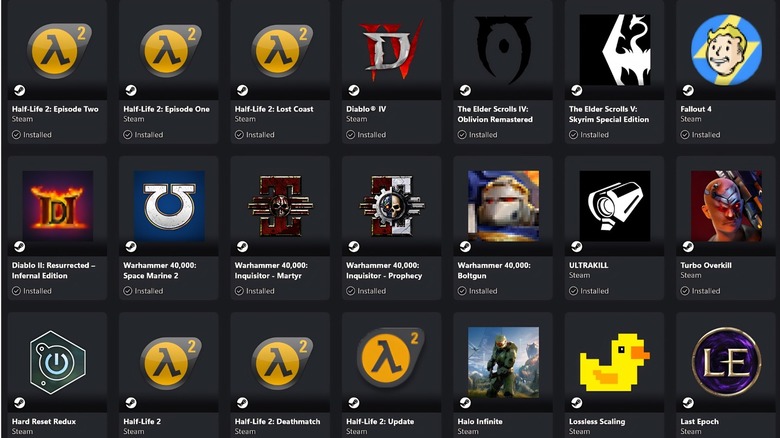
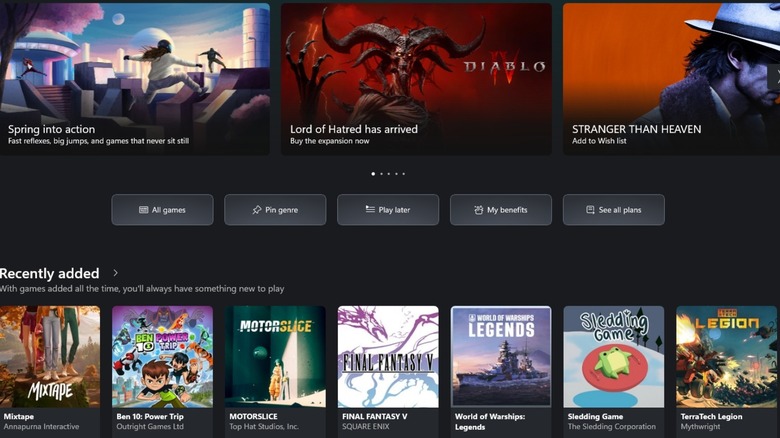
Granted, this is also a feature on the standard Xbox software on PC, but having a user's gaming library pulled from other major storefronts such as Steam and Epic Games is a massive step forward for Xbox. No one likes managing multiple launchers and digging through cluttered Start menus, but most will take a clean, easy-to-understand interface that's optimized for controller navigation. It's also a nice touch having all available Game Pass, Cloud Gaming, and Xbox Play Anywhere titles in one place, too, the latter of which covers more than 1,500 games that will show up on PC if players own them already on console.
It's an obvious reaction to Steam's Big Picture mode considering its inclusion of third-party game libraries, but having these libraries appear alongside a user's Game Pass selection really is a complete experience. This is another step closer to PC gaming becoming as accessible as console gaming in the living room, making installing and playing games frictionless. That's not to say there aren't teething issues, however, such as still needing to have the third-party storefronts installed to download, install, and update said games. Xbox Mode is also a bit restrictive for those of us who like to tinker with our gaming experience — especially modding, which still requires third-party programs such as Vortex and other mod managers.
Dedicated gamepad cursor
Navigating a PC with a controller has always been a pain, but Xbox's recent partnership with Asus ROG Ally handheld PCs seems to have rubbed off. Like the Armoury Crate software, Xbox Mode now has a Gamepad Cursor to dramatically cut friction for users who don't plan on having a keyboard and mouse setup with their gaming PC. It translates thumbstick movements into precise mouse cursor control, allowing gamers to browse menus and apps that weren't designed with gamepads in mind. It also features a simplified controller pairing tool that ensures hardware is ready to go once an Xbox mode-enabled PC boots.
The focus with Xbox mode's GamePad Cursor function is to make the overall Xbox experience fluid across devices and screens, ensuring that navigation is consistent across PC, mobile, and eventually console when Project Helix becomes a reality for consumers. Users should expect glitchy behavior with the current build, with UI elements popping in and out randomly and navigation lag when moving between Xbox mode and vanilla Windows 11 menus. Gamepad Cursor is a step in the right direction and makes Xbox mode more appealing to console and PC players, but it ultimately lacks the polish of the Xbox Series X console dashboard. Personally, it would have been great to see Gamepad Cursor be an overall Windows 11 function so it works across all programs like Asus ROG Ally PC handhelds.
It frees up RAM
Previously known as FSE (Xbox Full Screen Experience), Xbox Mode also optimizes hardware resources. MSI confirmed that while a standard Windows 11 desktop can consume up to 8.6 GB of RAM, enabling Xbox mode cuts this usage to 7.8 GB, which is a 9.3% reduction. It minimizes background tasks and provides more RAM for a user's gaming sessions, which gives up to an 8.6% boost in frames per second.
This is a positive move, but Xbox seems to be contending for breathing room when it comes to the overall bloated state of Windows 11. Bloatware, telemetry, and forced Copilot AI integrations all have a negative effect on Windows gaming at large. As it stands, users still need to run de-bloat tools such as Chris Titus Tech's Windows Utility and RemoveWindowsAI to properly de-bloat Windows 11 and strip out Copilot components with taxing CPU and RAM loads.
Workarounds such as these, the former of which is needed to activate the "Ultimate Performance" power profile, presents unnecessary friction for gamers. They also require the use of Windows Powershell, which isn't as intimidating as it sounds thanks to copying and pasting a single command to bring up user-friendly interfaces. But for console gamers thinking of moving over to Windows PC gaming, it might be the difference between sticking to console gameplay or moving over to PC.
Automatic Super Resolution
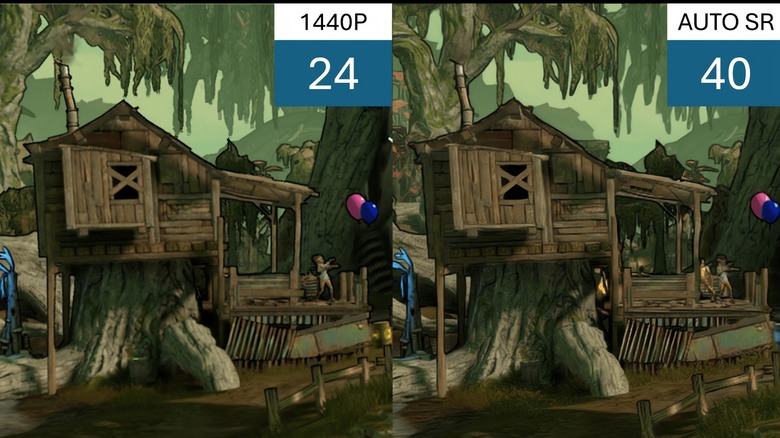
As part of the phased rollout that started on April 30, 2026, Automatic Super Resolution (Auto SR) was introduced in Xbox mode. It's currently in preview, but it's a new AI-driven tool that upscales graphics in real-time at the operating system level. Yes, we already have DLSS, FSR, and XeSS that already does this when integrated with games, but Auto SR makes games look sharper and play more smoothly. It's a screen-space upscaler that works without any developer input, running on a device's NPU instead of the GPU, which allows Auto SR to spend more time on calculations for better image quality.
While it sounds great on paper, it lacks the specific game engine data that DLSS, FSR, and XeSS use to fine-tune visuals and performance, meaning it can't always match their raw quality. It's added at the end of the rendering pipeline, which means latency can be introduced to a player's input. This tech is going to be more useful on gaming PC handhelds like the ROG Ally X, being able to upscale 720p performance to near-1440p visuals while retaining the 720p frame rate count. It's a nice addition for this use case, but as it stands, it's best sticking to Nvidia, AMD, and Intel solutions for upscaling and frame generation on PC.
Instant screen docking
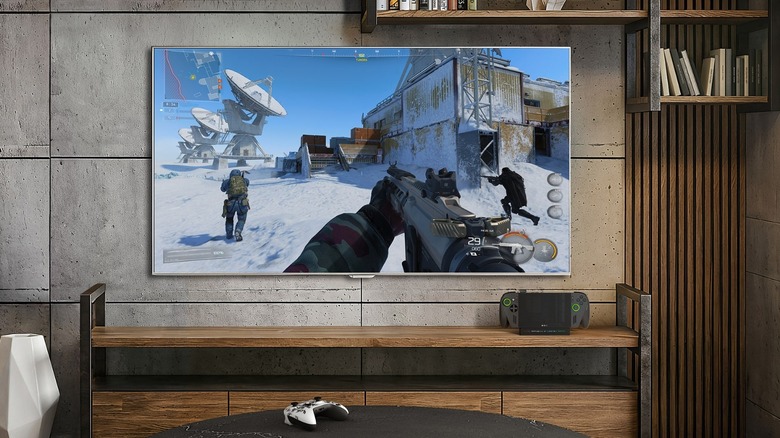
For laptop and handheld users exploring Xbox mode, improved docking is one of the latest features that allows gamers to instantly switch their gameplay from its native hardware to the big screen. Xbox mode following the same established settings from the laptop or handheld gaming PC is more or less a seamless transition. Gamers don't need to worry about any issues with game save data if something goes wrong either, as Xbox mode now includes an improved cloud sync status display which makes sure progress is updated before swapping displays.
There's a renewed focus on player-first features following a massive leadership shakeup. The new Xbox CEO Asha Sharma wasted no time in cutting initiatives such as the "everything is an Xbox" marketing campaign and Gaming Copilot to focus on core player experiences. Despite a 33% drop in hardware revenue most likely driven by Xbox price hikes in the third quarter of 2025, the platform actually had record levels of active users. Xbox is trying to do what Microsoft won't — cut unecessary bloatware and AI tools and prioritize service improvements in a hedged bet that a leaner, more focused operating system will win back gamers.
Xbox mode isn't perfect yet, but it's the first real step in a strategy that is set to bring console and PC gaming under one unified ecosystem, which is going to culminate in the release of Project Helix, Xbox's next generation games console.