

What's The Best Screen Size For Reading?
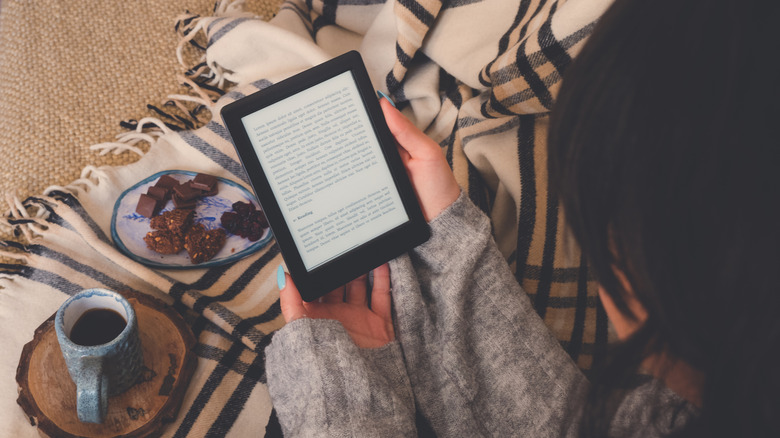
E-readers have been around since before the turn of the millennium, but have they achieved the perfect screen size for reading? Considering that there are many people who use phones or tablets to read books, there's clearly not a simple solution. In fact, the generous screen size of larger tablets is one reason why some people feel there's no need for a Kindle anymore. Bigger isn't always what's best for reading, though.
Six-inch screens are the most common among e-readers. This compact size is comparable to many paperback novels, making for a familiar experience from a device that's portable enough to slip into any bag. Most importantly, a modestly-sized e-reader is lightweight enough that you can hold it for a several-hour-long reading session without straining your wrist.
Does that mean that a six-inch screen is the best for reading books on an electronic device? For many people, the answer is yes. For others, a larger screen is important for displaying lots of text at once or taking notes with a stylus peripheral. This can make a 13-inch Android tablet seem appealing, even though Kindle devices use e-ink screens that reduce eye strain. Folding phones are gaining popularity as well, due to their large screens and a form factor that closely emulates the traditional reading experience. However, there are factors that matter far more than screen size for the average reader.
Font size and content density matter more than the screen
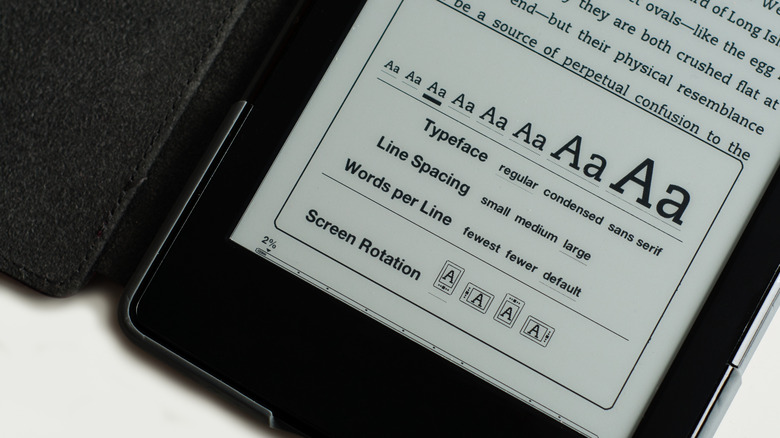
The thing that can make the most profound difference in your reading experience is actually font size. A font size study (link downloads a PDF to your device) helmed by Luz Rello of the Human-Computer Interaction Institute at Carnegie Mellon University showed that reading comprehension goes up significantly when font size is increased from 10-point up to 18-point or 26-point. The same study also showed that content density matters; increasing and decreasing the space between lines actually hindered reading comprehension for the participants. What does this mean for everyday reading on your own device?
The study suggests that larger fonts with default line spacing will help you take in what you're reading with a lot less effort. Honestly, font size is one of the settings you should change immediately for Kindles and other e-readers. The ability to configure font size and other text appearance settings can make up for many of the drawbacks of reading on a smaller screen. By customizing it to accommodate your vision and the distance between your eyes and the device, you can enjoy all the benefits of a compact e-reader without straining to read small text. It ultimately comes down to preference, and once you've found the best screen size and font style for you, you can start exploring ways to read more often on Kindle.