

The Monitor Placement Mistake Almost Everyone Ignores

Framerate and refresh rate, maximum resolution, panel size, technology type, brand, these are all specifications that most people think about when shopping for a new monitor, and they are important. However, there is one aspect of monitor placement that too many people overlook — the distance between the monitor and your eyes. Why does that even matter, some may ask? Mostly, it has to do with health and ergonomics, allowing you to maintain a solid posture while sitting at your desk.
Keeping your monitor optimally placed, regardless of size, can cut down on the strain to your eyes and promote a neutral posture, thereby reducing the strain on your neck and the rest of your body. Eye strain is especially a concern with a monitor that's too close or too far. It can cause blurred vision, dry eyes, and headaches. But it's also important to keep the monitor at a neutral height, not too low either. The optimal distance is about 20 to 40 inches away, or approximately an arm's length. At least 20 inches away is recommended for any screen.
Meanwhile, you should be looking slightly downward at the center of the screen, placing yourself a bit above the monitor itself. You can adjust your chair, adjust monitor height, or install them in unique configurations to achieve this. For example, if a monitor cannot be placed in an optimal position by simply resting it on your desktop, you could turn to something like a floating monitor arm or even a wall mount.
Screen size changes the optimal distance and viewing angles

The bigger the screen, the greater the distance it should be from your eyes. Smaller displays below 24 inches are usually comfortable around 20 to 28 inches away. Anything larger than 27 inches should be between 24 and 32 inches away, up to even 40 inches for the largest monitors. Laptops come with various screen sizes, but most are below the 24-inch threshold, which means 20 to 28 inches away is ideal.
Depending on the overall size, there are also some monitor features you shouldn't waste your money on that have to do with placement. Curved screens in a smaller format are pretty much a huge waste, for instance. The curve is meant to bring the screen closer to you and improve viewing angles, but with anything smaller than a 24-inch monitor, you lose a lot of that experience.
Viewing angles and height also play a role in eye fatigue and body strain. If you're always straining to look down, or the opposite, to look up at a monitor mounted high, it's not going to be comfortable over long periods. You want the top of the monitor just below eye level, with it tilted back about 10 to 20 degrees. Again, the center of the monitor should be slightly below your eyes so you're looking down. The opposite is true, as well. A screen too far below eye level is a major monitor mistake that's likely destroying your posture every day.
How can you achieve optimal placement at your desk?
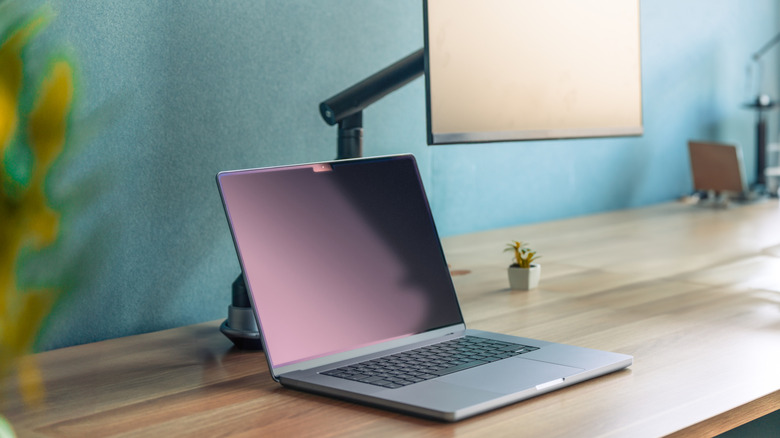
There are a few ways to achieve the optimal monitor height without swapping out the monitor. The obvious option is to place it on your desktop atop its original stand and use smart positioning to distance your eyes, including tilting the monitor as needed. But not all monitors come with an adjustable stand, and sometimes, your desk doesn't have the optimal amount of space, or you're too close to a wall or surface to achieve the right placement.
First, swap your desk for something that's taller or for a modular standing desk that allows you to adjust the height. If that's not an option, you can also use something like a cheap Amazon Basics desk add-on that can alleviate some of your eye and body strain. Get one sturdy enough for your monitor and set it right on top to raise it off the surface a little. Of course, monitor arms are also helpful.
Take a look at some of the best monitor arms you can buy; the prices aren't outrageous either. It's a relatively affordable and quick fix versus swapping out your monitor altogether. These arms usually clamp to the desk, allowing you to freely move the monitor around. What's really cool about an arm is that you don't have to keep the display at a single angle or viewpoint. You can reasonably move it around to change your perspective. But ultimately, it's a great way to keep your monitor at the optimal viewing distance.