

The Single Backup Mistake That Could Lead To Losing Years Of Photos

For many people, cloud storage is a safety net. You take a photo with your phone, and by the time you finish looking at it, it's already backed up to the cloud. However, saving your photos to the cloud is not always the same as backing them up, and if you aren't careful, you could end up losing hundreds or thousands of gigabytes of photos.
The primary issue comes down to how services like Google Photos, iCloud, and Microsoft's OneDrive actually work. They are often marketed as both file syncing and backup services. However, most people tend to use them solely as file syncing services to keep their files easily accessible across all their devices.
There are still files you shouldn't upload to cloud storage, but if you're trying to keep your everyday photos or files safe, cloud services can be very easy to use. However, if you don't fully understand the difference between a proper backup and file syncing, you risk losing everything.
The risk of overwriting your stored data is real

With cloud services, there is an innate danger that not everyone realizes, and that is the fact these services sync the latest updated version of a file across all the user's connected devices. That means if you are editing a photo on your phone and open the same file on your PC without closing it out on your phone, then you could risk overwriting the changes you make on your PC, if you close the photo on your phone afterward. This is because the cloud service is designed to sync the last modified version of a file to help avoid losing changes. However, it cannot tell which of the two versions of the file is the one you wanted. This means one could be overwritten in the sync if you didn't save it as a new file.
That is where one of the biggest problems with backing up through cloud services comes into play. Syncing your photos to the cloud is very useful. However, if you're only syncing your files across devices, that means anyone with access to your phone or another connected device could potentially delete all of your photos by removing them from one device in the chain. Depending on the cloud service, and how the bad actor chooses to delete your data, it could actually erase those files from all of the connected devices — this is exactly how iCloud's photo backup works.
Having a proper backup is important
Beyond the potential for bad actors to wreak havoc on your personal files, there are other syncing concerns you should be aware of. Cloud services typically only offer a certain amount of storage space for your data. Google Photos, for instance, uses the free 15GB of Google Drive storage that Google users are granted when they make an account, and iCloud Photos relies on iCloud storage space to save your photos.
When you run out of space, most services will hit you with warnings and stop allowing you to sync or create new files until you either clear out some of your stored files or upgrade your plan. In some cases, those services might delete your files after you have been over the available storage limit for a certain amount of time. If you find yourself constantly dealing with storage space alerts, then looking at cheaper cloud services could be worthwhile. Make sure you remain conscious of how you're using the file storage to avoid losing any files, though.
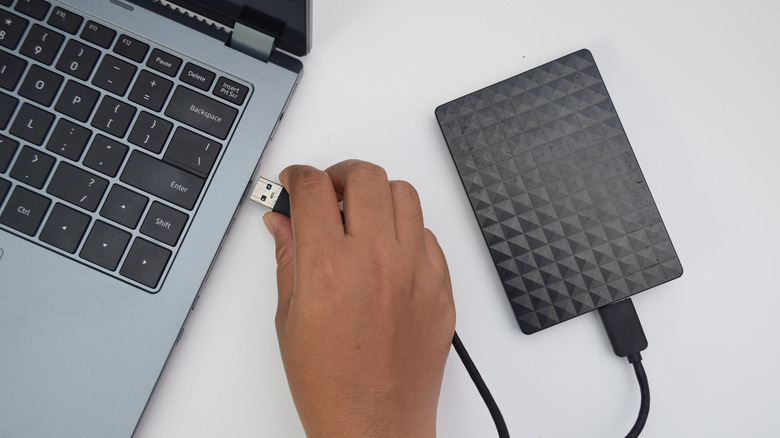
You don't have to rely on cloud services to keep your memories safe. There are plenty of other backup options available, and you can create your own backup by storing your photos on a compact external hard drive. Ultimately, you want to ensure you have a backup that isn't impacted by any changes you make in the moment, as this will sidestep accidental deletions or file sync errors. You may even want to follow a set backup structure, like the 3-2-1-1-0 rule.