

5 Old-School Ports That USB Replaced For Good
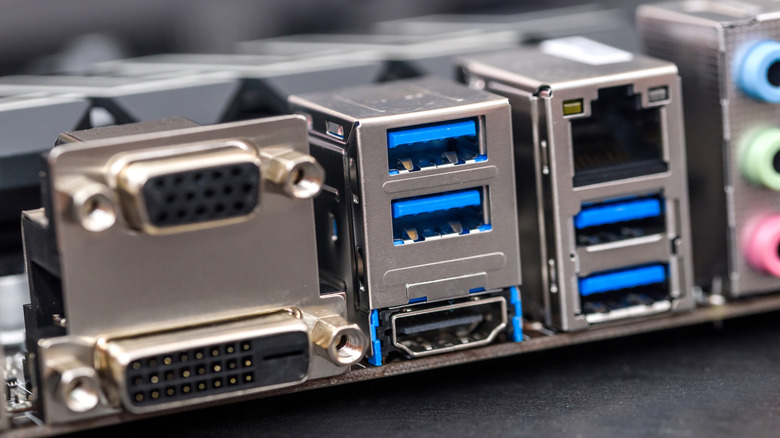
What do you use to charge your phone? A USB cable. What about connecting peripherals like your mouse or keyboard to your laptop? USB again. Gaming controllers, external drives, speakers — they all rely on USB nowadays, but this wasn't always the case.
USB — which stands for Universal Serial Bus — has been around for a relatively short part of our technological history. USB 1.0 only came out in 1996, and it took until the early 2000s and the release of USB 2.0 for it to become a household name. With the first personal computers coming out in the '80s and other connection methods existing far before those, there are many old-school ports that USB has replaced.
Before USB, there wasn't one universal port — your keyboard, mouse, printer, and audio devices all had their own types of plugs that couldn't be used for anything else. Apart from the lack of flexibility, each port also faced its own challenges: Some weren't hot-swappable, some were slow for transferring data, and others were big and bulky. While USB-C cables still have some annoying problems and you might not always know what USB port colors mean, USB as a standard has fixed most issues faced by earlier ports, even going so far as to make them obsolete.
1. FireWire
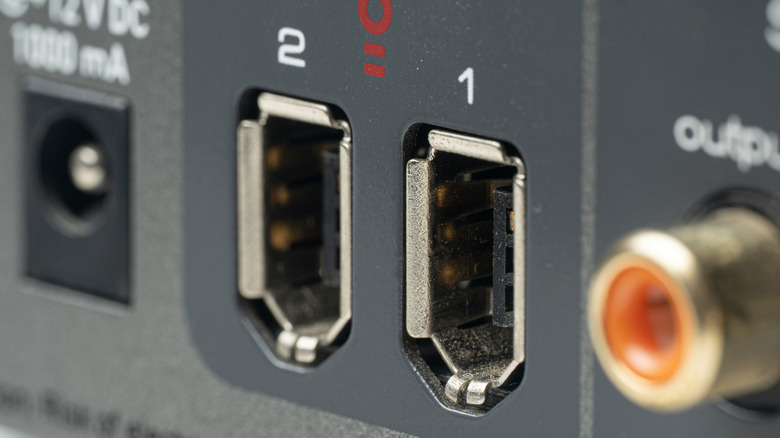
FireWire (IEEE 1394), a port created primarily by Apple, is the most recently developed port that got completely phased out in favor of USB. In fact, both of them came out just a single year apart — the first FireWire port came out in 1995, whereas USB 1.0 became a thing in 1996. Unlike other ports at the time, however, FireWire was vastly superior to early USB across the board.
USB 1.0 offers data transfer speeds of about 12 Mbps. The first FireWire port that was released a year earlier, FireWire 400, could support speeds up to 400 Mbps. This made FireWire vastly superior for anything that required good transfer speeds, such as external hard drives. USB eventually caught up with USB 2.0 by the year 2000, supporting speeds of 480 Mbps — but FireWire 800 came out just two years later in 2002 and could transfer data at a speed of 800 Mbps. It also allowed daisy chaining between different devices, as well as the ability to handle much more power.
With FireWire being as good as it was, you'd expect it to be much more relevant today, but the port had mostly died off by the early 2010s. Since Apple charged a licensing fee for manufacturers to put FireWire ports in their computers and USB was completely free and good enough for most normal use, many companies chose to skip out on FireWire. Additionally, USB more than caught up with FireWire by 2013 — with USB 3.0 supporting speeds up to 5 Gbps — which meant there simply wasn't a need for FireWire anymore.
2. Serial or RS-232 ports
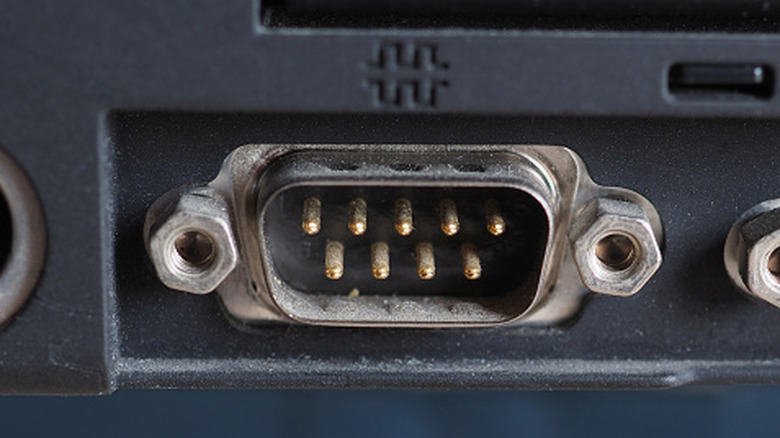
USB refers to Universal Serial Bus, and the word serial means in sequence or one at a time. This is how data is transferred with USB ports — one bit at a time — and it's the same general principle used by the much older serial ports (COM, or RS-232 ports) that were eventually replaced by USBs.
Serial ports were created all the way back in 1960 to allow data transfer between teletypewriters and modems. When personal computers started becoming popular in the '80s, there wasn't a single universal port that manufacturers could rely on. Since the serial ports worked so well and serial cables were significantly cheaper to develop than parallel ones, serial ports found a home in most personal computers.
Serial ports were everywhere for a good couple of decades up until USB came around, but they had a few drawbacks which led to some alternatives even before USB. The main issue was that data transfer was painfully slow, maxing out at just above 100 Kbps for base serial ports. This was fine for peripherals at the time, but it took ages if you wanted to send an image to a printer, for instance. Serial ports were also built for data transfer, which meant they couldn't supply power well. They supported enough power for a relatively power-efficient device like a serial mouse to function, but for anything bigger, you had to rely on an external power source.
3. Parallel
The abysmal 100 Kbps max speed of serial ports might seem completely unusable by today's standards, but the technology did what it was supposed to for the longest time. You simply didn't need that much speed to give instructions to your computer or to transfer small files, which is why there weren't many cases where a serial port would betray you.
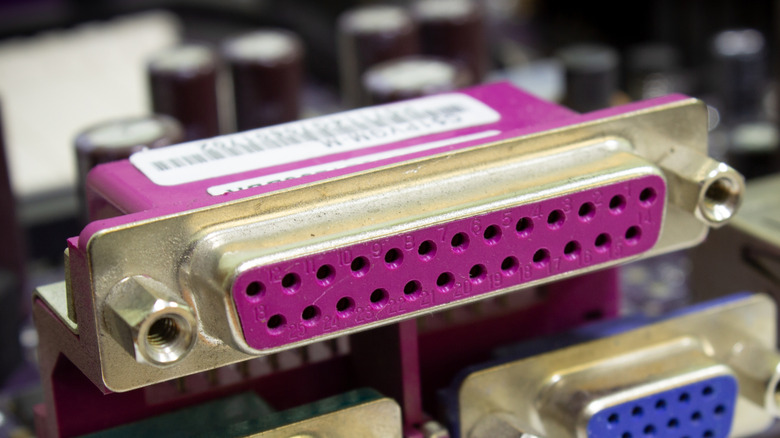
However, one area where serial ports were incapable of offering the speeds required for a usable experience was when dealing with printers. Unlike simple instructions or kilobit-sized files, sending an image file to a printer required much more data to be transferred. This took ages with a serial port, which is why most printers at the time opted for parallel ports — also referred to as Centronics ports or DB-25 ports — instead.
Parallel ports, originally introduced by the company Centronics in 1970, became the go-to ports for printers. This was because they transferred multiple streams of data parallel to one another, letting a single parallel port transfer 8 bits at a time (a full byte) compared to the bit-by-bit transfer technology of serial ports. With USB allowing for greater speeds despite sending data serially, parallel ports eventually got phased out due to a number of problems: synchronization issues between different streams of data, more fragile pins, and the larger size.
4. Personal System/2 or PS/2 ports
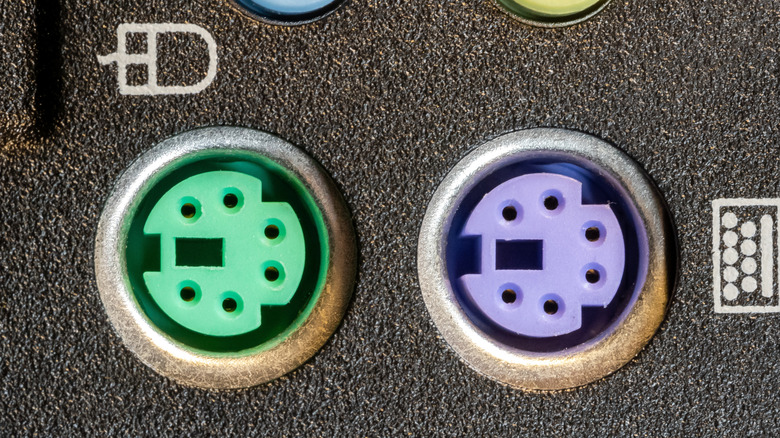
USB has replaced most legacy ports out there. While you may find the occasional serial port on a stenograph machine or a DIN socket connection in certain audio setups, these old-school ports are pretty much obsolete for the average user. One type of port that still exists on many modern PC motherboards is the PS/2 port. The PS in a PS/2 port stands for Personal System, not PlayStation. This is because the ports were first introduced as part of IBM's Personal System lineup as two color-coded mini-DIN sockets dedicated to your peripherals. The purple port connected to your keyboard and the green one connected to your mouse, and you couldn't plug in one device into the other.
These ports have barely changed over the years, though some orientations combined them both in a single half-purple, half-green port. They still exist today because they offer some advantages over your typical USB mouse or keyboard connection, mainly in terms of latency. Since these ports rely on active interruptions and not polling, they can be more responsive than USB connections. They also have true N-key rollover, which means you can input any number of keys at once, and they don't need any drivers to function.
Despite their advantages, though, there's a reason most peripheral manufacturers started opting for USB instead. First, PS/2 ports aren't hot-swappable. If your mouse or keyboard disconnects from your device while you're using it, you'll have to restart your computer to continue using it. Furthermore, if you try connecting to a PS/2 port with your computer running, the electrical interference can potentially fry your hardware.
5. VGA
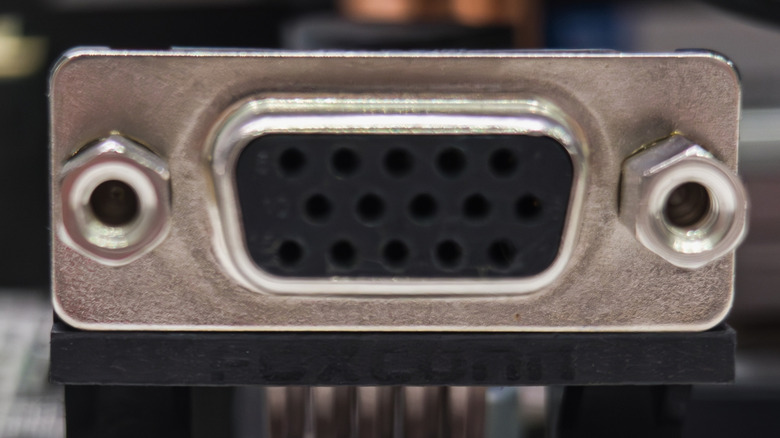
HDMI and DisplayPort each offer their own sets of advantages. However, before either, there was the Video Graphics Array port, more commonly known as a VGA port. This type of connection was originally known simply as a 15-pin D-sub port (DE-15) and the term "VGA" referred to many more things, but the port itself started being called a VGA port due to widespread use of the term.
Just like PS/2 ports, VGA was also introduced alongside IBM's Personal System/2 computers. Unlike the standards of today, the port offered an analog connection and only supported video signals, which meant you had to use another cable for your audio. This might seem like a big disadvantage, but the analog nature of the signal meant that it was much easier to support a wider color range for its time and to make things backward-compatible. The analog signal also meant that there was virtually no limit on what resolution the port itself could support. The real limiting factor was instead the video card's output and the cable — unlike with HDMI or DP, where ports have limits imposed on them.
VGA ports were the optimal choice for computers back in the day, but slowly got phased out in favor of HDMI, DisplayPort, and now, with USB-C DisplayPort Alt-Mode, even USB. VGA not supporting audio was a big deal, and the large plugs that you had to secure with screws took much more space than other alternatives and weren't as easy to take out and put back in. Unlike PS/2 ports, VGA ports are completely obsolete in modern consumer tech.